


Evaluating Memory Needs for Modern Laptop Upgrades
Cracking open a notebook to boost performance often brings an immediate hurdle when you discover non-removable soldered chips or limited motherboard slots. Before investing in new hardware, verify your machine’s physical layout and ensure it accepts a standard 260-pin Ddr4 Sodimm module rather than soldered memory or newer DDR5 silicon. Running out of available memory bogs down multitasking, but selecting the correct form factor and capacity prevents wasted spending on unsupported hardware. Checking our guide to laptop DDR4 memory can help clarify how slot architecture impacts responsiveness.
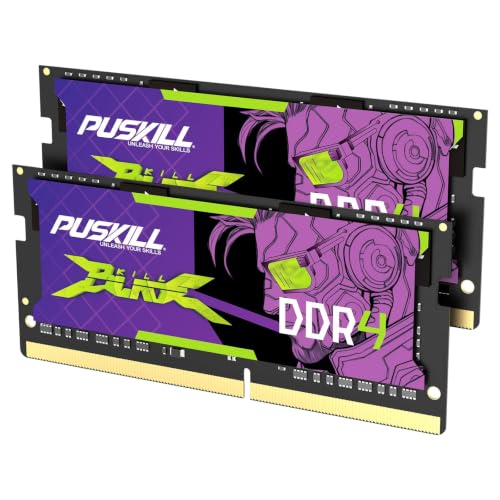
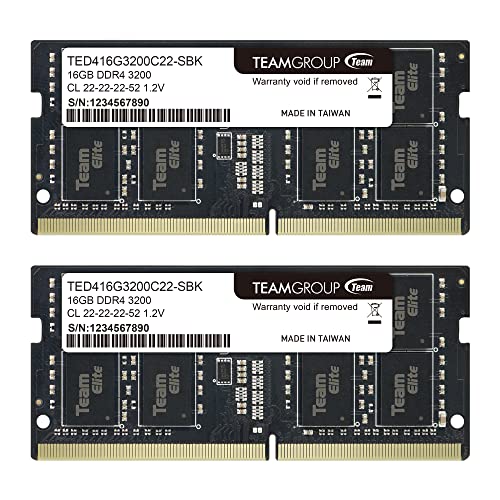
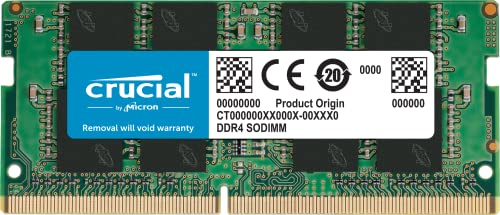
System stability depends heavily on matching operational requirements like 1.2V standard voltage, non-ECC unbuffered signaling, and supported data frequencies. While faster kits rated for 3200MHz can downclock to 2933MHz or 2666MHz depending on processor limits, exceeding the motherboard’s maximum density per slot causes boot failures. Reputable modules from brands like Timetec, Crucial, and TEAMGROUP adhere to standard JEDEC specifications, ensuring dependable plug-and-play operation for compatible motherboards. Reviewing your device manual will confirm whether a dual-channel 32GB kit or a single module fits your upgrade ceiling.


Pros
- Adheres to standard JEDEC DDR4 operating parameters (1.2V, CL22, non-ECC unbuffered) for predictable baseline operation.
- Supports automatic downclocking to match laptop platforms limited to 2666MHz or 2400MHz DDR4 speeds.
- Backed by manufacturer lifetime warranty coverage and direct customer support.
- Offers a straightforward 16GB capacity boost for laptops with an accessible 260-pin SODIMM slot.
Cons
- Not compatible with laptops designed strictly for DDR5 memory, older DDR3 systems, or desktop-sized DIMM slots.
- Cannot be used in ultra-thin laptops or devices where system memory is permanently soldered to the motherboard.
- Dual-channel performance or seamless operation is not guaranteed when paired with a mismatched pre-installed memory stick.
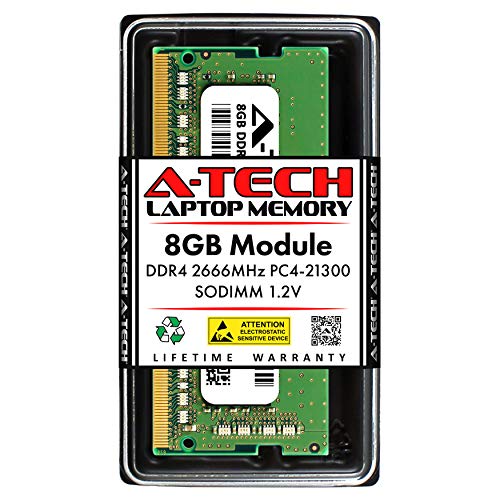
The A-Tech 16GB DDR4 3200MHz SODIMM module is designed as an unbuffered, non-ECC memory upgrade for notebooks, laptops, mini PCs, and all-in-one systems. Operating at standard JEDEC DDR4 specifications of 1.2 volts and CAS latency 22, it provides a dependable hardware specification for machines built around DDR4 memory architecture. Shoppers seeking to add capacity to an existing system running short on memory headroom will find this single 16GB stick a straightforward option, provided their laptop supports removable 260-pin SODIMM hardware.
Before choosing this module, shoppers should verify their exact laptop model documentation. Memory generations are not cross-compatible; this DDR4 module will not physically fit or function in laptops requiring DDR5 or older DDR3 modules due to differing notch positions and electrical pinouts. Additionally, many compact laptops utilize soldered RAM that cannot be upgraded, while others feature one soldered bank and one open SODIMM slot. Checking your manufacturer maintenance guide confirms whether your system has a physical, accessible slot and verifies the maximum memory capacity supported by your processor and motherboard.
The module is rated for a data transfer speed of 3200MHz (PC4-25600). The speed at which the module actually operates depends on the host system's chipset and CPU memory controller. If your laptop supports 3200MHz DDR4, the module is rated to operate at that frequency. If your system caps memory at 2666MHz or 2400MHz, DDR4 memory is designed to automatically downclock to the highest speed supported by the host machine. While adding a 16GB stick can help reduce slowdowns caused by memory bottlenecks, it will not bypass system-level frequency caps, nor does it guarantee specific frame-rate or processing gains if performance is limited by the processor or storage drive.
In terms of configuration, this product includes a single 16GB memory stick with 1Rx8 or 2Rx8 rank configuration. If your laptop currently has an empty slot alongside an existing 8GB or 16GB module, adding this module can increase overall system capacity. However, dual-channel memory benefits and timing synchronization are best achieved when memory modules match in specifications. When mixing modules from different manufacturers or with differing internal timings, the system will adjust to the lowest common denominator, and dual-channel operation is contingent on motherboard architecture.
Installing laptop memory requires following the device manufacturer's recommended service procedures. Users should ensure the laptop is fully powered down, the power adapter is disconnected, and the internal battery is disabled or unplugged per system service instructions. Memory modules must be handled by the edges to protect against electrostatic discharge. Because laptops vary widely in accessibility, some require simple access doors while others demand complete removal of the bottom chassis.
For owners of DDR4-compatible laptops who have verified slot availability and capacity allowances, this A-Tech 16GB 3200MHz SODIMM provides a reliable, standard-spec memory upgrade. It is backed by a lifetime manufacturer warranty and direct technical support. As long as device documentation confirms DDR4 SODIMM support and sufficient capacity overhead, this module offers a sensible way to expand multitasking headroom on compatible machines.
Compatibility depends entirely on your exact laptop or mini PC specifications. You must confirm that your computer utilizes DDR4 SODIMM memory with a 260-pin configuration. This module cannot be installed in desktop computers requiring 288-pin DIMMs, nor can it be used in devices designed for DDR5 or DDR3 memory.
Shoppers should check whether their laptop has accessible memory slots rather than soldered onboard memory. Consult your device manufacturer manual to verify the maximum supported memory per slot, total system capacity limits, and supported frequencies before making an upgrade decision.
A-Tech covers this memory module with a manufacturer lifetime warranty against hardware defects. The company also provides direct technical support assistance to help buyers address questions regarding memory identification and compatibility before or after installation.



Frequently Asked Questions
How can you tell if your laptop supports a ddr4 sodimm upgrade?
Check your laptop manufacturer documentation or service manual before purchasing any memory modules. Many ultra-thin laptops feature soldered memory that cannot be upgraded, while other models provide one or two accessible 260-pin slots. Diagnostic tools will show your current configuration, open slots, and maximum system capacity.
Can a ddr4 sodimm module fit into a desktop or DDR5 laptop slot?
No, notebook memory modules cannot fit into desktop motherboards or DDR5 slots. A laptop DDR4 module uses a 260-pin SODIMM form factor with a specific notch placement that differs from 288-pin desktop DIMM slots and 262-pin DDR5 slots. Forcing an incompatible module into the wrong slot will cause physical damage.
Will a 3200MHz module work if your laptop supports 2666MHz?
Yes, standard 3200MHz modules will automatically downclock to match your laptop’s supported frequency. Listed specifications for kits from brands like Timetec and TEAMGROUP note automatic downclocking to 2933MHz or 2666MHz when required by the host processor. The system will run reliably at the lower speed without manual adjustments.
Should you install a dual-channel kit or a single module?
A matched dual-channel kit is preferable if your laptop features two accessible memory slots. Installing two identical modules, such as a 2x16GB kit, enables dual-channel architecture to increase memory bandwidth for demanding multitasking. If your machine only has one open slot alongside soldered memory, a single module provides a practical capacity boost.
Do you need to configure BIOS settings after installing new laptop RAM?
No, standard DDR4 notebook memory operates on a plug-and-play basis according to JEDEC profiles at 1.2 volts. Most consumer laptop motherboards do not offer advanced timing options or XMP profiles in their BIOS menus. Once you properly seat the modules and power on the system, the motherboard detects the memory automatically.


Write Your Review
No reviews yet. Be the first to share your experience!