


Evaluating Hardware Balance Between Dell and MSI
Hardware specifications can easily mislead buyers who prioritize raw numbers over chassis cooling and sustained power limits. A mobile graphics chip paired with a high core-count processor produces substantial heat inside a compact portable frame. Comparing a dell vs msi gaming laptop requires evaluating how each manufacturer configures wattage delivery, screen refresh rates, and memory bandwidth across different price points. Understanding how mobile gaming hardware operates helps clarify why two systems sharing similar specifications might deliver distinct user experiences. Buyers who examine cooling architectures alongside component sheets make significantly better purchasing choices.
Chassis designs vary considerably between these two brands across entry-level and premium tiers. MSI frequently prioritizes high refresh panels reaching 240Hz, lightweight frames, and rapid wireless connectivity such as Wi-Fi 7 on premium configurations. Dell emphasizes rigid aluminum construction and streamlined styling, evident in models like the Alienware 16 Aurora. The choice of processor also shapes daily multitasking, especially when assessing desktop and laptop CPU architecture against modern gaming demands. Balancing display clarity against system weight ensures you select a machine that meets your everyday computing expectations.


Pros
- Solid gaming performance with RTX 4060 and 144Hz screen for smooth, responsive gameplay.
- 16GB RAM and 512GB NVMe SSD handle modern games and multitasking effectively.
- Lightweight and slim build at 0.85 inches and under 4 pounds for excellent portability.
- Backlit keyboard and Wi-Fi 6 support enhance comfort and connectivity during long sessions.
Cons
- 16GB DDR4 RAM is not upgradeable, which may limit future multitasking needs.
- 512GB SSD may fill quickly with large game libraries, requiring external storage.
- Battery life is moderate; gaming sessions may require a nearby outlet.
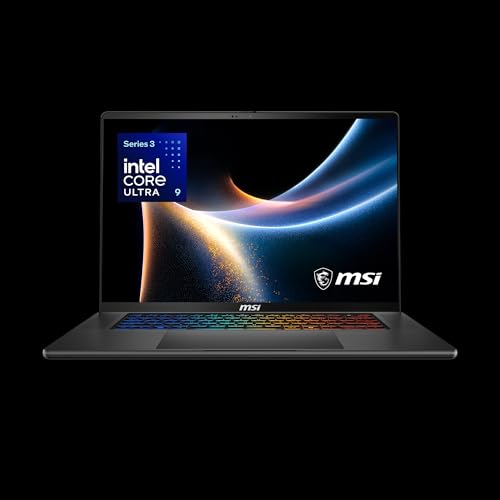
The MSI Thin 15 (B13VF-2829US) is a traditional gaming laptop designed for U.S. PC gamers, esports players, and streamers who need a balance of performance and portability. With a 15.6-inch 144Hz FHD IPS display, Intel Core i5-13420H processor, and NVIDIA GeForce RTX 4060 GPU, it targets competitive and casual gamers alike.
In real-world use, the 144Hz refresh rate and 1080p resolution deliver smooth visuals in fast-paced games like Valorant, Fortnite, and Call of Duty. The RTX 4060 handles modern titles at medium to high settings, while the 16GB DDR4 RAM and 512GB NVMe SSD ensure quick load times and responsive multitasking. For streamers or content creators, the dedicated 8GB GPU can handle light editing and streaming tasks, though heavy encoding may benefit from an external capture solution.
Build quality is solid for a thin-and-light chassis, with a gray aluminum-like finish that resists fingerprints. The backlit keyboard offers comfortable key travel for long sessions, though it lacks mechanical switches. Connectivity includes three USB 3.0 ports, Wi-Fi 6, and Bluetooth, making it easy to connect gaming mice, headsets, or external monitors. The 0.85-inch profile and under 4-pound weight make it a strong option for college gamers or anyone moving between dorm, office, and gaming setup.
Setup is straightforward out of the box, with Windows 11 Home preinstalled. The 512GB storage may feel tight for large game libraries, so pairing it with a USB-C or external NVMe drive is practical for heavy users. Cooling performance is adequate for its size, but during extended gaming sessions, the fans may become audible under load - typical for thin gaming laptops. Maintenance involves occasional fan cleaning to keep airflow optimal.
A realistic limitation is the non-upgradeable 16GB DDR4 RAM, which may be a constraint for future gaming or multitasking demands. Additionally, battery life is moderate; expect 4-5 hours for light tasks, but gaming will require the power adapter. These tradeoffs are common in this class of laptop but worth noting for potential buyers.
Overall, the MSI Thin 15 is a practical choice for PC gamers who want reliable 1080p gaming and portability without breaking the bank. It suits esports players, casual gamers, streamers on a budget, and college gamers who need a versatile device for both play and productivity. If you value a slim design, smooth 144Hz display, and capable RTX 4060 performance, this laptop is worth considering for your gaming setup.

Pros
- Top-tier Intel Core Ultra 9 and RTX 5070 deliver exceptional gaming and productivity performance.
- 18" 240Hz QHD+ display with 100% DCI-P3 offers smooth, vibrant visuals for gaming and color-critical work.
- 32GB DDR5 RAM and 1TB NVMe SSD provide fast load times and ample space for games and files.
- Comprehensive connectivity with Thunderbolt 4, HDMI 2.1, and Wi-Fi 6E for flexible setup.
- SteelSeries RGB keyboard and Dynaudio audio enhance the gaming experience.
Cons
- The premium gaming hardware may lead to shorter battery life during intensive use.
- At 6.83 pounds, it's less portable than smaller gaming laptops.
- The built-in 720p webcam is functional but not ideal for high-quality streaming.
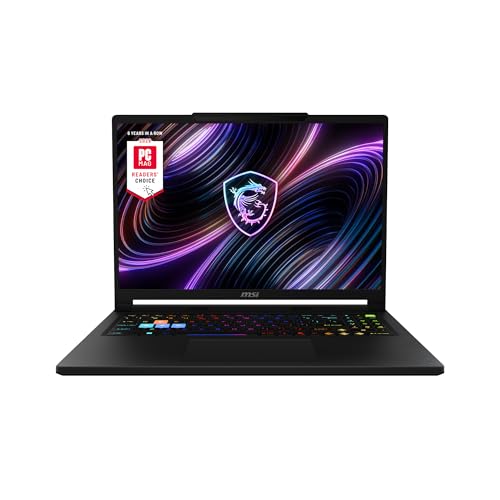
The MSI Crosshair 18 HX AI is a powerhouse gaming laptop that brings desktop-class performance to a portable form factor. It's designed for serious PC gamers, esports players, streamers, and content creators who demand high frame rates and responsive gameplay without being tied to a desk. With the latest Intel Core Ultra 9 processor and NVIDIA RTX 5070 graphics, this machine handles even the most demanding titles and creative applications with ease.
At the heart of the Crosshair 18 is the Intel Core Ultra 9 275HX, a 24-core CPU that boosts up to 5.4 GHz, paired with 32GB of DDR5-5600 RAM. This combination ensures buttery-smooth multitasking, whether you're streaming on Twitch, editing video, or running the latest AAA shooters. The RTX 5070 with 8GB GDDR7 VRAM delivers stunning ray-traced visuals and high frame rates at the laptop's native QHD+ resolution. Games like Call of Duty: Modern Warfare III or Cyberpunk 2077 will look incredibly detailed and run fluidly, especially with DLSS support.
The 18-inch display is a standout feature. Its 2560x1600 resolution, 240Hz refresh rate, and 100% DCI-P3 color coverage make it ideal for both competitive gaming and color-sensitive work. Fast-paced titles feel incredibly responsive thanks to the high refresh rate, while the vibrant colors and sharp resolution bring single-player adventures to life. The screen also works great for photo and video editing, making it a versatile tool for creators.
Build quality feels solid for a large gaming laptop, weighing just under seven pounds. The SteelSeries keyboard with 24-zone RGB offers satisfying feedback and anti-ghost keys for precise inputs during intense gaming sessions. The Dynaudio speakers with dedicated woofers provide surprisingly rich sound, reducing the need for external speakers during casual use. Connectivity is comprehensive with Thunderbolt 4, HDMI 2.1, and multiple USB ports, allowing you to connect external monitors, gaming mice, and other peripherals effortlessly.
Setting up the Crosshair 18 is straightforward right out of the box. Windows 11 Home comes preinstalled, and MSI's software suite lets you customize performance profiles, fan speeds, and RGB lighting. The 720p webcam with a privacy shutter is basic but functional for video calls. While the laptop's 90Whr battery offers decent run time for everyday tasks, heavy gaming will require being plugged into the 240W adapter.
One limitation is battery life under load; you'll want to keep it plugged in for gaming sessions. The built-in webcam is adequate for Discord calls but not ideal for professional streaming. Some users may find the 6.83-pound weight a bit heavy for daily commuting. However, if you need a laptop that can replace a desktop for gaming and content creation, the MSI Crosshair 18 HX AI is an excellent choice. It's a well-rounded machine that delivers high-end performance in a portable package, making it a strong contender for any mobile gamer or creator.
The MSI Crosshair 18 HX AI delivers outstanding gaming performance thanks to its Intel Core Ultra 9 275HX and RTX 5070 combination. In demanding titles like Fortnite, Apex Legends, and Baldur's Gate 3, you can expect high frame rates at the laptop's native QHD+ resolution with graphics settings maxed out. The 240Hz display ensures every frame is rendered smoothly, giving competitive gamers an edge in fast-paced shooters. The 32GB of DDR5 RAM prevents any stutter during intense battles or when streaming in the background. The RTX 5070's ray-tracing capabilities bring realistic lighting and reflections to supported games, enhancing immersion without sacrificing performance.
For esports players, the combination of low-latency connectivity (Wi-Fi 6E and Ethernet) and the high-refresh screen makes a noticeable difference in reaction times. The laptop also handles content creation tasks like video rendering and 3D modeling with ease, thanks to the powerful CPU and ample RAM. Overall, this is a system built to excel across gaming and productivity workloads.


Pros
- Strong gaming and multitasking performance with RTX 5060 and Intel Core 7 processor.
- Large 17.3-inch 144Hz display offers smooth motion clarity for competitive gaming.
- Thin and light design for a 17-inch laptop, easy to carry between rooms or classes.
- Fast DDR5 memory and NVMe SSD improve load times and system responsiveness.
- Effective cooling system helps maintain performance during extended gaming sessions.
Cons
- 1080p resolution may not satisfy users wanting higher pixel density on a 17-inch screen.
- Graphics card listed as RTX 4060 in specs could cause confusion; verify exact model.
- Battery life may be limited under heavy gaming loads typical for gaming laptops.
The MSI Cyborg 17 B2RWFKG-074US is a 17.3-inch gaming laptop built for gamers who want a big screen without carrying a heavy rig. It balances performance and portability, making it a solid pick for PC gamers, competitive players, streamers, and content creators who need power they can move between home, dorm, or office. The translucent black design adds a unique visual flair that RGB enthusiasts may appreciate.
At the heart of this laptop is an Intel Core 7-240H processor paired with an NVIDIA GeForce RTX 5060 graphics card. This combo handles modern titles at high settings, with the 144Hz FHD display ensuring smooth motion in fast-paced games like FPS and MOBA titles. DLSS 4 support helps boost frame rates without sacrificing image quality, which is useful for both competitive play and visually demanding open-world games. The 16GB of DDR5 RAM and 1TB NVMe SSD provide fast load times and enough space for a growing game library, plus room for creative projects or school files.
Build quality is practical for a portable gaming machine. At 0.83 inches thick and 5.5 pounds, it is relatively slim for a 17-inch laptop. The Cooler Boost thermal system uses a shared-pipe design to manage heat from both CPU and GPU, which helps maintain performance during long gaming sessions without excessive fan noise. The keyboard area features a translucent finish that aligns with the laptop's cyberpunk-inspired aesthetic, and the backlit keys are easy to use in low-light gaming environments.
Connectivity is well-rounded for a gaming setup. It includes USB-C, USB-A, HDMI, and RJ45 ports, along with Wi-Fi 6E for low-latency online gaming and fast file transfers. This makes it easy to connect to external monitors, gaming mice, headsets, and other peripherals. The laptop runs Windows 11 Home and includes Microsoft Copilot, which can assist with productivity tasks like content creation or research.
One realistic limitation is the 1080p resolution on a 17-inch panel. While 144Hz refresh rate is excellent for competitive gaming, some users may prefer a higher resolution for creative work or media consumption. Additionally, the spec sheet lists the graphics card as both RTX 5060 and RTX 4060 in different places, so buyers should confirm the exact model before purchase. Battery life on gaming laptops is typically limited under heavy load, so this unit is best used plugged in for gaming sessions.
Overall, the MSI Cyborg 17 is a strong choice for gamers who prioritize a large screen, solid performance, and portability in one package. It suits competitive and casual gamers alike, and also works well for streamers or content creators needing a mobile rig. For anyone building a gaming setup that requires a laptop that can handle both play and productivity on the go, this model delivers reliable performance without being a burden to carry.

Pros
- Excellent CPU and GPU performance for the price point
- High-quality 165Hz QHD display with accurate colors
- Ample 32GB DDR5 RAM and 1TB SSD storage
- Effective cooling sustains performance over long sessions
- Solid port selection for gaming and creator peripherals
Cons
- Battery life is short (around 2 hours) typical for gaming laptops
- Chassis is mostly plastic, lacking the premium feel of higher-end models
- Fans can get loud under heavy load
The MSI Katana 15 HX is a gaming laptop built for players who want high performance without breaking the bank. Powered by an Intel Core i9-14900HX and NVIDIA GeForce RTX 5070, this 15.6-inch machine targets competitive gamers, streamers, content creators, and anyone who needs a portable system that can handle modern AAA titles and creative workloads. With 32GB of DDR5 RAM and a 1TB NVMe SSD, it's ready to run demanding software right out of the box.
In real-world gaming, the i9-14900HX and RTX 5070 push high frame rates even at QHD resolution. The RTX 5070 supports NVIDIA DLSS 4, which uses AI to boost FPS and improve image quality in supported games. The display is a QHD 165Hz panel with 100% DCI-P3 color coverage, meaning you get sharp details, smooth motion, and rich colors whether you're battling in an FPS or exploring an open world. The 165Hz refresh rate reduces motion blur for a competitive edge.
MSI's Cooler Boost 5 cooling system uses two fans and shared heat pipes to keep the CPU and GPU temperatures in check during long gaming sessions. Based on user feedback, the design does a good job maintaining stable frame rates without throttling, though the fans do become audible under load. The 4-zone RGB keyboard includes highlighted WASD keys, and the keycaps have a nice tactile feel for gaming. Port selection is generous with USB-C Gen 2, HDMI 2.1 supporting up to 8K output, multiple USB-A ports, and Wi-Fi 6E for fast wireless connectivity.
Build quality is practical rather than premium. The chassis is primarily plastic, which keeps weight down to just under 5 pounds, but it doesn't have the all-metal feel of more expensive laptops. The hinge feels sturdy, and the keyboard deck has minimal flex. Setup is straightforward: the laptop comes with Windows 11 Home and MSI Center software for performance tuning, RGB control, and system monitoring. Battery life is limited to around two hours under gaming loads, so you'll want to stay plugged in for serious play.
One realistic limitation is fan noise; under heavy gaming, the cooling fans ramp up noticeably. If you game in a quiet room or stream with an open mic, this is something to consider. Additionally, the 1080p webcam is average, so streamers may want a dedicated webcam for better quality.
The MSI Katana 15 HX offers strong value for gamers and creators who need a portable, high-performance laptop. It's ideal for college gamers, work-from-home players, and anyone building a gaming setup on a budget. If you can live with plastic build and short battery life, this laptop delivers where it counts: gaming performance, display quality, and system responsiveness.
The combination of Intel Core i9-14900HX and GeForce RTX 5070 makes the Katana 15 HX a beast for modern games. The i9's 24 cores (8 Performance + 16 Efficient) handle both gaming and background tasks seamlessly, while the RTX 5070, based on NVIDIA Blackwell architecture, brings full ray tracing and DLSS 4. In titles like Cyberpunk 2077 or Call of Duty, you can expect high to ultra settings at QHD resolution with smooth frame rates. The 32GB DDR5 RAM ensures zero stutter even when streaming or running Discord in the background. Esports players will appreciate the 165Hz display low latency for fast-paced shooters.
The 15.6-inch QHD display is a highlight, offering 2560x1440 resolution, a 165Hz refresh rate, and 100% DCI-P3 color gamut. This means you get sharp details, smooth motion, and vibrant colors suitable both for gaming and photo/video editing. The Cooler Boost 5 cooling system employs two fans and five heat pipes to keep temperatures in check. In sustained gaming, the CPU and GPU stay within safe limits, though the fans do become audible. The laptop maintains stable performance without significant thermal throttling, which is crucial for long sessions.
Pros
- Exceptional gaming performance with high frame rates and smooth 240Hz display.
- Large 18-inch screen with excellent color accuracy and brightness for immersive gaming and creative work.
- Solid build quality and lightweight design (6.83 lbs) for a desktop replacement laptop.
- Ample storage (2TB NVMe) and memory (32GB DDR5) out of the box, with upgrade potential.
Cons
- Runs hot under sustained gaming loads; a cooling pad is recommended for extended sessions.
- Battery life is limited, as typical for high-performance gaming laptops, so expect to stay plugged in during gaming.
- Some users report driver conflicts with third-party peripherals (e.g., Razer) and pre-installed MSI software that may need removal for optimal performance.
The MSI Crosshair 18 HX AI is a top-tier gaming laptop designed for PC gamers who want desktop-level performance without being tied to a desk. It's best suited for competitive gamers, streamers, content creators, and college gamers who need a powerful machine for both gaming and productivity. With an 18-inch QHD+ 240Hz display, Intel Core Ultra 9 275HX processor, and NVIDIA RTX 5070 graphics, this laptop aims to deliver high frame rates and stunning visuals in the latest titles.
In real-world gaming, the combination of the 240Hz refresh rate and RTX 5070 ensures smooth, tear-free gameplay in fast-paced shooters like Valorant or Call of Duty, while the 100% DCI-P3 color gamut makes open-world adventures like Cyberpunk 2077 look vibrant. The 32GB of DDR5-5600 RAM handles multitasking with ease, whether you're streaming on Twitch, running Discord, or editing video. The 2TB NVMe SSD provides lightning-fast load times, so you're never waiting long to jump into a match. However, users report that the laptop gets hot during extended gaming sessions, so investing in a quality cooling pad is wise for maintaining performance and comfort.
Build quality is solid, with a sleek black chassis that feels premium despite being relatively lightweight at 6.83 pounds for an 18-inch machine. The SteelSeries keyboard offers 24-zone RGB lighting and anti-ghost keys, providing responsive feedback for both gaming and typing. The Dynaudio speakers deliver surprisingly rich audio with clear mids and decent bass, though for competitive gaming you'll still want a dedicated headset. Connectivity is generous: Thunderbolt 4 USB-C, HDMI 2.1 for external monitors, RJ45 Ethernet, and Wi-Fi 6E ensure you can hook up all your peripherals and networks without adapters.
Setup is straightforward: Windows 11 Home comes pre-installed, and the laptop is ready to use out of the box. Some users suggest removing MSI's preloaded software to avoid potential driver conflicts, especially with third-party gaming mice or headsets. The 720p webcam with privacy shutter is adequate for video calls but not ideal for streaming. The laptop's dimensions are large, so it will take up considerable desk space, but the 18-inch screen makes it a true desktop replacement.
Realistic limitations include the battery life, which is typical for a gaming powerhouse—expect only a couple of hours for light tasks and significantly less during gaming. The heat output is notable, and you'll likely need a cooling pad for marathon sessions. Additionally, the premium price tag reflects the high-end specs, but it offers solid long-term value given the upgradeable RAM and storage (two SSD slots).
Overall, the MSI Crosshair 18 HX AI is an excellent choice for competitive PC gamers, streamers, and content creators who need a portable yet powerful gaming setup. It shines in desktop-replacement scenarios where you prioritize performance over battery life, and it's well-suited for dorm rooms, home offices, or LAN parties. If you can handle the heat and the upfront cost, this laptop delivers an impressive gaming experience that rivals many desktop rigs.
Frequently Asked Questions
Which brand offers better displays for high-framerate competitive gaming?
MSI models in this lineup generally provide higher refresh rates, often reaching 240Hz on QHD+ panels compared to the 120Hz panel on the Dell Alienware 16 Aurora. High refresh rates produce smoother visual transitions during fast multiplayer motion. Dell instead emphasizes consistent color fidelity with 100% sRGB coverage and ComfortView Plus eye care features. Your preference depends on whether pure frame fluidity or visual comfort matters more during gaming sessions.
How do build materials differ between Dell and MSI portable rigs?
Dell tends to focus on structural rigidity using anodized aluminum lids, whereas MSI incorporates varied chassis materials across its diverse lines. MSI configurations like the Stealth emphasize thin profiles, while the Cyborg line uses lightweight designs with translucent accents. Dell Alienware builds prioritize a dense, clean finish intended for desktop replacement duties. Both designs offer distinct structural profiles depending on your travel habits.
Can memory and storage be upgraded on these gaming laptops?
Many models provide upgrade paths, though support varies by specific chassis configuration. For example, the MSI Raider series highlights a quick-access panel designed specifically for storage and RAM expansion. Dell gaming notebooks typically allow M.2 solid-state drive additions and SO-DIMM memory replacement on standard chassis formats. Always check the exact model manual before buying if future component expansion is vital for your workflow.
How does an entry-level Dell Vs Msi Gaming Laptop compare to an affordable desktop?
An entry-level laptop offers complete portability but may face stricter thermal constraints than an entry-level gaming desktop. Compact notebooks like the MSI Thin 15 pack dedicated GeForce RTX graphics into a tight footprint for gaming on the move. Desktops provide larger cooling fans and unrestricted power limits at similar component tiers. Deciding between them depends on whether mobile convenience outweighs maximum sustained component wattage in 2026.
Which brand provides better connectivity options for external peripherals?
Both manufacturers deliver modern port selections including HDMI 2.1 and high-speed USB Type-C connections. Premium MSI options frequently include modern Wi-Fi 7 wireless adapters alongside Thunderbolt 4 support. Dell Alienware 16 Aurora units feature dedicated DisplayPort Type-C connections and discrete graphics direct output. Either ecosystem connects smoothly to external monitors, wired networks, and high-performance gaming peripherals.


Write Your Review
No reviews yet. Be the first to share your experience!