
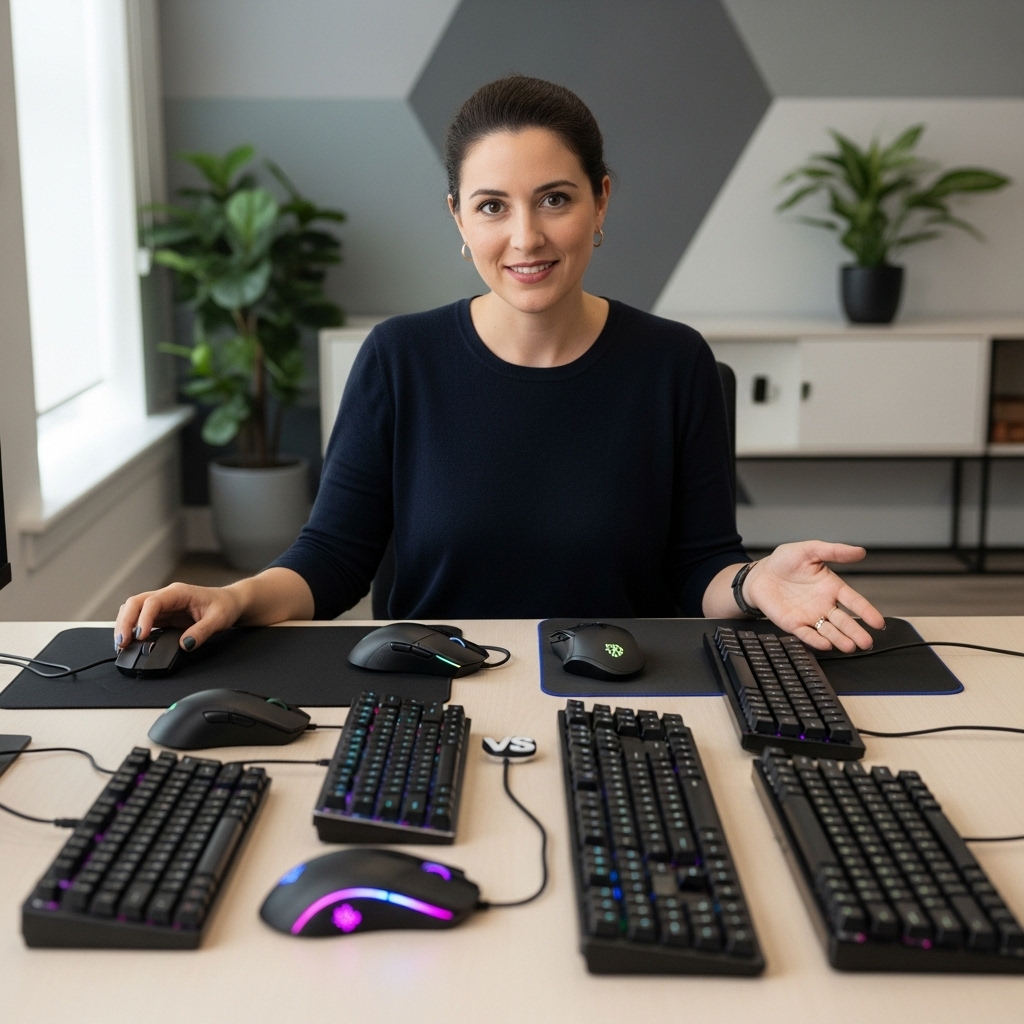

Long gaming marathons frequently leave players dealing with burning sensations, blurred vision, and persistent frontal headaches. Understanding how to reduce eye strain while gaming requires looking closely at how display panels interact with human ocular reflexes during intense focus. Rapid motion, high-contrast weapon effects, and uncalibrated panel backlights force the tiny ciliary muscles inside the eyes to contract continuously without adequate rest.
While many players focus primarily on maximizing in-game frame rates, visual comfort also depends heavily on desk ergonomics and lighting. Integrating proper screen distance alongside ergonomic gaming chair options provides a steady physical foundation that prevents neck tension from compounding ocular fatigue. In addition, addressing digital eye fatigue involves fine-tuning software color profiles, calibrating refresh rates, and considering specialized accessories like blue light blocking eyewear.




Practical Strategies on How to Reduce Eye Strain While Gaming
Extended gaming sessions create a demanding visual environment where rapid micro-saccades and prolonged focus take a heavy toll on ocular comfort. Learning how to reduce eye strain while gaming is not simply a matter of dimming screen brightness, but rather establishing an interconnected ecosystem of proper software settings, balanced lighting, and supportive habits. High-contrast flashes, glowing user interfaces, and rapid camera pans continuously stress the delicate ciliary muscles within the human eye. When hardware outputs, display properties, and physical workstation ergonomics work harmoniously, players can sustain high visual precision across long sessions without suffering debilitating eye fatigue.
Calibrating Operating System and Software Display Settings
Modern operating systems provide native visual comfort utilities that dramatically soften harsh illumination during evening play. In Windows, activating Night Light shifts the color temperature slider toward warmer spectrums, which helps suppress high-energy visible blue wavelengths emitted by standard LED backlights. Third-party utilities such as f.lux offer automated schedules that synchronize color temperature shifts with local sunrise and sunset timings without interrupting background game clients. Players who spend late hours in competitive lobbies can also experiment with custom color profiles in their graphics card control panel to balance vibrant visuals against harsh blue output.
Text clarity and interface scaling also directly influence how hard ocular muscles work to process critical on-screen data. When playing complex role-playing games or strategy titles on high-density 1440p or 4K monitors, tiny user interface text can cause subconscious squinting. Adjusting the display scaling percentage in Windows settings ensures that menus, inventory grids, and chat windows remain legible at normal viewing distances. Pairing legible font rendering with a slight reduction in overall screen contrast creates a smoother visual reading field that feels substantially gentler over several consecutive hours.
Optimizing Monitor Refresh Rates and Motion Clarity
A monitor’s refresh rate plays an understated yet profound role in minimizing digital visual fatigue during motion-heavy gameplay. Standard 60Hz displays present motion with noticeable temporal blur, which compels the brain and eye muscles to reconstruct fast-moving targets actively. Upgrading to a high-refresh-rate panel operating at 120Hz, 144Hz, or higher delivers fluid frame transitions that feel distinctly more natural to track across the visual field. This smoother motion rendering reduces the tracking strain imposed on the eye when scanning across rapidly panning camera angles in first-person shooters.
Variable refresh rate technologies like Nvidia G-Sync and AMD FreeSync further stabilize the viewing experience by eliminating screen tearing and micro-stuttering. When a monitor dynamically matches its refresh cadence to the actual output of the graphics card, disruptive frame pacing anomalies disappear. Inconsistent frame delivery forces eyes to process erratic judder, which rapidly accelerates mental fatigue and visual disorientation during fast encounters. Ensuring that hardware synchronization remains enabled across all installed gaming titles provides consistent motion continuity that keeps eye movement fluid and relaxed.
Brightness, Contrast, and Ambient Lighting Balance
Gaming inside a completely pitch-black room is one of the most widespread triggers for severe ocular headaches and retinal fatigue. When a luminous monitor sits surrounded by intense darkness, the eye’s pupil must constantly expand and contract as visual focus shifts between the center screen and peripheral surroundings. Installing balanced bias lighting behind the monitor illuminates the rear wall with neutral white light, softening the harsh boundary between the screen edges and the background. This subtle glow establishes an even reference plane for the eyes, preventing the pupil from overworking during dark-to-bright in-game scene transitions.
Matching the monitor’s luminance to the ambient room lighting prevents excessive glare and washed-out contrast levels. Factory monitor presets often arrive configured with maximum brightness levels intended to catch eyes on bright retail display shelves rather than quiet home gaming setups. Calibrating brightness down to a comfortable level where white backgrounds appear like normal paper rather than a light bulb will instantly reduce visual stress. Contrast should be tuned carefully so shadow details in competitive scenes remain visible without crushing dark tones or washing out highlights.
Physical Ergonomics, Eye Level, and Viewing Distances
Proper physical workstation alignment establishes the foundation for relaxed ocular posturing throughout competitive play. The monitor should sit directly in front of the player, with the top bezel positioned at or slightly below eye level. This vertical orientation promotes a natural downward gaze angle of roughly fifteen to twenty degrees, which allows the upper eyelids to rest slightly lower over the cornea. Pair your desk configuration with high-back ergonomic desk seating to stabilize spinal posture and keep your head properly balanced above your shoulders.
Maintaining an appropriate viewing distance prevents the ocular accommodation reflex from locking up under continuous near-point stress. Most gamers benefit from placing the display approximately twenty to thirty inches away, which roughly corresponds to an extended arm’s length. Sitting too close forces the internal lens to remain constantly flexed, while sitting too far induces forward neck craning that triggers tension headaches. Larger ultra-wide or 32-inch displays require additional desk depth so players can observe peripheral radar and health bars without excessive head rotation.
The Role of Blue Light Blocking Glasses and Protective Eyewear
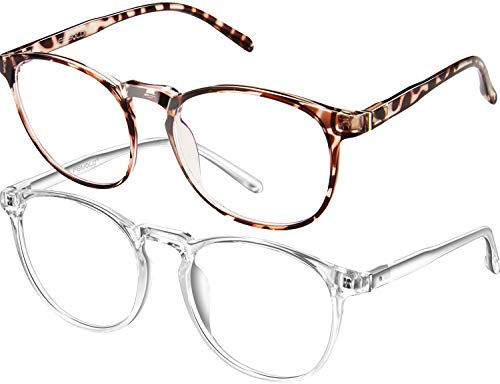
Adjacent visual accessories provide a portable layer of filtration that works independently of software color adjustments or monitor presets. Dedicated computer and gaming eyewear features optical lenses engineered to filter out portions of high-energy visible blue light spanning the 400 to 450 nanometer spectrum. Brands like Icesor and FEIYOLD manufacture non-prescription computer frames designed to filter high-energy rays while maintaining clear optical clarity for screen work. Wearing protective eyewear is particularly beneficial for gamers who switch between multiple monitors, consoles, or mobile screens throughout an evening.
Selecting lenses with high luminous transmittance ensures that in-game visual fidelity and color accuracy remain intact during competitive play. Lenses such as the 3A transparent glass used by FEIYOLD achieve up to ninety-three percent light transmittance, striking a practical balance between blue ray filtration and vibrant color representation. Clearer lenses avoid heavy yellow or amber color casting, allowing players to distinguish color-coded enemy outlines and tactical markers easily. Premium lens coatings also reduce reflective surface glare caused by overhead ceiling fixtures or side windows.
Frame construction is equally vital when choosing gaming eyewear, especially for individuals who wear bulky closed-back audio headsets. Frames constructed from TR90 thermoplastic polymer offer a lightweight, flexible structure that minimizes pressure points across the temples and nose bridge. The thin temple arms slide comfortably underneath headset earcups without breaking the acoustic seal or causing uncomfortable clamping pressure against the skull. For players requiring optical correction, many of these oversized square and retro round frames also accommodate custom prescription lenses from local eye care providers.
In-Game Graphical Adjustments to Relieve Visual Fatigue
Certain post-processing visual effects introduce intentional blur or distortion that can strain your visual tracking capabilities during high-speed action. Disabling artificial motion blur, depth of field, and aggressive chromatic aberration cleans up image clarity across the entire frame. These cinematic post-processing toggles soften textures and blur background details, forcing the eyes to work harder to identify distant opponents. Turning off camera shake and violent screen bobbing further stabilizes the viewport, helping prevent visual disorientation and motion sickness during long multiplayer matches.
Configuring a stable field of view and smooth anti-aliasing produces clean edges without distracting shimmering artifacts. Setting an excessively narrow field of view can induce claustrophobic visual tension, while an overly wide setting creates unnatural fisheye distortion along display edges. Clean anti-aliasing techniques like TAA or modern temporal upscalers smooth jagged pixel lines, creating a coherent scene that requires less cognitive processing. Players managing performance on budget gaming desktop setups can balance these graphical toggles to maintain high visual clarity while securing steady, fatigue-free frame pacing.
Healthy Blinking Habits and the 20-20-20 Routine
A primary physiological cause of digital eye strain during high-intensity gaming is an involuntary reduction in blink frequency. Under deep concentration, an individual’s normal blinking rate can plummet from fifteen blinks per minute down to fewer than five. This prolonged ocular exposure evaporates the delicate tear film, leaving the surface of the eye dry, irritated, and susceptible to burning sensations. Making a conscious effort to perform full, complete blinks between multiplayer rounds replenishes the tear layer and cleanses the ocular surface naturally.
Incorporating the classic 20-20-20 visual break routine gives the internal focusing muscles of the eye an essential opportunity to relax. Every twenty minutes, players should divert their visual focus away from the illuminated screen toward an object located at least twenty feet away for twenty seconds. Looking into the distance allows the ciliary muscle to release its sustained near-focus contraction, resetting optical tension. Utilizing brief downtime during match matchmaking queues, loading screens, or respawn timers provides a practical window to practice this distance focus exercise without disrupting gaming momentum.
Identifying When Hardware Limitations Cause Eye Fatigue
Underlying hardware characteristics in entry-level or aging monitors can produce subtle flickering that causes subconscious visual strain over time. Some budget LED backlights utilize low-frequency Pulse Width Modulation to dim display brightness, cycling the backlight on and off thousands of times per second. Even when this flicker remains invisible to conscious perception, it can still trigger ocular fatigue, headaches, and tension in sensitive individuals. Upgrading to a certified flicker-free monitor with direct-current backlight dimming eliminates this invisible pulsating light source entirely.
Slow panel response times can also contribute to visual discomfort by leaving noticeable ghosting trails behind moving in-game objects. When liquid crystal transitions lag behind rapid mouse inputs, dark smearing trails stretch across the visual plane, muddying image clarity. Selecting displays with fast pixel response times and tuning the monitor’s overdrive setting avoids both unsightly ghosting and inverse overshoot halos. A crisp, responsive panel ensures that every panning motion renders cleanly, minimizing the perceptual effort required to track fast game elements.
Integrating Daily Habits for Long-Term Visual Health
Sustaining ocular comfort requires mindful personal care habits alongside hardware and workstation adjustments. Maintaining proper physical hydration supports natural tear production, keeping the corneal surface moist and resilient throughout long evening gaming marathons. Dry indoor heating or direct airflow from cooling fans can accelerate moisture evaporation from the eyes, making a desktop humidifier a valuable addition to dry gaming rooms. Keeping preservative-free lubricating eye drops at your desk provides immediate soothing relief whenever dry sensations begin to emerge during intense play.
Maintaining pristine optical surfaces on both your computer monitor and gaming eyewear prevents unnecessary visual obstruction. Dust, fingerprint oils, and dried smudges scatter incoming light, forcing your eyes to exert extra focus to see past surface blemishes. Cleaning your display panel and TR90 glasses regularly with specialized microfiber cloths and safe optical cleaners preserves maximum visual clarity. If persistent ocular burning, double vision, or sharp headaches continue despite these adjustments, scheduling a routine exam with a qualified optometrist ensures any underlying refractive errors receive proper prescription care.
Ultimately, resolving visual fatigue during prolonged play requires an integrated approach rather than relying on a single quick fix. Balancing software color adjustments, ergonomic seating heights, steady ambient bias lighting, and dedicated protective eyewear creates a supportive foundation for your vision. When you combine calibrated hardware with deliberate blinking habits and structured visual breaks, you protect your long-term eye health while maintaining sharp gaming performance across every campaign.





Write Your Review
No reviews yet. Be the first to share your experience!