


Gamers building a modern rig frequently ask is a ryzen 7 7800x3d good for gaming when balancing frame rates against overall platform costs. A central processor dictates how quickly a desktop handles game logic, physics calculations, and asset streaming before sending render instructions to the graphics card. While many shoppers explore high-performance Intel desktop alternatives for mixed desktop work, AMD designed this eight-core chip with specialized cache geometry to optimize gaming responsiveness. Selecting the right processor requires looking at the entire machine rather than focusing exclusively on core counts.
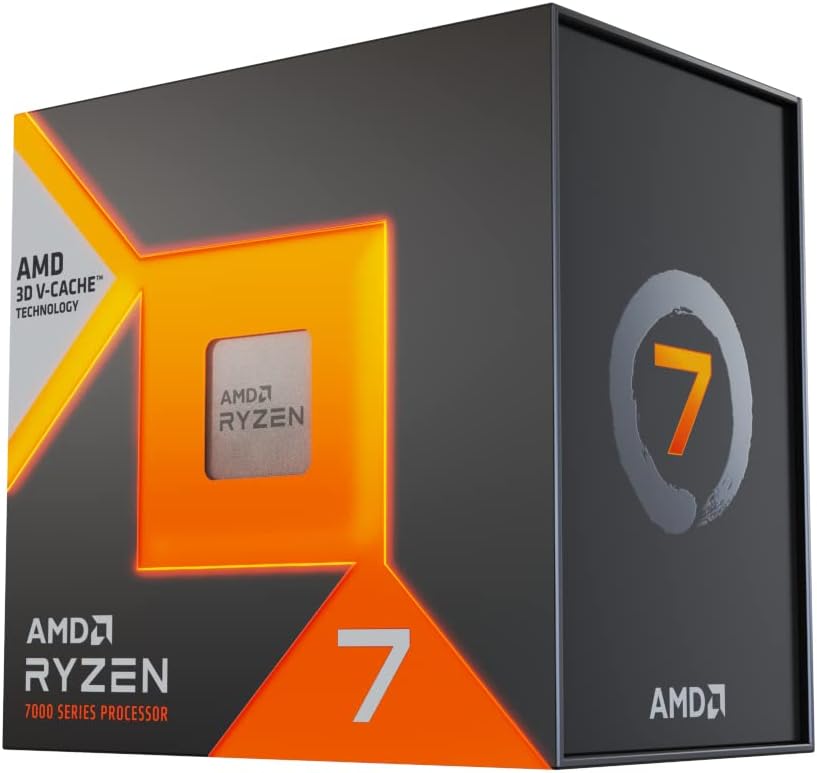
The AMD Ryzen 7 7800X3D relies on 3D V-Cache technology, stacking additional memory directly onto the compute die to minimize latency in demanding simulation titles. Modern titles place distinct demands on hardware, making the relationship between the central processor and graphics card a critical performance factor. Understanding whether this desktop component aligns with your target resolution, visual settings, and preferred game library helps prevent unnecessary hardware bottlenecks. Evaluating real hardware specifications reveals how this processor performs in practical desktop environments.
Pros
- Outstanding gaming performance with smooth frame pacing and minimal stutter
- Runs cool and efficient, even with a mid-range air cooler
- Easy to install on AM5 motherboards with straightforward BIOS compatibility
- Great value for pure gaming builds compared to more expensive alternatives
Cons
- Not the best choice for heavy multi-threaded productivity workloads like video rendering or 3D modeling
- Requires a dedicated GPU for serious gaming; integrated graphics are basic
- Premium pricing may be overkill for casual gamers who don't play CPU-intensive titles
The AMD Ryzen 7 7800X3D is a desktop processor built specifically for gamers who demand the highest possible frame rates and the smoothest gameplay experience. It's an 8-core, 16-thread CPU based on AMD's Zen 4 architecture, but what sets it apart is the 3D V-Cache technology that stacks an extra 64MB of L3 cache on top of the standard 32MB, for a total of 96MB. This massive cache helps the CPU keep more game data close at hand, reducing the need to fetch data from slower system memory and dramatically improving performance in CPU-bound gaming scenarios.
This processor is best suited for PC gamers, competitive esports players, and streamers who want a no-compromise gaming experience. If you play fast-paced shooters like Valorant, Counter-Strike 2, or Rainbow Six Siege, the 7800X3D's cache helps maintain incredibly consistent frame times, even during intense firefights or when many objects are on screen. It also works well for casual gamers who enjoy open-world titles like Elden Ring or Cyberpunk 2077, where the extra cache can reduce stutter when loading new areas. Content creators who do light video editing or streaming alongside gaming will find the 8 cores and 16 threads sufficient, though heavy rendering workloads are better left to higher-core-count CPUs.
In real-world use, the 7800X3D delivers exceptional gaming responsiveness. User reviews consistently highlight how smooth and stutter-free games feel, with high 1% and 0.1% lows that keep gameplay fluid even when the action gets chaotic. The CPU runs surprisingly cool for its performance level, with many users reporting temperatures in the 60-75°C range under gaming load with a decent air cooler or AIO. This thermal efficiency means less fan noise and more headroom for your GPU to do its thing. The 4.2 GHz base clock and 5.0 GHz boost clock are more than enough for modern games, and the 5nm process keeps power draw reasonable.
Build quality is typical of AMD's Ryzen lineup: the processor itself is solid, and the IHS (integrated heat spreader) is flat for good thermal contact. Installation on an AM5 motherboard is straightforward, though you'll need to ensure your BIOS is updated for compatibility. The CPU supports DDR5 RAM, which is now widely available and offers good performance gains. Cable management is simplified because the CPU doesn't require any special power connectors beyond the standard motherboard power, and the AM5 socket's retention mechanism is easy to use. Software setup is minimal: just install the CPU, apply thermal paste, mount your cooler, and you're good to go. AMD's Ryzen Master utility can be used for monitoring and basic tuning, but most users won't need to tweak anything for excellent gaming performance.
One realistic limitation is that the 7800X3D isn't the best choice for pure productivity tasks like 3D rendering, video encoding, or scientific simulations. In those workloads, CPUs with more cores (like the Ryzen 9 7950X) will outperform it. Additionally, the integrated Radeon Graphics are basic and not suitable for gaming, so you'll need a dedicated graphics card. The price is also on the higher side, but for gamers who prioritize frame rates and smoothness, it's a worthwhile investment.
Overall, the AMD Ryzen 7 7800X3D is a fantastic choice for anyone building a gaming-focused PC. It offers best-in-class gaming performance, runs cool and quiet, and is easy to set up. If your primary use is gaming, and you want a CPU that will keep your system feeling snappy for years to come, this is one of the smartest purchases you can make. Pair it with a good B650 or X670 motherboard, fast DDR5 RAM, and a capable GPU, and you'll have a gaming rig that handles anything you throw at it.

Pros
- Exceptional gaming performance with massive L3 cache for reduced latency
- Significant IPC uplift over previous gen, boosting frame rates in CPU-bound titles
- Drop-in compatibility with Socket AM5 simplifies upgrades for existing users
- Improved thermal design allows higher sustained clock speeds under load
Cons
- Cooler not included, requiring separate purchase of an AM5-compatible cooler
- Premium pricing may be overkill for casual gamers or non-gaming workloads
- Limited to AM5 platform, requiring motherboard upgrade for AM4 users
The AMD Ryzen 7 9800X3D is a desktop processor designed specifically for PC gamers and performance enthusiasts who demand the absolute best in gaming performance. Built on AMD's latest Zen5 architecture and featuring next-generation 3D V-Cache technology, this CPU is marketed as the world's fastest gaming processor. With 8 cores and 16 threads, it's engineered to deliver exceptional responsiveness in both single-threaded and multi-threaded workloads, making it a strong choice for competitive esports players, streamers, and content creators who need reliable performance during intense gaming sessions or while multitasking with streaming software.
For gamers, the 9800X3D's key advantage lies in its massive 96MB L3 cache, which helps reduce memory latency and improve frame rates in CPU-intensive titles like first-person shooters, MOBAs, and open-world games. Users upgrading from previous generations can expect a noticeable uplift in gaming responsiveness, especially in scenarios where cache size matters. The processor also supports high-speed DDR5 memory and PCIe 5.0, ensuring compatibility with modern graphics cards and storage for a future-proof gaming setup. Its improved thermal performance allows for higher sustained clock speeds up to 5.2GHz, which can translate to smoother gameplay and lower input lag.
Build quality and practicality are typical of AMD's Ryzen lineup, with a focus on reliability and compatibility. The processor is drop-in ready for the Socket AM5 platform, meaning users with an existing AM5 motherboard can upgrade without needing a new board. However, it's important to note that a cooler is not included, so buyers will need to purchase an AM5-compatible air or liquid cooler separately. This adds to the overall cost but also gives users the flexibility to choose a cooling solution that fits their noise and performance preferences, whether for a quiet home office setup or a high-airflow gaming rig with RGB fans.
Setting up the 9800X3D is straightforward for anyone familiar with PC building. After installing the CPU into an AM5 motherboard, applying thermal paste, and mounting a cooler, users can update BIOS for optimal compatibility. The processor's power efficiency is a plus, as it generates less heat compared to some competing high-end CPUs, which can lead to lower fan noise and more comfortable long gaming sessions. For streamers and content creators, the 8-core/16-thread configuration provides enough muscle for encoding, editing, and running multiple applications simultaneously without stuttering.
One realistic limitation is that the 9800X3D's premium performance comes at a higher price point, which might not be necessary for casual gamers or those focused solely on productivity tasks like video editing that benefit more from higher core counts. Additionally, users on older AM4 platforms will need to invest in a new motherboard and potentially new DDR5 RAM, increasing the total upgrade cost. For those building a new gaming PC from scratch, however, this processor pairs excellently with high-end GPUs and fast memory to create a balanced, top-tier gaming machine.
In summary, the AMD Ryzen 7 9800X3D is a compelling choice for PC gamers, esports players, and streamers who want the fastest gaming performance available on the AM5 platform. Its combination of Zen5 architecture, large L3 cache, and efficient power usage makes it a strong contender for high-refresh-rate gaming and demanding multitasking. While the lack of an included cooler and premium pricing are factors to consider, users seeking a drop-in upgrade for their AM5 system or building a new high-performance gaming rig will find this processor delivers on its promise of exceptional gaming responsiveness.


Evaluating the Ryzen 7 7800X3D for Modern Desktop Gaming
Determining whether the AMD Ryzen 7 7800X3D suits a gaming desktop requires examining hardware architecture, monitor resolution targets, and platform compatibility. This eight-core desktop processor occupies a prominent position in modern system building due to its expanded cache structure and power efficiency. Builders and buyers evaluating prebuilt configurations must consider how this component interacts with graphics hardware and system memory.
The Direct Answer: Why the 7800X3D Excels at Gaming
The direct answer to whether is a ryzen 7 7800x3d good for gaming is an emphatic yes for modern desktop setups. Engineered on AMD Zen 4 architecture using 5-nanometer process technology, this processor features eight physical cores and sixteen threads. Unlike conventional processors that rely primarily on high core clocks to crunch data, this unit incorporates an enormous 96MB L3 cache pool. This substantial cache allows the processor to retain critical game instructions close to the execution units rather than repeatedly accessing slower system RAM.
Games rely heavily on low instruction latency because draw calls and physics calculations happen dynamically in real time. Standard productivity software can spread tasks across dozens of compute cores, but game engines usually focus their heaviest threads onto a handful of cores. By combining an octa-core layout with 3D V-Cache packaging, the processor delivers rapid frame delivery without requiring excessive power draw. Gamers targeting smooth frame pacing and reduced micro-stutters find this architecture particularly capable in titles with heavy simulation mechanics.
3D V-Cache Technology and Memory Latency Explained
Traditional desktop processors feature relatively modest L3 cache pools that require frequent data retrieval from system memory. The AMD Ryzen 7 7800X3D integrates 8MB of L2 cache alongside a massive 96MB chunk of L3 cache, providing 104MB of combined cache memory. AMD achieves this capacity by vertically stacking silicon directly on top of the compute die. This physical design substantially reduces the time the processor spends waiting for asset data, world geometry, and player instructions during active gameplay.
Reducing memory latency has a profound effect on the lowest frame rates a computer produces during intense gameplay sequences. While peak frame rates often depend on raw graphics rendering power, frame-time consistency relies heavily on prompt processor execution. A sudden explosion, a crowded multiplayer zone, or an expansive draw distance can stall a standard processor while it fetches fresh assets. The massive local cache buffers these operations, helping to stabilize frame pacing in complex, open-world environments.
Resolution Scaling and Graphics Card Pairings
A processor’s impact on visual performance changes significantly depending on your display resolution. At 1080p resolution, the graphics card renders frames quickly, placing a heavy burden on the processor to feed visual instructions without delay. In esports titles and high-refresh competitive gaming, the 7800X3D keeps graphics cards fully utilized by processing draw calls rapidly. Buyers pairing this processor with modern hardware often examine dedicated graphics prebuilt desktops to ensure visual rendering keeps pace with compute speed.
Moving up to 1440p and 4K resolutions shifts the primary workload toward the dedicated graphics processor. At 4K, the graphics card spends considerably more time shading pixels, rendering lighting effects, and processing high-resolution textures. As a result, the frame rate difference between high-end processors becomes narrower because the graphics hardware acts as the primary limiting factor. Even so, the expanded cache of the 7800X3D helps maintain smooth frame pacing and minimizes sudden frame drops during chaotic moments across higher display resolutions.
Matching this processor with an appropriate graphics card ensures balanced performance across your game library. Pairing the 7800X3D with a capable mid-range card like the GeForce RTX 4070 Super or RTX 5060 Ti creates a well-rounded system for 1080p and 1440p gaming. Conversely, pairing this high-tier gaming processor with entry-level graphics hardware can create an imbalance where the processor sits underutilized. Evaluating your monitor target resolution helps determine whether your hardware budget should lean toward processor speed or graphics card power.
Platform Requirements: Socket AM5, Motherboards, and DDR5
Building around the Ryzen 7 7800X3D requires stepping into the modern AMD Socket AM5 desktop ecosystem. Unlike earlier AM4 hardware, AM5 motherboards feature a Land Grid Array socket design and exclusively support DDR5 system memory. Motherboards utilizing chipsets such as the AMD B650 or newer B850 provide the PCIe lanes and power delivery needed to run this processor reliably. Features like PCIe 5.0 expansion slots, robust multi-stage power delivery, and multiple M.2 slots ensure modern storage drives run at peak transfer rates.
Memory selection plays a significant role in getting the most out of the AM5 platform. Manufacturers typically recommend pairing this processor with dual-channel DDR5 memory kits rated around 6000MHz. While the large L3 cache buffers many operations, rapid system memory still supports asset streaming, background application performance, and overall desktop responsiveness. Opting for a 32GB memory kit provides ample headroom for modern games and multitasking without risking memory-related hitching during long sessions.
Buyers upgrading older systems should note that DDR4 memory modules cannot physically install into AM5 motherboards. Transitioning to this platform involves replacing the motherboard, processor, and system RAM simultaneously. While this represents a comprehensive platform shift, Socket AM5 provides support for multiple processor generations. This upgrade path allows owners to install future processors down the road without necessarily swapping out the underlying motherboard or memory modules.
Thermal Characteristics and Cooling Requirements
Operating temperatures and power draw represent practical considerations for anyone planning a desktop build. The Ryzen 7 7800X3D features a conservative 120-watt Thermal Design Power rating and a maximum operating temperature threshold of 89 degrees Celsius. Because the 3D V-Cache silicon layer is stacked directly atop the compute cores, heat transfers slightly differently than on standard monolithic processors. AMD does not include a stock heatsink in the box, requiring buyers to source a dedicated cooling solution.
Liquid cooling setups and substantial dual-tower air coolers provide the thermal capacity necessary to keep the processor within optimal operating margins. Prebuilt systems often incorporate 240mm or 360mm all-in-one liquid coolers featuring digital temperature displays and addressable lighting. Proper case ventilation with multiple intake and exhaust fans helps draw ambient air across the motherboard voltage regulators and processor radiator. Maintaining controlled thermal levels allows the processor to boost to its rated 5.0 GHz clock speed without encountering thermal throttling.
Prebuilt Gaming PCs Versus Custom Desktop Assembly
Shoppers evaluating the 7800X3D can choose between purchasing a fully assembled prebuilt desktop or building a custom computer. Prebuilt manufacturers such as KOTIN, MXZ, and Skytech Gaming assemble complete systems with Windows 11 pre-installed, pre-routed cabling, and integrated liquid cooling. These complete computers eliminate the stress of handling delicate CPU socket pins, mounting thermal paste, and troubleshooting initial hardware boot sequences. Many prebuilts also include unique chassis features like real-time system monitoring displays and synchronized lighting.
Custom building offers complete control over component selection, power supply tier, and expansion capabilities. Selecting a processor and motherboard bundle, such as a Micro Center combination featuring an ASUS TUF Gaming board, allows builders to tailor each component to their exact needs. Custom builders can select specific 80 PLUS Gold power supplies ranging from 650 watts to 800 watts to accommodate future graphics upgrades. The assembly process requires patience and adherence to component manuals, but it grants complete familiarity with every internal part.
Deciding between these paths depends on your comfort level with desktop hardware assembly and troubleshooting. Prebuilts provide single-vendor warranties covering parts and labor, which simplifies customer support if a hardware component fails. Custom systems require diagnosing individual parts independently through separate manufacturer warranties. Budget-conscious gamers exploring desktop choices can also inspect entry-level gaming PC configurations to understand how different component combinations affect overall system balance.
Generational Comparisons: Zen 5 9800X3D and AM4 5800X3D
Evaluating the 7800X3D requires placing it alongside its predecessor and its newer generational counterpart. The older AMD Ryzen 7 5800X3D introduced 3D V-Cache to desktop gaming on the mature Socket AM4 platform with DDR4 memory. While the 5800X3D remains a viable drop-in upgrade for users already owning an AM4 motherboard, it lacks the newer architecture and PCIe 5.0 capabilities of AM5. Gamers building a completely new desktop derive far more long-term utility from adopting the newer platform.
On the newer end of the spectrum sits the AMD Ryzen 7 9800X3D, built on updated Zen 5 architecture. The 9800X3D features an estimated 16 percent architectural instruction uplift and higher boost frequencies up to 5.2 GHz, alongside revised thermal packaging. While the 9800X3D represents AMD’s newer flagship gaming processor, the 7800X3D remains remarkably capable across modern game releases. For many players, the performance delivered by the 7800X3D easily meets high-refresh visual targets while operating well within standard thermal envelopes.
Choosing between these generations comes down to hardware availability and individual performance targets. Gamers pairing their system with upper-midrange graphics cards will rarely see a noticeable difference between the 7800X3D and 9800X3D in typical visual settings. The older 5800X3D serves primarily as a budget-conscious lifeline for legacy systems, while the 7800X3D represents a modern sweet spot for dedicated gaming computers. Both AM5 options deliver modern platform longevity that older chip architectures cannot match.
Multitasking, Streaming, and Daily Productivity
While the Ryzen 7 7800X3D targets gaming performance, desktop users often run secondary applications simultaneously. Featuring eight physical cores and sixteen execution threads, this processor handles background Discord chats, browser tabs, and game recording software with ease. Modern graphics cards handle hardware video encoding via dedicated streaming chips, relieving the processor from bearing the entire broadcasting load. This hardware division allows the 7800X3D to dedicate its high-cache compute cores directly to the game simulation.
Heavy productivity workloads like 3D scene rendering and 4K video editing can benefit from processors with higher overall core counts. If your daily computer use involves extended CPU-based rendering or massive compilation tasks alongside gaming, a non-X3D processor with twelve or sixteen cores might complete those exports faster. However, for users whose primary objective centers on running games smoothly with occasional productivity tasks, the 7800X3D provides balanced capability. Its architecture prioritizes immediate interactive responsiveness over bulk multithreaded compute throughput.
Practical Verification and Initial Setup Best Practices
Setting up a system powered by the 7800X3D involves several practical verification steps to ensure optimal operation. When connecting display cables to a newly assembled desktop or prebuilt machine, always connect the monitor directly to the dedicated graphics card ports on the lower back panel. Connecting the display cable to the upper motherboard video ports runs the monitor off the integrated Radeon graphics, bypassing the powerful dedicated GPU. Verifying this physical connection prevents confusion during initial boot and ensures proper graphical rendering.
Operating system configuration also influences hardware performance. Installing a modern 64-bit operating system like Windows 11 Home or Windows 11 Pro ensures proper processor thread scheduling and access to modern gaming features. Entering the motherboard BIOS to enable memory performance profiles ensures your DDR5 RAM runs at its rated speed rather than basic fallback frequencies. Checking for motherboard BIOS updates also enhances platform stability, improves memory compatibility, and optimizes thermal regulation.
Final Practical Takeaway on the Ryzen 7 7800X3D
The AMD Ryzen 7 7800X3D remains one of the most capable and efficient processors available for desktop gaming. Its 3D V-Cache architecture directly addresses the memory latency bottlenecks that modern gaming engines encounter, resulting in smooth frame pacing across demanding genres. When paired with a capable dedicated graphics card, sufficient DDR5 memory, and competent cooling, it forms the backbone of a high-performance gaming rig. Evaluating your monitor resolution, preferred game types, and system balance ensures this processor aligns with your overall gaming goals.






Write Your Review
No reviews yet. Be the first to share your experience!