


Integrated graphics hardware has advanced substantially beyond basic display adapters, yet buyers frequently wonder how modern integrated silicon handles real interactive workloads. Many mobile computer shoppers actively question whether is intel iris xe graphics good for gaming when evaluating portable notebooks and compact mini PCs for daily tasks and recreation. While dedicated graphics processing units continue to dominate enthusiast desktop rigs, integrated solutions inside Intel Core mobile processors handle entry-level graphics rendering with surprising efficiency. Understanding the exact mechanical limits of integrated execution units helps avoid disappointment before picking a portable machine.
Unlike dedicated hardware that features isolated high-speed GDDR6 memory buffers, Intel Iris Xe relies entirely on shared system memory and variable processor thermal envelopes. Buyers comparing portable laptops against systems housing dedicated gaming graphics cards often need to know whether casual titles or esports matches run smoothly without stuttering. Frame pacing, memory bus bandwidth, and active power configurations determine how well these processors sustain playable framerates across popular multiplayer games. This guide breaks down the core hardware realities, memory requirements, and gaming capabilities of Intel Iris Xe to clarify what players can reliably expect.


Evaluating Intel Iris Xe Performance for Modern PC Gaming
Answering whether is intel iris xe graphics good for gaming requires separating casual play from demanding graphical workloads. Intel Iris Xe delivers competent performance for lightweight competitive multiplayer titles, indie adventures, and older catalog games when paired with adequate memory. However, integrated silicon cannot replace a dedicated graphics card for modern AAA blockbuster titles that require substantial rasterization throughput and dedicated video memory. Understanding these boundaries ensures buyers make practical choices based on actual software requirements rather than broad marketing claims.
The Short Answer: What Intel Iris Xe Can and Cannot Run
Intel Iris Xe handles popular esports titles like League of Legends, Valorant, Rocket League, and Counter-Strike at 720p or 1080p resolutions with low graphical presets. These lightweight game engines prioritize processor throughput and basic shader calculations, allowing Iris Xe to maintain stable framerates above thirty or even sixty frames per second. Older catalog classics from previous console generations also run smoothly on this integrated silicon without severe hitching. Players focused strictly on accessible multiplayer titles or retro emulation will find the hardware capable enough for casual play.
Demanding modern releases create a completely different experience that quickly overwhelms integrated graphics. Heavy titles built on complex game engines suffer from severe frametime spikes, low average framerates, and noticeable input lag on Iris Xe hardware. Even with settings reduced to minimum values and resolution scaling lowered below native display limits, titles requiring heavy geometry passes struggle to remain playable. Physical hardware limits prevent the integrated silicon from sustaining fluid motion in graphics-intensive releases.
Frametime pacing remains another critical factor that separates lightweight play from demanding titles on integrated silicon. While average frame counters might occasionally report thirty frames per second, frequent drops in one percent low metrics produce visible micro-stuttering during intense action sequences. In competitive shooters where fast response times matter, sudden frame drops can disrupt tracking and aiming precision. Players should view Iris Xe as a functional entry solution for casual recreation rather than a dedicated gaming platform.
Architectural Breakdown: How Iris Xe Operates Without Dedicated VRAM
Intel Iris Xe is built around the Xe-LP microarchitecture, designed specifically for efficient low-power mobile compute environments. Depending on the processor model, the graphics core houses between 80 and 96 Execution Units. These units execute shader instructions, manage rasterization, and calculate texture coordinates directly on the processor die. Because the integrated graphics share space on the central silicon package, thermal dissipation and electrical power must be balanced dynamically between computing cores and graphical execution units.
The defining technical characteristic of Iris Xe is its complete reliance on unified system memory rather than dedicated high-speed GDDR6 video memory. Discrete graphics cards utilize specialized memory controllers attached to wide memory buses capable of hundreds of gigabytes per second of bandwidth. Integrated graphics, by contrast, must share the standard system memory bus with the operating system and background applications. This shared architecture introduces latency and restricts peak graphical throughput when games attempt to stream high-resolution textures into memory.
System firmware dynamically allocates a portion of installed system RAM to serve as video memory for the graphics engine. While Windows allows the GPU to request multiple gigabytes of shared memory pool as needed, system DDR4 or DDR5 RAM operates at significantly lower effective bandwidth than dedicated graphics memory. This architectural bottleneck means that even when sufficient memory appears available, data cannot transfer fast enough to feed high-demand rendering pipelines. Understanding this physical throughput limit clarifies why integrated graphics cannot match dedicated hardware performance.
The Impact of System Memory: Why RAM Speed and Dual-Channel Configurations Dictate Performance
System memory configuration represents the single most important variable influencing Intel Iris Xe gaming performance. Intel processors require a dual-channel memory configuration across two physical channels to activate the full Iris Xe graphics branding and execution capability. When a laptop operates with a single memory stick in single-channel mode, the graphics subsystem frequently reverts to standard Intel UHD mode, cutting effective memory bandwidth in half. This severe bandwidth starvation directly reduces graphical rendering potential and ruins gaming fluidity.
Memory bus width and operating frequencies dictate how rapidly the integrated Execution Units receive texture and vertex buffers. A system equipped with sixteen gigabytes of dual-channel DDR4 or DDR5 RAM feeds the graphics processor significantly faster than an identical machine trapped on a single memory module. Machines configured with dual-channel memory sustain noticeably higher average frame rates and far more consistent frame pacing in casual gaming workloads. Upgrading from single-channel to dual-channel memory often yields significant improvements in real-world gaming fluidity.
Capacity also plays an essential operational role when running games on integrated hardware. Systems configured with only eight gigabytes of total system memory leave little headroom once the operating system and background utilities consume their baseline footprint. Allocating two or three gigabytes of that limited pool to integrated graphics can trigger Windows pagefile caching onto local storage drives, causing catastrophic stutter in games. Opting for sixteen gigabytes of total dual-channel RAM provides the necessary breathing room to support both the operating system and shared graphical memory demands.
Power Limits and Thermal Dissipation Across Laptop Form Factors
Mobile processor performance depends heavily on the configured thermal design power and internal cooling design of the host device. Intel Core processors featuring Iris Xe generally fall into different power classes, including 15-watt U-series chips and 28-watt P-series models. Processors like the Core i5-1334U or Core i7-1355U prioritize battery conservation and operate within compact power envelopes suitable for thin notebooks. Meanwhile, chips such as the Core i5-1240P feature higher sustained power targets that allow both the central processing cores and the graphics Execution Units to sustain elevated boost frequencies under load.
Thermal dissipation dictates whether a laptop can maintain its peak graphics clock speeds over extended gaming sessions. Ultra-thin laptop enclosures often feature compact cooling assemblies with single cooling fans and narrow exhaust vents that saturate quickly under sustained thermal stress. When processor temperatures climb toward thermal thresholds, internal power management throttling reduces core clocks to protect the hardware. This dynamic clock reduction causes sudden framerate drops during prolonged matches after a session starts smoothly.
Cooling capability varies dramatically across different chassis implementations even when the underlying processor model remains identical. A well-ventilated chassis or a mini desktop enclosure can sustain stable power limits far longer than an ultra-slim convertible laptop. Placing laptops on hard, flat surfaces to avoid obstructing intake vents helps maintain steady internal temperatures during gameplay. Managing fan profiles through manufacturer power management utilities also allows users to prioritize cooling performance over silent operation when launching games.
Real-World Game Category Viability: Esports, Indie, and Legacy Titles
Esports titles represent the ideal target audience for computers powered by Intel Iris Xe graphics. Games such as League of Legends, Dota 2, and Teamfight Tactics run with exceptional stability at native 1080p resolution on medium settings. Tactical shooters like Valorant are engineered specifically to run on modest hardware, enabling Iris Xe configurations to achieve stable frame rates above sixty frames per second. Adjusting shadow quality and disabling resource-heavy ambient occlusion provides the extra margin needed to ensure responsive input during chaotic team fights.
Indie releases and two-dimensional platformers represent another category where integrated Iris Xe hardware excels without compromise. Acclaimed titles like Dead Cells, Hollow Knight, Hades, and Stardew Valley place minimal strain on graphics silicon, running at smooth native refresh rates without thermal penalties. These titles deliver deep gameplay and exceptional art design while operating comfortably within the thermal and memory constraints of thin laptops. For players whose gaming libraries consist largely of creative indie projects, Iris Xe provides an outstanding and power-efficient gaming experience.
Classic titles from earlier console generations also run surprisingly well on Intel Iris Xe graphics. Games such as Skyrim Legendary Edition, Fallout: New Vegas, BioShock Infinite, and Portal 2 run fluidly at 1080p resolution with moderate graphical configurations. Modern integrated Execution Units deliver raw compute capability that easily eclipses the discrete graphics hardware found in older gaming machines from that era. Exploring extensive backlog collections and retro titles offers tremendous entertainment value on lightweight Iris Xe hardware without requiring expensive graphics upgrades.
Modern AAA Gaming Challenges and Driver Optimization
Demanding modern titles designed around DirectX 12 Ultimate reveal the absolute operational limits of the Intel Iris Xe architecture. Graphical features such as hardware-accelerated ray tracing, variable rate shading, and massive mesh shaders require specialized silicon structures that Iris Xe simply lacks. While the hardware can launch select newer titles, performance typically hovers well below thirty frames per second even when rendering at heavily reduced 720p resolutions. Textures often appear blurry as the game engine scales assets down to survive memory bus starvation, resulting in a compromised visual presentation.
Software driver development has progressed considerably through Intel Arc and Iris Xe driver suites, delivering meaningful stability enhancements for mobile gamers. Intel regularly publishes updated graphics drivers that resolve visual artifacts, correct game launch crashes, and improve shader compilation times across popular releases. Installing the latest driver packages directly from Intel ensures that the graphics processor functions with optimal compatibility and the fewest software conflicts. Gamers should keep their display drivers updated rather than relying exclusively on delayed generic operating system updates.
Temporal upscaling technology provides a useful lifeline for squeezing playable frame rates out of challenging titles on Iris Xe hardware. Technologies like Intel XeSS and AMD FidelityFX Super Resolution render games internally at lower resolutions before reconstructing output frames to match the display. Enabling XeSS in Performance or Balanced mode reduces internal rendering strain and helps lift borderline titles into a more stable frame pacing window. While upscaling introduces slight visual softness on smaller mobile displays, the resulting boost in frame rate stability makes the tradeoff worthwhile for budget-conscious players.
Evaluating Iris Xe Hardware Options: Laptops Versus Mini PCs
Understanding how Iris Xe performs across physical hardware designs helps prospective buyers select the right form factor for their needs. Portable laptops like the Dell Latitude 5420 or HP 15.6-inch notebooks prioritize portability and battery longevity, making them versatile tools for mobile students and working professionals. In these machines, Iris Xe serves primarily as an efficient multimedia and productivity display engine that can double as a casual gaming device during travel. Buyers should verify that a prospective laptop ships with sixteen gigabytes of RAM to ensure the graphics engine receives adequate memory headroom.
Compact mini desktop systems like the Intel NUC 12 Pro present a distinctly different hardware environment for the Iris Xe graphics processor. Mini PCs eliminate battery constraints and incorporate larger internal cooling blowers that dissipate heat more effectively than ultra-thin laptop enclosures. This improved thermal capacity allows the processor to maintain higher sustained power limits, enabling the graphics silicon to hold maximum boost clocks continuously under heavy rendering loads. For small-footprint desktop setups focused on media playback and lightweight gaming, a well-cooled mini PC extracts maximum performance from the Iris Xe architecture.
Shoppers evaluating affordable mobile computers must also pay close attention to processor specifications listed on product labels. Some entry-level budget models pair basic Celeron processors with standard Intel UHD graphics rather than true Iris Xe silicon, offering significantly lower graphical compute potential. Verifying that a prospective machine contains a genuine Core i5 or Core i7 chip ensures that the full Execution Unit array is present. Checking memory expandability is equally important, as soldered single-channel configurations permanently restrict graphical bandwidth and cannot be upgraded later.
When to Step Up to a Discrete Graphics Card
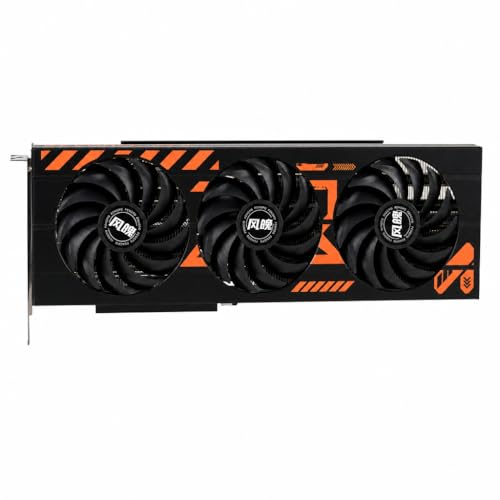
Recognizing when your gaming ambitions exceed the capabilities of integrated graphics saves valuable time and frustration. When your primary gaming interests revolve around newly launched AAA blockbusters, competitive first-person shooters running at high refresh rates, or visually intensive role-playing games, a computer featuring a dedicated graphics card becomes mandatory. Dedicated graphics processors utilize isolated high-bandwidth video memory, advanced cooling arrays, and hundreds of specialized compute cores that integrated mobile processors simply cannot accommodate.
Building or purchasing a desktop gaming machine paired with efficient gaming processors and a dedicated graphics card unlocks true native 1080p and 1440p gaming fidelity. Desktop platforms also benefit from modular upgrade paths, robust power delivery, and expansive chassis airflow that prevent thermal throttling during marathon gaming sessions. Those researching broader custom PC options can consult our guide on dedicated desktop processors to understand how full-power desktop components balance processing throughput and gaming responsiveness. While Iris Xe provides unmatched convenience for portable productivity and light play, demanding enthusiasts will always require dedicated graphics hardware.
Ultimately, determining whether Intel Iris Xe graphics meets your individual needs comes down to your personal software library and performance expectations. Casual gamers, retro enthusiasts, and competitive esports fans can enjoy satisfying gameplay without investing in bulky gaming hardware or draining battery life rapidly. Setting realistic expectations around resolution targets, graphical presets, and frame rate thresholds ensures an enjoyable mobile computing experience. Intel Iris Xe stands as a capable milestone for integrated graphics, bridging the gap between everyday office productivity and casual after-hours entertainment.





Write Your Review
No reviews yet. Be the first to share your experience!