


Essential Tech for the Classroom and Homework
Hardware specs on entry-level computers can easily mislead families balancing tight budgets against real-world educational demands. A sluggish dual-core processor or insufficient memory can cause frustration during browser-based assignments, remote lessons, and multimedia presentations. Selecting capable laptops for middle school students requires prioritizing essential performance, manageable screen sizes, and durable designs that survive daily backpack transit. While high-end users might explore a dedicated budget powerhouse setup for demanding graphical tasks, everyday schoolwork mainly demands responsive web browsing, reliable Wi-Fi, and steady battery efficiency. Balancing a responsive machine with sturdy carrying gear ensures that young learners stay productive both at home and at school.
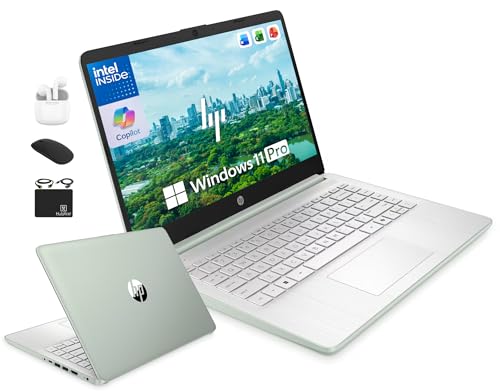
Listed configurations show practical differences between compact chassis designs and larger workspaces. Portable builds like the HP 14″ Laptop Computer offer modern features such as DDR5 memory and Wi-Fi 6 connectivity, while 15.6-inch models deliver expanded screen space for split-screen research. Accessories such as protective sleeves and padded bags from JanSport or OtterBox further help protect hardware against accidental drops and crowded locker spaces. Reviewing baseline configurations helps parents choose a machine that handles documents and classroom web portals without unnecessary system slowdown.





Frequently Asked Questions
How much RAM do middle school students need?
Four gigabytes is generally the minimum for basic web browsing and document editing in 2026. While 4GB DDR5 or DDR4 handles simple classroom portals, heavy multitasking across multiple open browser tabs often benefits from eight gigabytes. Consider whether the system allows future memory expansion before making a final decision.
What screen size works best for a middle school student?
A 14-inch display strikes an ideal balance between workspace and portability. While 15.6-inch panels provide larger viewing areas for documents, they add weight to daily backpack loads. Smaller 11-inch to 14-inch laptops fit easily into student desks and protective sleeves.
Is a high refresh rate display necessary for schoolwork?
No, standard 60Hz screens are completely adequate for typing papers, reading articles, and attending online lectures. Fast panels like a smooth 144Hz display benefit competitive gaming but provide little practical advantage for standard school software. Prioritizing clear Full HD resolution matters much more for reducing eye strain during long study sessions.
How important is storage capacity on student laptops?
A minimum of 128GB of internal storage ensures adequate space for the operating system and essential school applications. Cloud storage services often handle assignments and presentations, reducing local drive requirements. Having supplementary external storage or solid-state expansion provides flexibility when downloading larger academic media files.
Do middle school laptops require protective accessories?
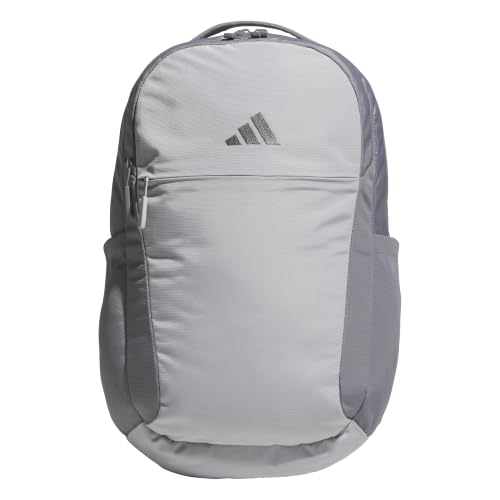
Yes, durable backpacks and padded sleeves provide essential protection during daily school commutes. Young students frequently transport devices between home, classrooms, and lockers, increasing the risk of accidental drops. Using dedicated laptop sleeves from brands like OtterBox helps absorb impacts and shield computer edges.
Can Laptops For Middle School Students handle casual gaming or creative projects?
Basic entry-level processors and integrated graphics can only run lightweight games and simple digital art tools. Demanding 3D titles require dedicated graphical hardware and superior cooling systems. For school tasks, entry-level chips focus primarily on web efficiency and battery conservation rather than gaming rendering speeds.





Write Your Review
No reviews yet. Be the first to share your experience!