


Setting up a gaming station often requires balancing limited desk space against hardware capability, especially when bulky computer towers create cable clutter. An integrated display setup solves this physical footprint problem by combining the monitor and internal components into a single streamlined chassis. Selecting the best gaming pc all in one requires looking closely at whether a system relies on basic integrated graphics or includes a dedicated graphics card like the RTX 3050 6G. Pairing your compact computer setup with comfortable seating for everyday setups keeps your battlestation organized and functional.
Display specifications also play a critical role in overall usability, with panel sizes ranging from 21.5 inches up to 27 inches featuring refresh rates up to 144Hz. Prebuilt memory configurations of 16GB or 32GB RAM ensure smooth multitasking alongside fast NVMe solid-state storage. Because internal upgradeability is often restricted in all-in-one systems compared to traditional desktop towers, confirming the factory hardware configuration beforehand ensures reliable long-term performance.




Frequently Asked Questions
Do all-in-one PCs come with dedicated graphics cards for gaming?
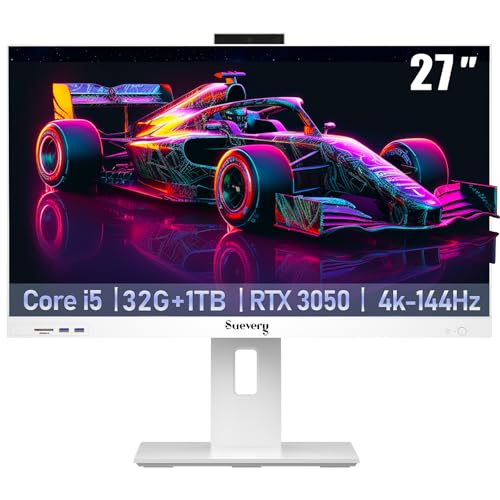
Most standard all-in-one desktops rely on integrated graphics, but select gaming-focused models feature dedicated GPUs such as the NVIDIA GeForce RTX 3050 6G. Configurations from suevery pair this dedicated graphics card with desktop-class processors. Other units from HP, Dell, and Lenovo utilize integrated Intel UHD or AMD Radeon graphics intended for everyday media and office tasks. Checking the listed graphics hardware ensures the PC matches your intended workloads.
Can you upgrade the RAM and storage on an all-in-one desktop?
Upgrade options depend on the chassis design and manufacturer specifications. Certain models, like the Lenovo IdeaCentre, support memory upgrades up to 64GB RAM and storage expansions up to 2TB PCIe M.2 SSDs. Other compact designs may feature fixed memory that cannot be expanded after purchase. Reviewing the hardware specifications beforehand helps confirm whether internal upgrades are supported.
What screen sizes and refresh rates are available on these systems?
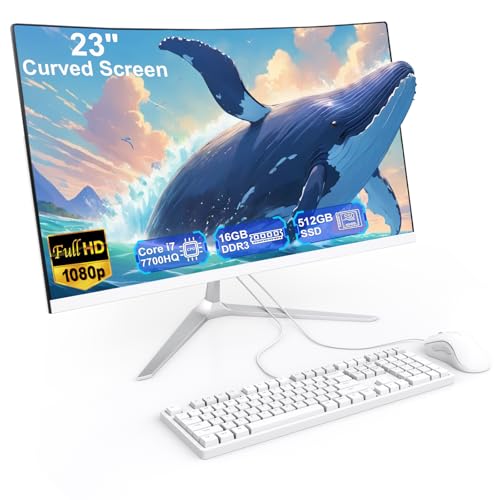
Screen sizes in this category range from 21.5-inch compact panels to 27-inch widescreen displays, available in flat and curved options. While general productivity models operate at standard refresh rates, gaming-oriented builds offer 120Hz or 144Hz displays for smoother visuals. Incorporating an ergonomic setup, such as racing style gaming chairs, complements these high-refresh displays for long sessions at your desk.
Do all-in-one computers include bundled peripherals?
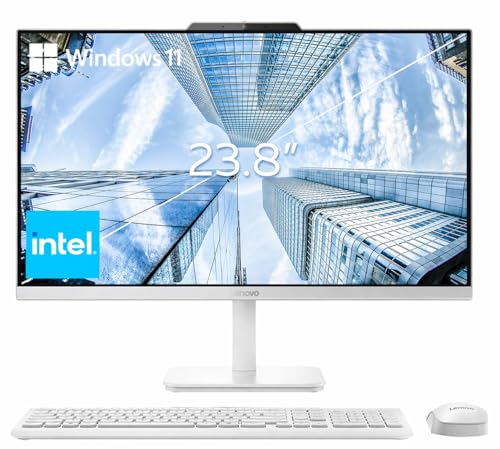
Yes, all-in-one PCs typically ship as complete packages that include a matched keyboard and mouse right in the box. Many units also integrate webcams, ranging from pop-up privacy cameras to 5MP IR sensors with noise-reducing microphones. Built-in Wi-Fi and Bluetooth connectivity are standard across these computers, eliminating the need for standalone wireless adapters.
What operating system comes pre-installed on these all-in-one PCs?
Most models come pre-installed with either Windows 11 Home or Windows 11 Pro. The included edition depends on whether the system is tailored for home entertainment or business productivity. Both Windows versions provide native driver support, built-in security features, and straightforward connectivity for external gaming accessories.






Write Your Review
No reviews yet. Be the first to share your experience!