


Selecting the foundational board for a custom desktop build often leaves PC gamers debating between established hardware manufacturers. Evaluating who makes the best gaming motherboard requires looking beyond brand recognition to inspect specific socket types, power delivery designs, and expansion slots. Brands such as ASUS and MSI provide distinct motherboard series targeted at various performance tiers, ranging from entry-level micro-ATX boards to feature-rich ATX platforms. Understanding how these circuit boards manage heat, memory frequencies, and connectivity ensures your core components operate reliably during demanding gaming sessions.
A balanced gaming build matches its processor and graphics card to an appropriate chipset rather than overspending on unnecessary extras. Many enthusiasts assembling desktop tower gaming systems prioritize voltage regulator module cooling and onboard networking when comparing available models. Examining current hardware offerings highlights how different manufacturers address firmware stability, PCIe generation support, and long-term upgrade pathways. Taking time to evaluate these technical details prevents system bottlenecks and simplifies future component replacements. By identifying the technical distinctions between major board makers, you can select a reliable foundation for your gaming desktop.

Pros
- Excellent compatibility with modern AMD Ryzen processors for upgrade path
- High memory overclocking support up to 4600MHz for responsive gaming
- Affordable price point perfect for budget gaming builds or esports setups
- M.2 slot with PCIe 3.0 x4 for fast NVMe storage performance
- Compact micro-ATX size ideal for small form factor cases and tidy cable management
Cons
- Limited to PCIe 3.0, not PCIe 4.0, which may affect future GPU bandwidth potential
- Only two memory slots, restricting maximum RAM capacity for heavy multitasking
- No built-in Wi-Fi or Bluetooth, requiring separate adapter for wireless connectivity
The MSI A520M-A PRO Gaming Motherboard is a compact micro-ATX board designed for budget-conscious PC gamers who want a reliable foundation for their gaming rig. It supports AMD Ryzen 5000 and 4000 G-Series desktop processors, making it an excellent choice for builders looking to pair a cost-effective CPU like the Ryzen 5 5600 with a no-frills motherboard. This board is best suited for casual gamers, esports enthusiasts, and college gamers who prioritize value without sacrificing essential features.
In terms of gaming performance, the A520M-A PRO delivers responsive gameplay thanks to its support for DDR4 memory up to 4600MHz when overclocked. This helps reduce load times and improve frame stability in fast-paced titles like Call of Duty or Valorant. The Turbo M.2 slot running at PCIe Gen3 x4 allows for high-speed NVMe SSDs, ensuring your games and operating system boot up quickly. While it lacks PCIe 4.0, the real-world impact on gaming is minimal for most budget to mid-range graphics cards.
Build quality is typical for the A520 chipset: a solid, no-nonsense design with reinforced PCIe slots and a sleek black PCB. The Audio Boost technology provides clear, studio-grade sound, which is a nice bonus for immersive gaming and Discord chats. The micro-ATX footprint makes it easy to install in smaller cases, and the layout is clean for cable management. However, there are only two DIMM slots, so plan for a 2x16GB kit if you need 32GB of RAM later.
Setup is straightforward with the AM4 socket and clear documentation. The Dragon Center software gives you control over system monitoring, fan curves, and basic RGB lighting, though the board itself has minimal onboard lighting. Connectivity includes USB 3.2 Gen 1 ports, DVI and HDMI outputs for integrated graphics, and four SATA 6Gb/s ports for storage. Maintenance is minimal, and the BIOS is user-friendly for beginners.
A realistic limitation is the absence of PCIe 4.0, which means future high-end GPUs may not reach full potential, but for most gamers on a budget, this is a non-issue. Also, you will need a dedicated Wi-Fi card if you want wireless internet. Overall, this motherboard is a smart buy for PC gamers who want a stable, affordable foundation for a Ryzen-based gaming PC. It is particularly recommended for esports players, casual gamers, and anyone building a compact rig for school, work, and play.

Pros
- Solid power delivery and cooling for Ryzen 5000 CPUs, making it great for gaming and streaming
- Built-in WiFi saves a PCIe slot and reduces desk clutter in compact setups
- Aura Sync RGB ecosystem provides extensive lighting customization through ASUS software
- BIOS FlashBack simplifies troubleshooting and upgrades without needing a compatible CPU
Cons
- Limited PCIe 3.0 lanes may slightly hinder future high-end GPU bandwidth in heavy workloads
- Only two memory slots, which may restrict future RAM upgrades for some users
- No onboard USB-C header, requiring an adapter for front-panel Type-C connectors on modern cases
The ASUS TUF Gaming A520M-PLUS WiFi is a microATX motherboard that strikes a solid balance between performance, features, and affordability for PC gamers and builders. Built around the AMD AM4 socket, it supports Ryzen 5000, 4000 G-Series, and 3000 series processors, making it a flexible choice for everything from a budget gaming rig to a compact streaming setup. Its TUF lineup heritage promises durability through military-grade components and rigorous testing, giving you confidence for long gaming sessions.
For competitive and casual gamers alike, the onboard 802.11ac WiFi and TUF LANGuard ensure stable, low-latency connections during online matches. The comprehensive cooling solution, featuring a large VRM heatsink and PCH heatsink, keeps the board running cool even under intense loads. With Fan Xpert 2+, you can fine-tune system fan curves for a quiet yet efficient gaming environment. The 32Gb/s M.2 slot supports the latest NVMe SSDs, drastically cutting down game load times and level transitions in open-world titles.
RGB enthusiasts will appreciate the Aura Sync ecosystem, which includes both standard RGB headers and a Gen 2 addressable header for granular per-LED control. The software makes it easy to sync lighting with other compatible components, like fans and RAM, for a cohesive gaming setup aesthetic. Connectivity is well-rounded with USB 3.2 Gen 1 Type-A ports, DisplayPort, HDMI, and D-Sub outputs, making it suitable for APU builds or multi-monitor productivity.
Build quality is a hallmark of the TUF series. The board uses reinforced PCIe slots and sturdy components, and the inclusion of BIOS FlashBack lets you update the BIOS without a CPU or RAM installed, a lifesaver for Ryzen 5000 compatibility out of the box. Setup is straightforward for anyone familiar with PC building, and the microATX form factor fits neatly into smaller cases without sacrificing expandability. Cable management is simplified by the thoughtfully placed headers, though there is no onboard USB-C header for front-panel Type-C ports.
Realistic limitations include the lack of PCIe 4.0 support (it supports PCIe 3.0), which could slightly impact future high-end GPU bandwidth in data-intensive tasks, and only two DIMM slots, which restricts maximum RAM capacity to 64GB. However, for the vast majority of gaming and streaming scenarios, these are non-issues. The board also lacks built-in Bluetooth, so you will need an adapter for wireless peripherals beyond WiFi.
Overall, the ASUS TUF Gaming A520M-PLUS WiFi is an excellent choice for PC gamers, esports players, streaming newcomers, and gaming setup builders who want a reliable, feature-rich microATX motherboard without breaking the bank. It handles Ryzen 5000 CPUs with ease, offers useful connectivity, and provides enough RGB customization to satisfy most enthusiasts. If you are building a mid-range gaming PC or a compact streaming rig, this board delivers great value and long-term dependability.


Pros
- Excellent networking suite with WiFi 6E and 2.5Gb LAN for competitive gaming and streaming
- Robust 12+2 power stage design handles high-end Ryzen 5000 processors with ease
- PCIe 4.0 support on both M.2 slots and primary GPU slot for fast storage and graphics
- Comprehensive RGB ecosystem with Aura Sync and addressable Gen 2 header
- BIOS Flashback and user-friendly UEFI make updates and overclocking straightforward
Cons
- No PCIe 5.0 support, limiting future-proofing for next-gen GPUs and SSDs
- DDR4 memory only, which may disappoint users looking to move to DDR5 platforms
- Premium pricing for a B550 board; some budget alternatives offer similar core features
The ASUS ROG Strix B550-F Gaming WiFi II is an ATX motherboard built around the AMD B550 chipset, designed for PC gamers and gaming setup builders who want a solid foundation for a Ryzen-based rig. It supports AMD Ryzen 3000 and 5000 series processors (including G-series), making it a versatile choice for both current-gen and last-gen CPUs. The board comes packed with features that appeal to competitive gamers, streamers, and RGB enthusiasts alike.
Performance-wise, the motherboard delivers where it matters most. With PCIe 4.0 support on the primary PCIe x16 slot and both M.2 slots, you can run the latest graphics cards and NVMe SSDs at full speed, reducing load times and improving gaming responsiveness. The 12+2 teamed power stages, paired with a ProCool power connector and high-quality alloy chokes, ensure stable power delivery even under heavy CPU loads. That means smoother gameplay in CPU-intensive titles and stable overclocking potential for those who like to push their Ryzen 5000 chips.
Connectivity is a standout feature. The integrated WiFi 6E (802.11ax) module provides ultra-low latency wireless networking, ideal for online gaming and streaming without the clutter of Ethernet cables. For wired setups, the Intel 2.5Gb Ethernet port with ASUS LANGuard offers reliable, high-speed connections. The rear I/O also includes HDMI 2.1 and DisplayPort 1.2 outputs, which can drive high-resolution monitors directly from an APU or as secondary displays. Bluetooth v5.2 is included for wireless peripherals.
Build quality and ease of setup are well thought out. The board features a clean layout with clearly labeled headers, including an addressable Gen 2 RGB header for custom lighting control via Aura Sync. The BIOS Flashback button lets you update the BIOS without a CPU or RAM installed, which is a lifesaver when upgrading to a newer Ryzen processor. The UEFI BIOS dashboard is intuitive, offering both basic and advanced tuning options. Cable management is straightforward thanks to well-placed connectors and a sleek black PCB with subtle ROG styling.
That said, there are a few realistic limitations. The B550 chipset lacks PCIe 5.0 support, so if you're planning to use future GPUs or SSDs that leverage Gen5 speeds, you'll need to step up to an X570 or newer platform. Also, this board uses DDR4 memory, which is still excellent for gaming but may feel less future-proof as DDR5 becomes more mainstream. Finally, the price point is on the higher side for a B550 board, though the feature set justifies the cost for many builders.
Overall, the ASUS ROG Strix B550-F Gaming WiFi II is a strong recommendation for PC gamers, streamers, and gaming setup builders who want a reliable, feature-rich AM4 motherboard. It excels in networking, power delivery, and RGB customization, making it a great match for a Ryzen 5000-based gaming PC. If you're building a new rig or upgrading from an older platform and don't need PCIe 5.0 or DDR5, this board offers excellent value and performance for years of gaming enjoyment.

Evaluating Motherboard Brands for Desktop Gaming Builds
Determining which company produces the premier motherboard for gaming comes down to how specific models balance power delivery, firmware refinement, and hardware connectivity. Neither ASUS nor MSI holds an absolute advantage across every budget level, as each brand designs distinct lineups for different gaming expectations. An entry-level board focusing on basic reliability will present different engineering compromises than an enthusiast board engineered for overclocking and multi-gigabit networking. Examining the architectural differences across these component lines reveals how each manufacturer addresses the practical needs of modern PC gamers.
Answering the Manufacturer Question: ASUS versus MSI in Modern PC Gaming
ASUS approaches the gaming motherboard market with distinct product tiers, notably their TUF Gaming and Republic of Gamers (ROG) Strix families. The TUF Gaming line emphasizes physical durability, reinforced expansion slots, and practical thermal solutions for mainstream builders. The ROG Strix series caters to builders who demand advanced power stages, premium onboard audio, and flexible addressable lighting controls. ASUS motherboards are also widely recognized for their clean UEFI BIOS interface, which provides accessible tuning options for both novice builders and experienced enthusiasts.
MSI structures its offerings through series such as the PRO, MAG, and Gaming Plus lineups, prioritizing high functional value across competitive price points. Their PRO series delivers essential computing features without cosmetic additions, making it attractive for budget-conscious desktop builders. Stepping into the Gaming Plus and MAG tiers introduces robust heatsinks, pre-installed I/O shields, and multi-rail power delivery systems built for sustained processor loads. MSI also integrates centralized software utilities, such as Dragon Center and MSI Center, to manage onboard fans, system diagnostics, and hardware telemetry.
Deciding between these two manufacturers depends heavily on the specific tier you are considering rather than broad brand loyalty. An entry-level offering from one brand may offer better wireless connectivity, while a competing model from the other might feature superior heatsink coverage for voltage regulators. Comparing the individual motherboard specifications against your processor requirements, memory targets, and chassis dimensions is the most dependable way to determine which brand serves your build best.
Voltage Regulator Modules and Power Delivery Architecture
The voltage regulator module, commonly referred to as the VRM, is the circuitry responsible for converting raw power from the power supply into clean, manageable voltage for the processor. During intensive gaming, a modern CPU rapidly fluctuates between power states, demanding steady current to maintain target clock speeds without crashing. Motherboards equipped with weak VRM designs can suffer from high operational temperatures, forcing the processor to throttle its operating frequency to prevent component damage.
Entry-level motherboards, such as the MSI A520M-A PRO Gaming Motherboard, utilize streamlined power phases suitable for standard six-core and eight-core processors running at stock speeds. In contrast, midrange models feature significantly upgraded power solutions, such as the 8+2+1 Duet Rail Power System with 50A DrMOS power stages on the MSI B550 Gaming WIFI6E Motherboard, ATX. ASUS provides a similar emphasis on robust power in the Asus ROG Strix B550-F Gaming WiFi II AMD AM4, which features 12+2 teamed power stages and ProCool power connectors to handle demanding multi-threaded workloads without voltage sag.
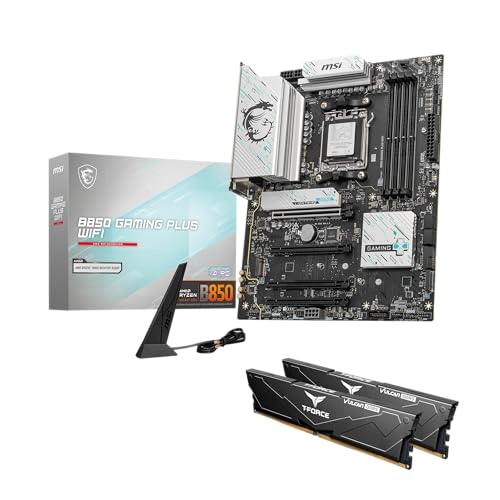
Stepping into the newer generation, the MSI B650 Gaming Plus WiFi Gaming Motherboard utilizes a 12+2+1 Duet Rail Power System paired with dual 8-pin CPU power connectors. This configuration accommodates higher thermal design power limits on modern architectures without stressing individual traces. Builders planning to pair high-tier processors with their boards must consider these power stages carefully, as inadequate power delivery remains a frequent source of performance instability in custom gaming desktops.
Chipset Generations and Processor Socket Lifespans
The motherboard chipset dictates memory speed limits, expansion bus lanes, and overall component compatibility across your desktop. AMD platforms present a major generational divide between the long-running AM4 socket and the current AM5 standard. AM4 boards support established processor families, including the AMD Ryzen 3000, 4000 G-Series, and 5000 Series desktop chips. This mature socket architecture allows builders to create reliable, cost-effective systems using widely available DDR4 system memory.
Conversely, the AM5 socket found on the MSI B650 Gaming Plus WiFi Gaming Motherboard represents an updated platform designed for AMD Ryzen 7000, 8000, and 9000 Series processors. This newer architecture transitions entirely to DDR5 memory, supporting elevated frequencies such as dual-channel DDR5 at 7200+ MHz through memory overclocking profiles. While AM5 hardware requires a higher component investment for memory and motherboards, it establishes an active upgrade path for future processor generations.
When planning a new desktop, evaluating whether to choose a mature platform or an emerging one depends on your financial allocation and performance goals. Gamers exploring entry-level gaming desktop configurations frequently find that AM4 platforms provide exceptional capability without stretching hardware budgets. AM5 boards provide a forward-looking foundation, but AM4 motherboards remain highly practical options for mid-tier gaming rigs that do not require next-generation memory bandwidth.
Thermal Management and Onboard Cooling Solutions
Thermal control directly affects the lifespan and stability of desktop motherboard components under continuous gaming loads. Motherboards absorb substantial heat from adjacent graphics cards, power delivery chokes, and high-speed storage drives. Effective circuit board design counters this thermal buildup by employing passive aluminum heatsinks, thermal pads, and dedicated fan control logic. Without adequate heatsink mass, heat can accumulate around the socket area, leading to elevated case temperatures and louder cooling fans.
Different manufacturers employ proprietary thermal features to safeguard critical circuits. The ASUS TUF Gaming A520M-PLUS (WiFi) integrates a large VRM heatsink alongside a dedicated chipset heatsink, managed through the Fan Xpert 2+ software suite for dynamic airflow regulation. MSI incorporates extended heatsinks with high-conductivity thermal pads rated up to 7W/mK on models like the MSI B650 Gaming Plus WiFi Gaming Motherboard. These dense metal blocks dissipate heat away from sensitive MOSFETs into the chassis exhaust path.
Storage cooling is equally vital for high-speed M.2 solid-state drives, which can experience performance drops when reaching high operating temperatures. Motherboards like the MSI B550 Gaming WIFI6E Motherboard, ATX include integrated M.2 Shield Frozr heatsinks to distribute heat away from the SSD controller. ASUS similarly utilizes dedicated drive heatsinks across its ROG Strix lineups to ensure sustained read and write speeds during game loading sequences. Choosing a board with pre-installed drive shielding eliminates the need to source aftermarket SSD coolers.
Expansion Slots, High-Speed Storage, and PCIe Bandwidth
Peripheral Component Interconnect Express, or PCIe, is the communication bus that links your graphics card and storage drives directly to the CPU and chipset. Entry-level chipsets such as the A520 feature PCIe 3.0 operation, which provides reliable throughput for budget graphics cards and Gen3 NVMe storage drives. The MSI A520M-A PRO Gaming Motherboard includes a Turbo M.2 slot operating at Gen3 x4 speeds, supplying adequate bandwidth for standard gaming installations and file transfers.
Upgrading to B550 or B650 chipsets unlocks PCIe 4.0 lanes, doubling the theoretical bandwidth per lane over PCIe 3.0. The Asus ROG Strix B550-F Gaming WiFi II AMD AM4 and the MSI B550 Gaming WIFI6E Motherboard, ATX provide PCIe 4.0 x16 slots with reinforced steel housings. This structural reinforcement prevents physical slot damage and signal interference when installing heavy contemporary graphics cards. Furthermore, dual M.2 connectors permit running a fast PCIe 4.0 boot drive alongside a secondary storage drive for an expanding gaming library.
Modern AM5 motherboards, such as the MSI B650 Gaming Plus WiFi Gaming Motherboard, continue this PCIe 4.0 integration while optimizing signal routing for multi-slot expansion. Having multiple high-speed M.2 slots allows PC gamers to separate their operating system files from game storage, preventing drive congestion during background downloads. Verifying that a motherboard has adequate PCIe lanes ensures your primary graphics card and solid-state drives operate without sharing or restricting system bandwidth.
Networking Capabilities and Peripheral Connectivity
Online gaming stability relies on consistent data transfer rates and low packet latency from your motherboard’s networking hardware. Basic motherboards frequently incorporate standard 1Gbps Ethernet controllers, which handle regular internet connections and multiplayer gaming sessions without difficulty. Higher-end boards, including the Asus ROG Strix B550-F Gaming WiFi II AMD AM4 and the MSI B650 Gaming Plus WiFi Gaming Motherboard, step up to 2.5Gbps LAN ports. These higher-bandwidth network controllers provide enhanced local network file transfer speeds and reduced overhead when paired with compatible network switches.
Wireless networking has evolved across motherboard generations, transitioning from basic 802.11ac standards to modern Wi-Fi 6E connectivity. The ASUS TUF Gaming A520M-PLUS (WiFi) incorporates an 802.11ac Wi-Fi module, offering reliable dual-band wireless communication for homes without accessible Ethernet cabling. Meanwhile, the MSI B550 Gaming WIFI6E Motherboard, ATX and Asus ROG Strix B550-F Gaming WiFi II AMD AM4 leverage Wi-Fi 6E, accessing the 6 GHz wireless spectrum for lower latency in congested wireless environments. These newer wireless modules also bundle updated Bluetooth versions, such as Bluetooth 5.2 or 5.3, for seamless controller pairing.
Rear I/O connectivity determines how many peripherals, external drives, and audio devices you can connect simultaneously without USB splitters. The Asus ROG Strix B550-F features high-speed USB 3.2 Gen 2 Type-C ports alongside HDMI 2.1 and DisplayPort 1.2 outputs for integrated graphics processors. The MSI B650 Gaming Plus WiFi Gaming Motherboard expands external throughput further with USB 3.2 Gen 2×2 connectivity, supporting transfer speeds up to 20Gbps for high-speed external storage. Checking the rear panel port selection prevents connectivity headaches when setting up complex gaming peripherals.
Firmware Utility, BIOS Flashback, and System Setup Considerations
The motherboard Unified Extensible Firmware Interface, or UEFI BIOS, governs initial hardware handshakes, fan curves, and component boot sequences. ASUS motherboards feature an intuitive UEFI dashboard with both an EZ Mode for basic setting adjustments and an Advanced Mode for detailed hardware tuning. MSI provides a similarly structured interface through its Click BIOS architecture, presenting clear hardware monitoring graphs and fan profile curves. Both interfaces allow builders to enable memory profiles like XMP or EXPO with a single toggle.
A critical feature for custom PC builders is a physical BIOS FlashBack button located on the rear I/O shield. Motherboards such as the ASUS TUF Gaming A520M-PLUS (WiFi) and the Asus ROG Strix B550-F Gaming WiFi II AMD AM4 include this hardware button. This tool enables users to update the motherboard firmware using a simple USB flash drive without needing a compatible CPU or memory installed. This capability simplifies building on older chipsets when pairing them with newly released processors that require updated microcode to boot.
When updating motherboard firmware, always follow the specific instructions outlined in the manufacturer user manual to avoid system corruption. Ensure the system maintains steady power throughout the update sequence and never interrupt the flashing process prematurely. Once firmware updates complete successfully, configuring memory clock settings and fan thresholds within the BIOS ensures your desktop hardware operates in a balanced, acoustically controlled manner.
Aligning Board Selection with Target Gaming Workloads
Selecting an ideal motherboard requires evaluating physical dimensions alongside your gaming workload requirements. Micro-ATX motherboards, such as the MSI A520M-A PRO Gaming Motherboard and ASUS TUF Gaming A520M-PLUS (WiFi), measure roughly 9.6 by 9.6 inches or smaller. These compact dimensions fit neatly into space-saving desktop cases, making them excellent choices for budget builds or compact gaming environments. However, micro-ATX boards often reduce the number of expansion slots, fan headers, and M.2 storage slots compared to full-sized ATX boards.
Standard ATX motherboards, like the Asus ROG Strix B550-F and MSI B650 Gaming Plus WiFi Gaming Motherboard, provide generous physical real estate for cooling and expansion. Gamers investing in complete desktop gaming setups often favor full-sized ATX boards due to their abundant chassis fan headers, RGB lighting connections, and spacious component spacing. This extra space makes routing thick power cables and installing massive modern triple-fan graphics cards substantially easier during the assembly process.
Ultimately, selecting between ASUS and MSI depends on which specific model provides the exact balance of power phases, connectivity, and form factor your build demands. Both manufacturers build highly capable motherboards across all standard chipset tiers, from entry-level A520 boards to robust B650 platforms. Rather than searching for a single universal brand label, focus on matching verified hardware specifications to your target games, processor choice, and case layout to create a stable, responsive gaming desktop.
In summary, choosing between top motherboard manufacturers comes down to identifying the specific hardware capabilities that match your processor, chassis, and gaming expectations. ASUS excels in rugged builds and refined UEFI environments, while MSI consistently delivers high-value power configurations and thermal shielding across competitive tiers. By evaluating power delivery stages, chipset generations, and networking features rather than relying on brand perception alone, you can confidently select the motherboard that serves as a dependable foundation for your gaming PC.




Write Your Review
No reviews yet. Be the first to share your experience!