


Keeping an eye on hardware thermals without sacrificing valuable desktop screen real estate or taking up a primary graphics card video output is a common headache for modern system builders. While you focus on high frame rates on your main screen, running background diagnostic overlays can clutter your display or draw unnecessary overhead. Adding a dedicated internal or external panel provides a clear readout for your processor, graphics card, and ambient temperatures without interrupting your workflow. If you want a dedicated hardware tracking screen, finding the best temperature monitor for pc builds comes down to panel clarity, physical case clearance, and software demands.
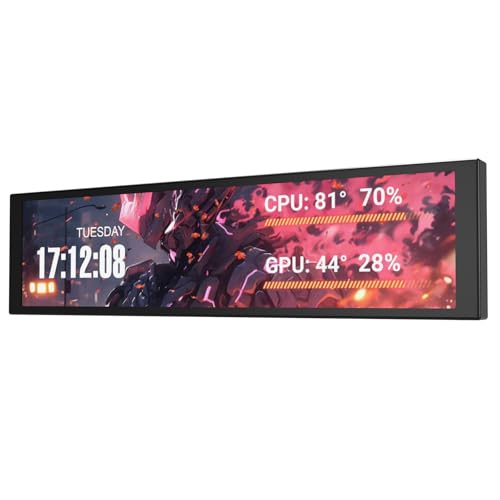
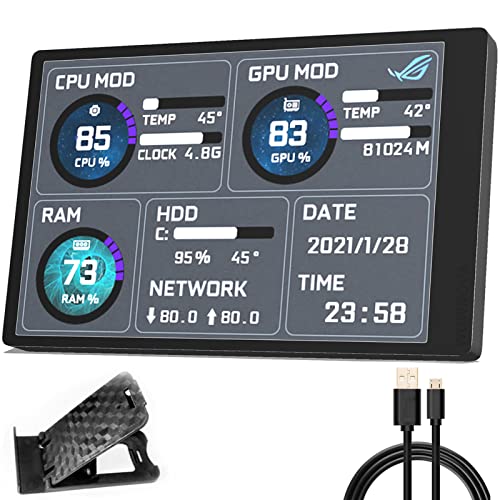
Modern auxiliary monitors range from compact 3.5-inch mini screens to ultra-wide 8.8-inch and 9.2-inch IPS displays, along with standalone ambient thermometers that monitor room climate. When planning your layout, checking physical dimensions and connection types is essential so you don’t crowd internal fans or compromise case airflow. This review evaluates listed specifications, manufacturer connection methods, and documented user feedback to help you find the right fit for your setup. Whether you pair it alongside a balanced budget gaming display or mount it directly inside your chassis, a good sensor panel keeps your system vital signs visible at a glance.





Frequently Asked Questions
Do internal PC temperature screens require an HDMI or DisplayPort connection from the GPU?
No, most modern internal sensor panels connect via standard USB or internal motherboard headers. Models like the darkFlash V92 and Lian Li SM088X use USB-C or internal 9-pin headers, leaving your graphics card video ports completely free for your primary high refresh rate monitor.
What panel type is best for reading temperatures through tempered glass?
An IPS display is generally preferable because it provides wide viewing angles and consistent color representation. This makes hardware readouts easy to see from different desk positions, even through tinted glass side panels.
Can these sensor panels run without paid software like AIDA64?
Yes, several displays include proprietary software that eliminates the need for third-party paid utilities. For instance, the darkFlash V92 uses free Station Space software, Lian Li models utilize L-Connect 3, and Flylin includes dedicated configuration software to handle telemetry.
What is the difference between an internal sensor screen and an ambient digital hygrometer?
An internal sensor screen interfaces directly with your operating system to report real-time CPU, GPU, and RAM temperatures. In contrast, standalone monitors like the TempPro units measure the ambient room temperature and humidity around your workstation using external thermal sensors.
Do these small auxiliary monitors support desktop extension mode?
Some models support extended desktop display mode while others are dedicated strictly to sensor metrics. For example, the WOWNOVA 8-inch screen specifically lists desktop mode support, whereas the darkFlash V92 operates strictly as a dedicated telemetry screen.







Write Your Review
No reviews yet. Be the first to share your experience!