


GPU bottlenecking ruins immersion when modern graphics cards sit idle waiting for slow compute threads. Serious PC builders avoid frame drops by pairing high-end graphics with hardware that delivers dependable single-core boost clock speeds and abundant multi-threaded headroom. Selecting the best gaming cpu uk builders rely on ensures smooth frame rates across demanding AAA releases and twitchy esports titles alike. Upgrading your rig with a high-performance gaming computer CPU keeps background discord calls, streaming software, and operating system overhead from stealing processing cycles during heavy firefights.
Modern platform architecture demands careful attention to motherboard chipsets, memory generations, and cooling requirements. Unlocked processors like the Intel® Core™ i7-14700K New Gaming Desktop and its counterpart, the Intel® Core™ i7-14700KF New Gaming Desktop, pack 20 cores across performance and efficient clusters for balanced workloads. Pairing a capable CPU for desktop PC setups with adequate thermal dissipation prevents aggressive thermal throttling under sustained turbo frequencies. Understanding whether you need integrated graphics or purely discrete GPU power helps maximize your overall build budget without compromising in-game responsiveness.

Pros
- Excellent multi-core performance for gaming and productivity workloads
- Integrated graphics provide useful backup for troubleshooting or light tasks
- Unlocked multiplier for easy overclocking with compatible Z-series motherboards
- Good compatibility with both DDR4 and DDR5 memory platforms
- Backward compatible with many LGA1700 motherboards with BIOS update
Cons
- Runs hot under load, requiring a high-end air or liquid cooler for optimal performance
- Power draw can be high, especially when overclocked or under sustained workloads
- May require BIOS update for older 600-series chipset motherboards
The Intel Core i7-14700K is a 14th-generation desktop processor that blends high-performance P-cores with efficient E-cores, giving PC gamers and content creators a versatile chip for demanding workloads. With 8 performance cores and 12 efficiency cores for a total of 20 cores and 28 threads, it offers strong multi-threaded performance for gaming while streaming, video editing, or running productivity tasks in the background. This processor is designed for the LGA1700 socket and works with both Intel 600 and 700 series motherboards, though a BIOS update may be needed for older boards.
This CPU is best suited for PC gamers who want high frame rates in modern titles, competitive esports players who need consistent responsiveness, streamers who multitask during broadcasts, and content creators who edit video or render 3D assets. Its hybrid architecture allows demanding games to run on the performance cores while background apps like Discord, OBS, or Chrome tabs are handled by the efficient cores, keeping your gameplay smooth and your stream stable. The unlocked multiplier also appeals to enthusiasts who want to push clock speeds beyond stock with adequate cooling.
When it comes to gaming, the i7-14700K delivers strong single-core performance for snappy responsiveness in fast-paced shooters like Valorant, CS2, and Call of Duty, as well as in CPU-intensive titles like Cyberpunk 2077 and Microsoft Flight Simulator. Users report noticeable gains over previous-gen i7s, especially in games that benefit from higher core counts and faster cache. The 33 MB Intel Smart Cache helps reduce latency, while support for PCIe 5.0 and DDR5 memory means this chip can take full advantage of the latest GPUs and fast RAM kits for even better frame rates.
Cooling is a critical consideration with this processor. Under full load, the i7-14700K can draw significant power and generate substantial heat. Most builders will want at least a quality 240mm AIO liquid cooler, and a 360mm AIO or custom loop is recommended for sustained all-core workloads. Undervolting is a popular technique among enthusiasts to reduce temperatures without sacrificing much performance, as noted in user feedback. A good contact frame for the LGA1700 socket can also help with even thermal paste spread and lower temps.
Setup is straightforward if you have a compatible motherboard and a BIOS updated to support 14th-gen chips. The processor integrates Intel UHD Graphics 770, which is handy for troubleshooting or basic display output without a dedicated GPU. Overclocking headroom is available for those who want to push frequencies further, though the stock Turbo Boost performance is already strong for most gaming scenarios. The chip works with both DDR4 and DDR5 memory, giving builders the option to save money with existing DDR4 kits or invest in faster DDR5 for future-proofing.
Realistically, the i7-14700K sits in a sweet spot for high-end gaming builds where you want strong multi-core performance without stepping up to the i9 price tier. It handles gaming, streaming, and productivity tasks simultaneously without breaking a sweat, making it a versatile choice for a gaming PC that also doubles as a workstation. Just be ready to invest in adequate cooling and a quality power supply, as this chip pulls significant power under load. For gamers building a new rig or upgrading from a 12th-gen or earlier platform, this CPU offers a compelling balance of price and performance.
In gaming scenarios, the i7-14700K delivers excellent single-core performance thanks to its high boost clock and Intel Turbo Boost Max Technology 3.0. This translates to high frame rates in competitive shooters like Valorant and CS2, where CPU speed often dictates performance. The 8 P-cores handle the game logic while the 12 E-cores manage background tasks like Discord, streaming software, and game launchers, resulting in smoother gameplay with fewer stutters. Users report strong performance in AAA titles at 1440p and 4K when paired with a modern GPU, with the CPU rarely becoming the bottleneck.
For streaming, the hybrid architecture lets you game on the P-cores while encoding and streaming tasks run on the E-cores, keeping in-game performance consistent. The integrated graphics are not intended for gaming but provide a useful fallback for troubleshooting or basic display output. Overclockers will appreciate the unlocked multiplier and robust VRM support on Z790 boards, though thermal headroom varies by silicon quality.
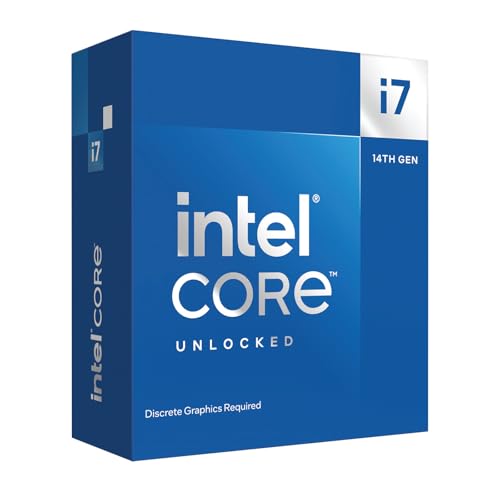
Pros
- Exceptional multi-core performance for gaming and productivity tasks like video editing.
- High clock speeds (up to 5.6 GHz) provide low-latency gaming and snappy system responsiveness.
- Memory flexibility with support for both DDR4 and DDR5, easing upgrade paths.
- Unlocked multiplier for overclocking, giving advanced users headroom to push performance.
Cons
- No integrated graphics - requires a discrete GPU, adding cost and complexity for basic display needs.
- High power draw under load, necessitating a quality cooler and adequate PSU.
- Older 600-series motherboards may require a BIOS update, which could be a hurdle for non-tech-savvy builders.
The Intel Core i7-14700KF is a high-performance desktop processor designed for PC gamers, content creators, and PC builders who demand top-tier speed and multitasking capabilities. As part of Intel's 14th Gen lineup, this unlocked CPU offers a blend of 8 performance cores and 12 efficient cores, totaling 20 cores and 28 threads - a configuration that excels in both gaming and productivity workloads. Whether you're building a gaming rig for competitive esports, streaming on Twitch, or editing videos, this processor aims to deliver without compromise.
In real-world gaming, the i7-14700KF's up to 5.6 GHz Turbo Boost Max Technology 3.0 provides low-latency responsiveness and high frame rates in CPU-intensive titles like FPS games, open-world adventures, and strategy sims. The hybrid architecture ensures background tasks such as Discord, streaming software, or browser tabs run smoothly without impacting gaming performance. For content creators, the extra E-cores accelerate video rendering and multi-threaded tasks, making it a solid choice for a combined gaming and productivity setup.
Compatibility is a strong point - the i7-14700KF works with both Intel 600-series (with a potential BIOS update) and 700-series chipset motherboards. It also supports both DDR4 and DDR5 memory, letting you choose between cost-effective or cutting-edge RAM. This flexibility makes it easier to integrate into an existing build or a new high-end system. Note that this is a 'KF' variant, meaning no integrated graphics, so you'll need a discrete GPU for display output - a standard requirement for gaming PCs anyway.
Build quality and reliability are typical for Intel's desktop chips: robust construction and proven architecture. Because it's unlocked, enthusiasts can overclock for extra performance, though a capable aftermarket cooler and quality power supply are recommended to handle the heat and power draw. Thermal management is straightforward with a good air or liquid cooler, and the CPU fits standard LGA1700 sockets used by 12th, 13th, and 14th Gen boards.
Setup is as easy as any standard CPU installation, but beginners should note the BIOS update requirement for older 600-series motherboards. The lack of an iGPU means you can't troubleshoot without a discrete graphics card connected, but for a gaming-focused build that's rarely an issue. Cable management is minimal since the CPU itself has no cables; just seat it carefully in the socket.
Overall, the Intel Core i7-14700KF is a compelling choice for PC gamers and creators who want strong multi-core performance without jumping to the top-tier i9. Its balance of gaming speed and productivity grunt makes it versatile for a range of setups - from dorm room gaming PCs to professional content creation workstations. If you already have a discrete GPU and don't mind the slight setup care for older boards, this processor delivers excellent value for high-fidelity gaming and demanding workloads.
FAQs
What is the key difference between the Intel Core i7-14700K and i7-14700KF?
Integrated graphics support represents the sole distinction between these two processors. The i7-14700K includes built-in Intel UHD Graphics 770, whereas the i7-14700KF lacks display silicon and requires a dedicated graphics card. Both models feature the same 20-core architecture, 28 threads, and boost frequencies up to 5.6 GHz for identical computing speeds.
Do these 14th Gen processors require a new motherboard?
No, you do not necessarily need a brand-new motherboard if you already own a 600-series or 700-series board. Both processors operate on the LGA1700 socket. Older 600-series boards simply require a motherboard BIOS update before installing the processor to ensure full compatibility and stable power delivery.
Is DDR5 memory mandatory for the Best Gaming Cpu Uk in 2026?
No, DDR5 memory is not strictly required because both processors support both DDR4 and DDR5 memory standards. Builders looking to manage overall build costs can retain existing DDR4 kits on compatible motherboards. DDR5 memory provides greater system bandwidth, which can improve minimum frame rates in high-refresh multiplayer titles.
What type of CPU cooling is recommended for high-boost unlocked processors?
A dual-tower air cooler or a 280mm to 360mm all-in-one liquid cooler is strongly recommended. These unlocked desktop chips sustain high turbo power under heavy multi-threaded tasks, which generates considerable thermal output. Adequate cooling headroom prevents thermal throttling and maintains steady 5.6 GHz boost clocks without loud fan noise.
How do these processors compare against other market platforms?
Hybrid core configurations offer exceptional multi-tasking and background application management alongside strong single-core gaming speed. While some builders investigate competitive gaming AMD CPU options for platform longevity, Intel 14th Gen chips deliver exceptional productivity throughput with 20 cores and 28 threads for demanding streaming setups.
Does integrated graphics provide any benefit if you have a discrete GPU?
Yes, integrated graphics can serve as a dependable backup video output during GPU troubleshooting or driver conflicts. The onboard Intel UHD Graphics 770 also supports Intel Quick Sync Video, which assists content creators with video decoding tasks in select editing software without overloading the discrete graphics card.


Write Your Review
No reviews yet. Be the first to share your experience!