


Micro-stutters during a final circle gunfight can instantly wipe out twenty minutes of tactical survival. Dropping frames right as an enemy slides around a corner leaves you staring at the redeploy screen in total frustration. Demanding battle royales push mobile hardware to its absolute limit, where thermal throttling can quietly gut clock speeds after just two matches. That is why securing the Best Gaming Laptop For Call Of Duty Warzone is about consistent frame delivery, sustained GPU wattage, and rapid pixel response rather than hollow visual flair. Our review of manufacturer specifications and hardware architecture highlights how modern cooling solutions and high-refresh panels keep gameplay crisp under heavy fire.
Smooth tracking across sprawling maps requires balanced hardware so CPU bottlenecks do not starve your graphics processor during chaotic artillery strikes. Pairing high-bandwidth DDR5 memory with fast NVMe storage cuts down asset streaming hitching, especially when stepping up from older budget gaming laptops with dedicated graphics. Upgrading to mobile platforms packing modern dedicated graphics cards gives you access to AI frame generation and low-latency modes that keep input lag minimal. When your laptop stays cool and holds steady frame rates, your crosshair stays locked on target without unwanted hiccups.

Pros
- Exceptional CPU performance for both gaming and productivity.
- High-refresh QHD+ display provides sharp visuals and smooth motion.
- Robust cooling system keeps thermals in check during extended use.
- Fast DDR5 RAM and NVMe storage reduce load times and improve responsiveness.
- Comprehensive connectivity with Wi-Fi 6E, multiple USB ports, and USB-C.
Cons
- GPU (RTX 5060) may be slightly underpowered compared to higher-tier desktop GPUs for 1440p ultra settings.
- At 5.51 pounds, it's not the lightest laptop for frequent travel.
- Only 16GB RAM may require an upgrade for heavy multitasking or content creation.
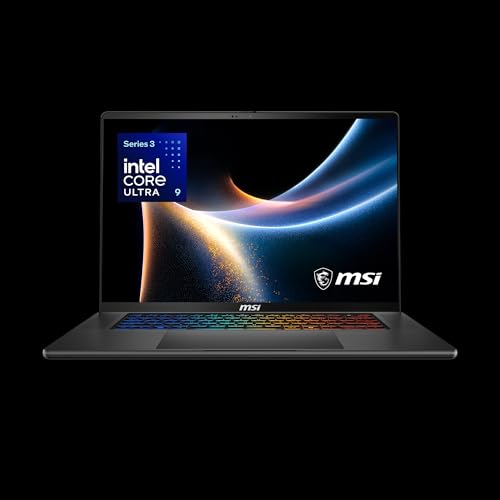
The MSI Crosshair A16 HX is a gaming laptop that strikes a strong balance between raw performance and practical features, making it a solid choice for PC gamers, esports players, streamers, and even college gamers who need one machine to handle everything. Powered by the AMD Ryzen 9 8940HX and the new NVIDIA GeForce RTX 5060 with DLSS 4, this laptop is built to handle competitive titles, open-world adventures, and creative workloads without breaking a sweat.
In real-world use, the combination of a 16-inch QHD+ display with a 240Hz refresh rate provides incredibly smooth motion and sharp visual clarity. This is a major advantage for fast-paced FPS games like Valorant or Overwatch, where every frame matters. The RTX 5060 handles ray tracing with ease, and DLSS 4 keeps framerates high even in demanding titles. The Cooler Boost 5 cooling system, with dual fans and multi-directional airflow, helps maintain consistent performance during long gaming sessions or extended streaming on Twitch.
Build quality feels sturdy despite the relatively thin profile. The laptop weighs 5.51 pounds, which is reasonable for a 16-inch gaming machine, and the gray chassis looks professional enough for work-from-home or dorm room setups. The 24-zone RGB keyboard offers plenty of customization through MSI's software, and the illuminated WASD keys are a nice touch for gamers. The keyboard has decent key travel and tactile feedback, making it suitable for both gaming and typing.
Setup is straightforward: Windows 11 Home comes pre-installed, and the Copilot feature, along with MSI AI Engine, helps optimize performance based on your tasks. The 1TB NVMe SSD provides ample storage for a large game library, and the 16GB of DDR5 RAM handles multitasking well, though heavy content creators may want to consider upgrading later. Connectivity is excellent with Wi-Fi 6E, Bluetooth, multiple USB 3.0 ports, and USB-C, allowing easy connection to external peripherals, monitors, or streaming capture gear.
One realistic limitation is that the RTX 5060, while powerful for a laptop, won't match a high-end desktop GPU at native 1440p ultra settings in the most demanding games. However, with DLSS and clever settings adjustments, it still delivers a great experience. Also, the 16GB RAM may feel a bit tight if you run many applications simultaneously, but it's fine for most gamers. Battery life is typical for a gaming laptop, so expect to stay plugged in during heavy use.
Overall, the MSI Crosshair A16 HX is a well-rounded gaming laptop that excels in performance, display quality, and cooling. It's especially suited for competitive gamers who want high refresh rates, streamers who need reliable multitasking, and college gamers looking for a do-it-all machine. If you're in the market for a portable powerhouse that handles gaming, work, and content creation with confidence, this is a strong contender worth considering.

Pros
- Strong CPU performance for gaming and productivity tasks at this price point.
- High refresh rate 144Hz display enhances gameplay smoothness in fast-paced titles.
- Good selection of ports including USB 3.0, HDMI, and USB-C for peripherals.
- Backlit keyboard and HD Audio improve the overall gaming and media experience.
- Cooler Boost 5 effectively manages thermals during extended gaming sessions.
Cons
- RTX 2050 is entry-level and may struggle with demanding AAA games at higher settings.
- Battery life is average, so expect limited unplugged gaming time.
- Plastic chassis feels less premium compared to higher-end models.
The MSI Thin 15 is a budget-oriented gaming laptop that targets PC gamers, competitive esports players, casual streamers, and college students who need a portable rig that won't empty their wallets. It packs a 12th-gen Intel Core i5-12450H processor and an NVIDIA GeForce RTX 2050 GPU, making it suitable for titles like Fortnite, Valorant, and Overwatch at 1080p with decent settings. The 144Hz FHD display is a standout at this price, delivering smooth visuals that reduce motion blur and give a competitive edge in fast-paced games.
Performance-wise, the Core i5 handles multitasking and productivity tasks with ease, while the RTX 2050 brings ray tracing capabilities to the table, even if it's not as powerful as higher-tier GPUs. The 16GB of DDR5 RAM and 512GB NVMe SSD ensure quick load times and snappy system responsiveness, whether you're launching games or switching between apps. The 144Hz refresh rate makes a noticeable difference in gameplay fluidity, especially for first-person shooters and racing games.
Build quality is practical with a slim plastic chassis that keeps weight down to 7.33 pounds. The backlit keyboard is comfortable for typing and gaming, though it lacks per-key RGB. Port selection is solid: you get three USB 3.0 ports, HDMI output, and a USB-C port for connecting external monitors, gaming mice, or capture cards. The Cooler Boost 5 thermal system uses dual fans and multiple heat pipes to keep the CPU and GPU cool under load, maintaining performance without excessive fan noise.
Setup is straightforward with Windows 11 Home pre-installed, and the MSI Center software lets you tweak performance profiles, monitor system status, and customize fan curves. The laptop also features Wi-Fi 6E for low-latency online gaming and stable streaming, plus HD Audio with DTS processing for immersive sound during gameplay or media consumption.
That said, the RTX 2050 is an entry-level GPU, so it will struggle with modern AAA titles at max settings. You'll likely need to lower graphical presets in games like Cyberpunk 2077 or Red Dead Redemption 2. Battery life is around 4-5 hours under light use, which is typical for budget gaming laptops, but don't expect all-day unplugged gaming. The plastic build also means it may not feel as premium as metal-chassis alternatives.
Overall, the MSI Thin 15 is a great value for budget-conscious gamers, streaming beginners, and college students who need a versatile laptop for both gaming and schoolwork. It offers the right mix of CPU power, fast display, and modern connectivity to handle esports and casual gaming without breaking the bank. If you're looking for a reliable entry-level gaming laptop that won't weigh down your backpack or your budget, this is a solid choice.
The MSI Thin 15 delivers reliable performance for competitive and casual gaming thanks to its Intel Core i5-12450H processor and NVIDIA RTX 2050 GPU. In popular esports titles like Valorant, CS:GO, and Rocket League, you can expect smooth frame rates well above 60 FPS at 1080p, often hitting the 144Hz refresh rate cap of the display. For more demanding games like Apex Legends or Fortnite, lowering a few settings to medium or high still provides a responsive experience.
The 144Hz FHD panel is a highlight, reducing screen tearing and input lag for a more competitive feel. The RTX 2050 supports ray tracing in select titles, though you'll likely need to rely on DLSS or lower settings to maintain playable frames. The 16GB of DDR5 RAM ensures minimal stutter during gameplay, and the NVMe SSD keeps load times short. The Cooler Boost 5 system efficiently manages thermals, so the laptop stays relatively cool and quiet even during longer sessions.
For a budget gaming laptop, the MSI Thin 15 offers a well-rounded set of ports. You get three USB 3.0 Type-A ports for connecting your gaming mouse, keyboard, and external storage. There's also a single USB-C port (supporting DisplayPort and power delivery) and an HDMI 2.0 output for hooking up an external monitor or capture card. A headphone/mic combo jack rounds out the audio connectivity.
Wireless connectivity is modern with Wi-Fi 6E and Bluetooth 5.2, providing low-latency, stable connections for online gaming and streaming. The laptop also includes a Gigabit Ethernet port for wired setups. These options make it easy to build a versatile gaming station at home or on the go, whether you're connecting to a 240Hz external monitor or using a wireless headset.

Pros
- Powerful AI-ready Intel Core Ultra 7 and RTX 4060 deliver strong gaming and creative performance.
- High-quality 120Hz display with G-Sync and sRGB support enhances gameplay and content creation.
- Effective cooling system with AeroBlade fans and liquid metal keeps temperatures under control.
- Fast storage and memory combo ensures snappy system responsiveness.
Cons
- Soldered RAM limits future upgrades to the 16GB model; consider the 32GB version if you need more.
- Only two USB-A ports may require a hub for multiple peripherals.
- Some users report loud fan noise under heavy load, which may be noticeable in quiet environments.
The Acer Predator Helios Neo 14 is a compact gaming laptop that packs serious power into a portable 14.5-inch chassis. Built around Intel's Core Ultra 7 processor 155H and NVIDIA's GeForce RTX 4060, this machine is designed for gamers who need performance on the go, as well as content creators and streamers who want AI-assisted features for faster workflows. It's a versatile option for PC gamers, college students, and anyone building a portable gaming setup that doesn't sacrifice visual quality or responsiveness.
When it comes to gaming performance, the RTX 4060 GPU with DLSS 3.5 technology delivers smooth frame rates at the laptop's native WQXGA resolution, even in demanding titles like Baldur's Gate 3 and Diablo 4 at high settings. The 120Hz IPS display with G-Sync support keeps motion fluid and tear-free, which is especially valuable for competitive gamers playing fast-paced shooters. The sRGB color coverage also makes this screen suitable for photo and video editing, giving creative users a solid secondary display option. However, the 16GB of LPDDR5X RAM is soldered, so if you plan to run memory-heavy applications or keep dozens of browser tabs open while gaming, consider the 32GB model from the start.
Build quality is what you'd expect from Acer's Predator line: a sturdy metal chassis with a sleek black finish and a compact footprint that fits easily on a desk or in a backpack. The keyboard offers three-zone RGB backlighting, customizable through the PredatorSense 5.0 app, letting you match it to the rest of your setup. The cooling system uses dual 5th Gen AeroBlade fans and liquid metal thermal grease, which does an excellent job of keeping temperatures manageable even during long sessions. That said, the fans can get loud in Turbo mode, so a laptop cooling pad might help if you're sensitive to noise or want to maintain peak performance without the extra sound.
Connectivity is solid for a laptop this size, with Thunderbolt 4, USB-C with DisplayPort and Power Delivery, HDMI 2.1, and Wi-Fi 6E. The inclusion of a microSD card reader is a nice touch for on-the-go creators. On the downside, you only get two USB-A ports, which may require a hub if you plan to connect a mouse, external drive, and other peripherals simultaneously. The laptop also features a dedicated Copilot key for quick access to Windows 11's AI assistant, which can be handy for setting reminders, searching files, or generating content while working or streaming.
In real-world use, the Predator Helios Neo 14 handles multitasking well, from editing in Premiere Pro to streaming on Twitch while gaming. The Purified Voice 2.0 noise reduction keeps your voice clear during calls or streams, even if you're in a noisy room. Battery life is adequate for light productivity tasks but will drain faster under full gaming load, so plan to keep the charger handy. Overall, this is a strong choice for US gamers and creators who need a portable laptop that can handle both play and work without weighing them down. If you can find it during a sale, it represents great value for a well-rounded portable gaming system.

Pros
- Strong 1080p gaming performance with RTX 4050 and Ryzen 7 for popular titles like COD, PUBG, and CS.
- Lightweight and portable at under 4 pounds, ideal for carrying between home, class, and work.
- Decent battery life for a gaming laptop, lasting 2-5 hours under mixed use.
- Quiet and effective cooling system with a dedicated fan boost button for sustained gaming.
Cons
- Screen color accuracy is somewhat faded, limiting its appeal for serious content creation without calibration.
- Built-in speakers are mediocre, best used with headphones or external speakers for immersive audio.
- Some users report minor software issues like bloatware interference with WiFi, easily resolved by removing Norton.
The MSI Thin A15 B7VE-214US is a 15.6-inch gaming laptop designed to balance portability and performance for a wide range of users. It packs a capable AMD Ryzen 7 7735HS processor and NVIDIA GeForce RTX 4050 graphics, making it well-suited for smooth 1080p gaming in popular titles like Call of Duty, PUBG, and Fortnite. The 144Hz FHD display ensures fluid motion and reduced screen tearing, which is a real plus for competitive gamers who need quick visual feedback.
This laptop is best suited for college gamers, commuters, and value-conscious buyers who want a machine that can handle both gaming and everyday tasks like schoolwork, streaming, or office productivity. Its lightweight design means it slips easily into a backpack, and the understated black finish looks professional enough for a lecture hall or coffee shop. The RGB keyboard adds a touch of personalization without going over the top.
In real-world use, the Ryzen 7 and RTX 4050 combo delivers reliable frame rates at high settings in mainstream games, and the 16GB of DDR5 RAM keeps multitasking snappy. Users report smooth performance in titles like Anno and Battlefield, and the Cooler Boost 5 cooling system helps maintain steady performance during longer sessions. The dedicated fan boost button is a handy feature for when you need extra thermal headroom.
Build quality is solid, with a sturdy hinge and a comfortable keyboard that features a separate number pad. The port selection includes four USB 3.0 ports, making it easy to connect peripherals like a gaming mouse or external drive. One thoughtful inclusion is an empty M.2 slot and an open RAM slot, allowing for future upgrades if you need more storage or memory down the line.
That said, the screen's color accuracy is a noticeable compromise; it's fine for gaming and general use but won't satisfy those who need precise color work for photo or video editing. The built-in speakers are basic, so you'll likely want to use a gaming headset or external speakers for immersive audio. Some users mention that pre-installed software like Norton can cause WiFi hiccups, but removing it usually resolves the issue quickly.
Overall, the MSI Thin A15 offers strong value for the price. It's a practical choice for gamers who need a portable machine that can keep up with daily life. If you prioritize portability, solid 1080p gaming performance, and the ability to upgrade later, this laptop is a smart buy. For those who need better screen accuracy or premium audio, it might be worth considering external monitors and headsets to complement this setup.

Pros
- Strong CPU and GPU combo handles modern games and creative tasks well.
- 165Hz display with 16:10 ratio is great for gaming and productivity.
- 1TB SSD and 16GB DDR5 RAM offer fast storage and smooth multitasking.
- Slim and lightweight design at 4.85 pounds makes it portable for college or travel.
- GiMATE AI assistant adds convenience for system optimization.
Cons
- Display color accuracy is limited (NTSC 45%), which may disappoint color-sensitive creators.
- No Thunderbolt 4 or USB-C with DP Alt Mode confirmed, limiting some connectivity options.
- Battery life is not specified but likely average for a gaming laptop of this class.
The GIGABYTE Gaming A16 is a 16-inch gaming laptop designed for gamers who want a balance of performance, portability, and smart features. It's built for casual gamers, students, streamers, and anyone exploring AI-powered tools. With an Intel Core i7-13620H and NVIDIA RTX 5060, this laptop can handle modern esports titles, AAA games, and creative applications like video editing or streaming.
In real-world use, the 165Hz WUXGA display delivers smooth motion and reduced tearing, which is a big plus for competitive gaming and fast-paced action. The 16:10 aspect ratio gives you extra vertical space, useful for browsing, coding, or viewing timelines in editing software. The RTX 5060 supports DLSS 4, so games that support it can run faster without sacrificing visual quality.
Build quality is solid with a slim 19.45mm chassis and a 180-degree hinge that lays flat for sharing screens or using in tight spaces. The keyboard features a comfortable layout (Golden Curve design) for long gaming sessions, and the touchpad is responsive. Port selection includes multiple USB 3.0 ports and one USB 2.0, but lacking Thunderbolt may affect users who rely on high-speed external storage or multiple monitors.
Setup is straightforward: Windows 11 Home is pre-installed, and the GiMATE AI assistant helps optimize system settings for gaming, work, or creative tasks. The 1TB PCIe Gen4 SSD ensures fast boot and game load times, while 16GB DDR5 RAM keeps multitasking smooth. The Dolby Atmos speakers provide clear audio for gaming and media, though external headphones are recommended for immersive sound.
A realistic limitation is the display's color coverage: at NTSC 45%, it won't satisfy photo editors or video color graders. For gaming and general use, it's fine, but creative professionals should consider an external monitor. Battery life is not specified, but given the powerful components, expect around 4-6 hours of mixed use.
Overall, the GIGABYTE Gaming A16 is a solid choice for gamers who want a capable, portable machine with AI enhancements. It works well for college students, casual streamers, and anyone upgrading from an older laptop. If you prioritize color accuracy or need Thunderbolt, look elsewhere, but for the price, this laptop offers strong performance and a sleek design.
The GIGABYTE Gaming A16 is equipped with an Intel Core i7-13620H and NVIDIA RTX 5060 laptop GPU, providing excellent performance for today's games. The RTX 5060 supports Blackwell architecture and DLSS 4, which boosts frame rates in compatible titles without compromising detail. The 165Hz display ensures that even fast-paced shooters like Valorant or Overwatch 2 feel smooth and responsive.
In games like Cyberpunk 2077 or Hogwarts Legacy, you can expect playable frame rates at high settings with DLSS enabled. The 16GB DDR5 RAM and 1TB SSD further reduce loading times and stutter. The laptop's cooling system keeps temperatures manageable during extended sessions, though the fan noise can become noticeable under heavy load.
For esports titles, the combination of the high-refresh display and powerful GPU gives a competitive edge. Streamers will appreciate the ability to game and stream on the same machine, thanks to the multi-core CPU and dedicated GPU. Overall, the A16 offers strong gaming performance in a portable package.
Frequently Asked Questions
How much RAM is needed for competitive Warzone performance on a laptop in 2026?
At least 16GB of high-speed DDR5 RAM is required for smooth battle royale gameplay. Running Warzone with background chat apps or recording software consumes substantial memory bandwidth. While 8GB configurations can launch the game, 16GB prevents aggressive asset paging and micro-stutters during heavy combat rotations. Memory capacity remains one of the most vital gaming performance upgrades for maintaining stable one percent low frame rates.
Does DLSS frame generation cause noticeable input lag in fast-paced shooters?
No, NVIDIA Reflex effectively counters latency when frame generation technologies are active. Modern RTX 40 and 50 series mobile GPUs leverage hardware schedulers to generate additional frames while keeping input delay minimal. Competitive players often enable Reflex low latency mode to synchronize CPU and GPU queues during frantic firefights. This balance ensures smooth motion clarity without sacrificing quick reaction timing.
How important is CPU clock speed compared to GPU power in Best Gaming Laptop For Call Of Duty Warzone?
Warzone leans heavily on CPU processing power to calculate physics, player positions, and map streaming in real time. While a capable GPU renders high graphical detail, a weak processor will bottleneck your system and cause sudden frame drops. Laptops equipped with capable high-performance processors maintain tighter frame pacing across dense urban zones. Balancing sustained boost clocks with adequate graphics wattage prevents thermal throttling during marathon sessions.
What display refresh rate should competitive players prioritize in 2026?
A 144Hz or higher refresh rate is recommended for rapid target acquisition. Fast refresh panels significantly reduce motion blur and screen tearing when tracking sprinting enemies across rooftops. Displays running at 165Hz or 240Hz offer even greater fluidity, allowing your eyes to register movement fractions of a second faster. Lower display response times also prevent ghosting artifacts during high-speed camera pans.
How can you prevent thermal throttling on high-power gaming laptops?
Elevating the rear of your laptop or using a dedicated cooling stand maximizes intake airflow to internal fans. Demanding games push both CPU and GPU dies to peak thermal thresholds within minutes. Keeping exhaust vents clear and utilizing built-in performance software to run aggressive fan curves maintains steady clock speeds. Following manufacturer maintenance guidelines for dust removal also preserves thermal efficiency over long-term ownership.
Is 512GB of internal storage enough for Warzone and everyday use?
No, a 1TB SSD is strongly recommended due to large install sizes and regular game updates. Warzone patches often require dozens of gigabytes of temporary overhead during installation. A 512GB drive fills up quickly once Windows system files, updates, and other software are installed. Choosing a laptop with an open M.2 NVMe slot gives you easy expansion capability down the road.





Write Your Review
No reviews yet. Be the first to share your experience!