


Balancing Graphic Fidelity and Processing Power for Creators
Demanding creative software and modern games place distinct pressures on mobile hardware. While video editing suites require substantial system memory and accurate color reproduction, games demand dedicated graphics and thermal headroom. The best gaming and editing laptop in 2026 bridges this gap without compromising stability. Buyers frequently encounter notebooks with strong processors but entry-level graphics, or fast displays lacking color depth. Balancing these priorities ensures your computer remains responsive during video rendering and demanding gaming sessions.
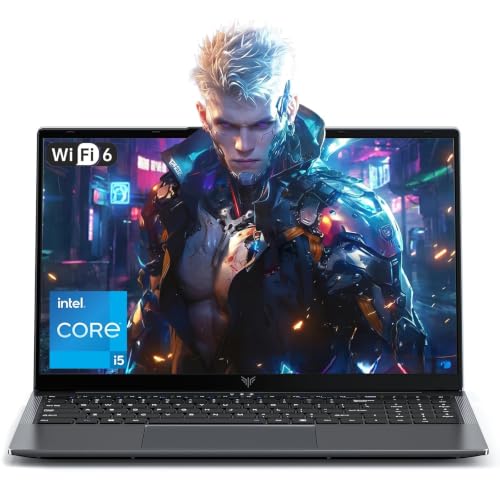
Hardware configurations in this category range from versatile notebooks to powerful workstation replacements. Budget models from MALLRACE and KAIGERR provide up to 24GB of RAM, yet rely on integrated graphics suited for 1080p cuts and casual play. Systems like the Alienware 16 Aurora and Lenovo Legion 5a include dedicated NVIDIA GeForce RTX 5060 GPUs and specialized high-refresh displays. If your setup prioritizes visual detail, selecting a gaming laptop with a sharp high-resolution screen maintains clarity across complex timelines. Matching processor tiers, graphics capability, and storage capacity prevents premature hardware limitations.


Pros
- Powerful Intel Core 7 and RTX 5060 deliver excellent 1080p/1440p gaming performance
- Bright, high-resolution 16:10 display with 120Hz refresh rate for smooth visuals
- User-upgradeable RAM and storage for future-proofing
- Effective cooling keeps thermal throttling at bay during extended play
- Premium build quality with anodized aluminum and comfortable keyboard/palm rest
Cons
- Heavier than some competitors at 5.49 pounds, less ideal for frequent travel
- Reports of occasional firmware/driver issues that may require manual updates
- Can get warm on the lap during intensive gaming, so desk use is recommended
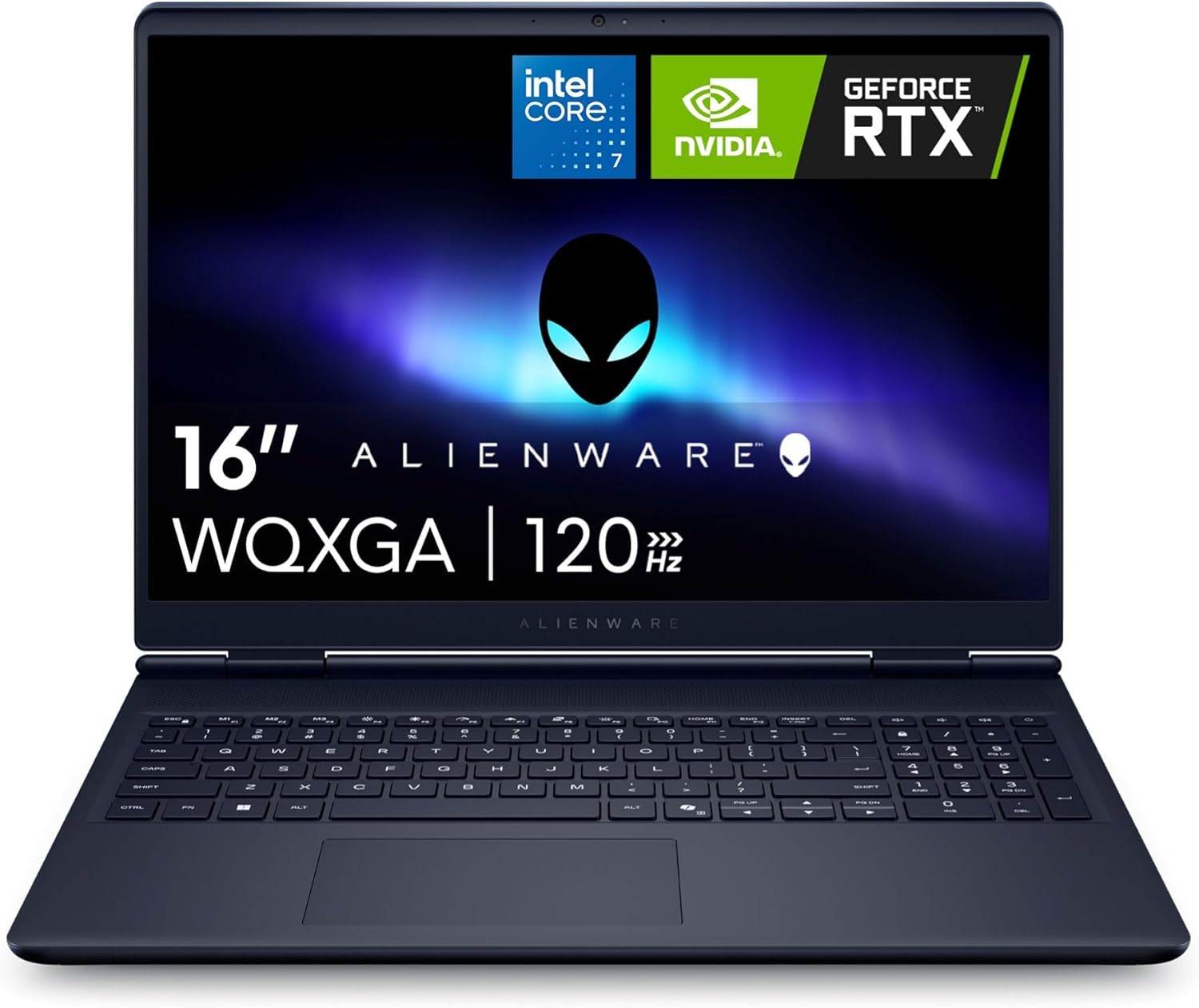
The Alienware 16 Aurora is a gaming laptop that aims to balance raw performance with everyday portability. Powered by an Intel Core 7 processor and NVIDIA GeForce RTX 5060 graphics with 8GB of GDDR7 VRAM, this machine is built to handle modern titles at high settings. The 16-inch WQXGA display runs at 120Hz and uses an anti-glare IPS panel with ComfortView Plus, making it suitable for both competitive gaming and content creation. Based on user feedback, the laptop delivers solid frame rates in games like Crusader Kings 3 and iRacing, though some have noted that it performs best when kept on a desk rather than a lap due to heat output under load.
This laptop targets a wide audience: PC gamers, streamers, esports enthusiasts, college gamers, and work-from-home users who need a single device for gaming and productivity. The RTX 5060 GPU supports DLSS 4 and Nvidia Reflex 2, which can reduce latency and boost framerates in supported titles. The 16GB of DDR5 RAM and 1TB NVMe SSD provide a responsive experience out of the box, and both are user-upgradeable thanks to two SODIMM slots and two M.2 slots. This flexibility means buyers can extend the laptop's lifespan as their needs grow.
Build quality is a highlight. The anodized aluminum lid with an iridescent Alienware logo and magnesium alloy interior give the laptop a premium feel. The chassis measures just 0.89 inches thick and weighs 5.49 pounds, which is reasonable for a 16-inch gaming laptop. The keyboard features a comfortable, pillowed palm rest and a full numeric keypad, making it practical for both gaming and typing. Alienware's Cryo-Tech cooling uses dual fans and three copper heat pipes to keep temperatures in check, and user reviews often praise the system's ability to stay quiet and cool during moderate gaming.
Connectivity is generous, with two USB-A ports, two USB-C ports (one with DisplayPort), HDMI 2.1, an RJ-45 Ethernet jack, and a global headset jack. The inclusion of Wi-Fi 7 (802.11be) ensures fast wireless speeds for online play and streaming. Setting up the laptop is straightforward, with Windows 11 Home pre-installed. Some users reported needing to update drivers manually for sound and drawing tablets, but once updated, the system ran reliably. The 1-year onsite service from Dell adds convenience if hardware issues arise.
However, the laptop has realistic limitations. At 5.49 pounds, it is heavier than many 16-inch ultrathins, making it less ideal for daily commuting. A few reviewers experienced a complete failure after a firmware update, though others found the machine stable after driver updates. The battery life is decent for light tasks but will be shorter during gaming. The RTX 5060 is a capable mid-range GPU, but it won't max out every AAA title at native resolution with full ray tracing. Buyers should temper expectations for ultra settings on the most demanding games.
Overall, the Alienware 16 Aurora is a well-rounded gaming laptop that offers strong performance, upgradeability, and a comfortable design. It is best suited for gamers who want a portable rig for moderate to high settings at 1440p or 1080p, as well as streamers and students who need a reliable workhorse. If you can catch it on sale, the value improves significantly. Just be prepared for a heavier carry and the occasional need to tinker with drivers. For anyone seeking a stylish, capable gaming machine that can grow with them, this Alienware is a worthy contender.
The Alienware 16 Aurora's gaming performance hinges on the Intel Core 7 Processor 240H (10 cores, 16 threads) and the NVIDIA GeForce RTX 5060 with 8GB GDDR7. According to user reports, this combination handles most modern games at 1080p and 1440p with high settings. The 120Hz display pairs well with the GPU, providing smooth motion in fast-paced titles like first-person shooters and racing games. DLSS 4 support helps boost frame rates in ray-traced games, and Nvidia Reflex 2 reduces input latency for a more responsive feel. The 110W total performance power (65W TGP + 45W TDP) ensures the system can maintain solid frame rates without excessive throttling, aided by the effective Cryo-Tech cooling.
The Alienware 16 Aurora uses a refined Cryo-Tech cooling system with dual ultra-thin fans, three copper heat pipes, and four exhaust vents. Air is drawn in through the keyboard and bottom vents, then exhausted out the sides and rear. This design helps keep the CPU and GPU cool during extended gaming sessions. Users report that fan noise is manageable, especially in Quiet Mode activated via F7. However, the bottom can become quite warm when gaming on a lap, so using the laptop on a desk or cooling pad is recommended. The thermal solution appears well-balanced for sustained performance, and the lack of a rear thermal shelf makes the laptop easier to slip into a backpack.


Frequently Asked Questions
How much RAM is needed for a gaming and editing laptop?
At least 16GB of system RAM is recommended for dual-purpose use, while 32GB ensures stability for high-resolution video projects. Editing suites consume significant memory when caching preview files and processing effects. Laptops like the Lenovo Legion 5a provide 32GB of DDR5 memory to prevent slowdowns. Units with 16GB or 24GB handle standard 1080p clips and everyday tasks without issue.
Is a dedicated graphics card necessary for editing and gaming?
Yes, a discrete GPU is necessary to export complex 4K timelines and play modern games smoothly. Integrated graphics handle basic video cuts, but lack dedicated VRAM for heavy rendering pipelines. Laptops equipped with an NVIDIA GeForce RTX 5060 offer hardware acceleration for both tasks. Buyers seeking value can also check a budget-friendly gaming laptop to obtain dedicated graphics.
What display features matter most for dual-purpose laptops?
Color accuracy, resolution, and refresh rate are the primary display factors. Video editors need wide color coverage like 100% DCI-P3 to verify project grading, while gamers need high refresh rates to minimize motion blur. The Lenovo Legion 5a features a 15.3-inch WQXGA OLED panel at 165Hz to cover both demands.
Can you upgrade internal memory and storage later?
Upgradeability depends strictly on the laptop’s motherboard layout. The NIMO 17.3 laptop provides user-replaceable RAM and dual storage slots for future expansion. Certain models support dual M.2 SSD slots for additional storage. Systems using soldered LPDDR5 memory cannot be expanded, making pre-purchase specification checks essential.
How does battery performance hold up under heavy workloads?
Battery runtime drops quickly during gaming sessions or high-resolution video rendering. While manufacturers may list up to 8 hours for basic web browsing, intensive creative workloads pull full system wattage. Technologies like 100W USB-C charging help replenish power between mobile sessions. Connecting to AC power remains standard practice for uninterrupted peak performance.





Write Your Review
No reviews yet. Be the first to share your experience!