


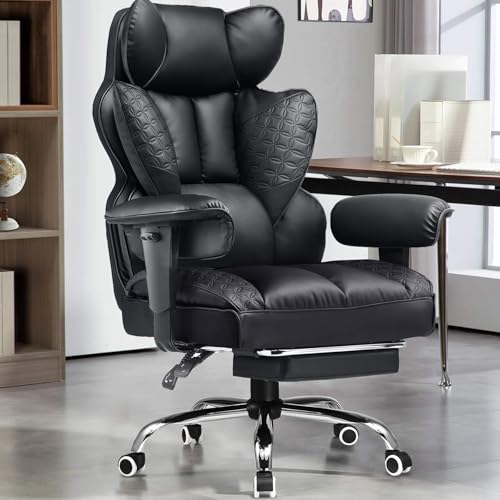
Digital drawing tablets and workstations demand chairs that do not lock arms into awkward positions. Drawing requires fluid movement across graphics tablets, yet many seats feature bulky side bolsters that hit desk edges. That makes picking the best gaming chair for digital artists an exercise in evaluating seat width, armrest adjustability, and cushion resilience. Dual-layer foam and pocket springs provide consistent support, while wingless cushions let you shift posture freely. You can also explore our guide to gaming chairs for back support to see how lumbar contours assist desk work.
Creative work also requires flexible recline angles when moving from active sketching to reference review. A backrest tilting between 90 degrees for tablet work and 135 degrees for resting gives your back needed posture variation. Sturdy steel frames and silent casters keep studio movements quiet and steady. Placing a gaming chair rug underneath protects delicate floors from continuous rolling. Evaluating these listed specifications helps you match a chair to your creative habits.





Frequently Asked Questions
Why do digital artists benefit from wingless seat cushions?
Wingless cushions provide a flat surface that accommodates varied sitting postures. Illustrators frequently shift positions, sit cross-legged, or lean sideways while working on display tablets. Standard racing chairs feature raised bolsters that press against thighs and restrict movement. Flat cushions spanning 51 centimeters eliminate pressure points and grant greater sitting freedom.
How do adjustable armrests help when drawing at a desk?
Adjustable armrests keep your forearms supported whether you work close to a tablet or recline. Multi-directional designs adjust to match desk height and tablet angles cleanly. Synchronized armrests tilt with the backrest so your arms remain supported in any posture. This steady contact helps minimize shoulder strain while you draw.
What recline angles work best for digital illustration?
A recline range between 90 and 135 degrees suits both focused drawing and passive review tasks. An upright 90-degree angle stabilizes your posture when handling precision pen strokes. Tilting to 110 or 120 degrees provides a relaxed angle for reviewing references or editing video. Deeper reclines with a retractable footrest let you rest comfortably during rendering pauses.
How does pocket spring cushioning differ from standard foam?
Pocket spring seating pairs individual steel coils with high-density foam to resist sagging over time. Standard foam cushions often flatten after several months of daily desk use. Individual coils distribute body weight evenly across the base while preserving support. For more build comparisons, review our guide on what are the best gaming chairs for workstations.
How can you choose the right Best Gaming Chair For Digital Artists for your studio in 2026?
Check your desk clearance and preferred drawing posture before selecting a specific model. Chairs with multi-directional armrests slide smoothly under tablet surfaces, preventing awkward wrist bends. Sturdy steel frames and reliable gas cylinders also ensure stability when leaning into a tablet. Comparing listed seat dimensions guarantees the chair integrates smoothly into your creative workflow.




Write Your Review
No reviews yet. Be the first to share your experience!