


Sitting through multi-hour gaming sessions or long work shifts often reveals how quickly a basic desk seat causes slouching. Many players find that aggressive side bolsters cramp their legs, while unsupportive padding leads to uncomfortable leaning. Identifying the best gaming chair for posture requires looking past flashy styling to examine seat dimensions, lumbar contouring, and backrest angle adjustability. Proper seat height also keeps your feet flat on the floor, helping distribute body weight evenly across the base cushion.
Armrest positioning plays a major role in keeping your shoulders relaxed during long matches. Linkage armrests move back alongside the recline mechanism, whereas 3D adjustable armrests let you set precise height and angle adjustments to clear your desk or pair with useful budget desk accessories. Cushioning materials matter just as much for daily comfort, especially when comparing standard foam against pocket springs that resist collapsing under pressure. Checking manufacturer specifications for seat width, recline angles, and weight capacities ensures you select a model built for your body type and workspace.





Frequently Asked Questions
How do seat dimensions affect posture during extended gaming sessions?
Seat dimensions determine whether your hips and legs remain properly supported without forcing awkward sitting angles. A seat that is too narrow restricts leg placement, while excessive depth prevents your lower back from contacting the backrest. Models like the Video Gaming Chair for Adults feature a 51cm wingless seat cushion, offering extra clearance to shift positions comfortably without pinching your thighs.
What is the difference between linkage armrests and 3D armrests?
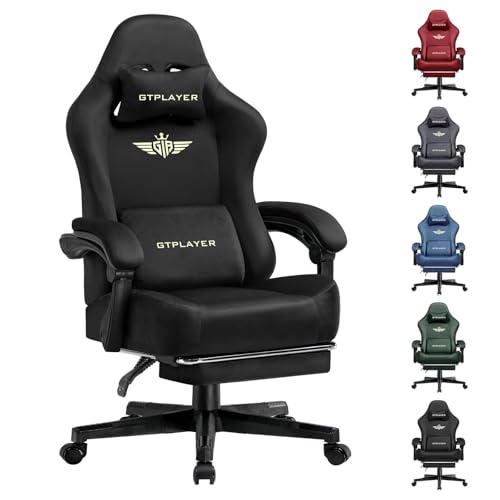
Linkage armrests recline synchronously with the backrest to keep your elbows supported during relaxed positions. In contrast, 3D armrests adjust in height, angle, and depth while the backrest remains stationary. The GTPLAYER Gaming Chair with Footrest utilizes 3D armrests, allowing you to match desk height directly and prevent shoulder strain while typing or aiming. Deciding between them depends on whether you prefer fixed desk-height alignment or coordinated reclining comfort.
Why do pocket spring cushions differ from standard foam padding?
Pocket spring cushions incorporate individual steel coils wrapped in fabric beneath high-density foam. This design distributes sitting pressure evenly and resists permanent flattening over long gaming marathons. Seating such as the GTPLAYER Gaming Chair Fabric with Pocket Spring uses this spring construction to provide resilient support that outlasts conventional single-layer foam cushions.
Can an external lumbar cushion upgrade an existing gaming chair?
An ergonomic external pillow provides targeted lower back support without the expense of replacing your entire seat. The Lumbar Support Pillow for Office Chair uses dual adjustable straps and molded memory foam to fill the lumbar gap. This addition pairs well with setups featuring monitor light bars to create an organized, comfortable workstation.
What backrest recline angle works best for desk work versus casual gaming?
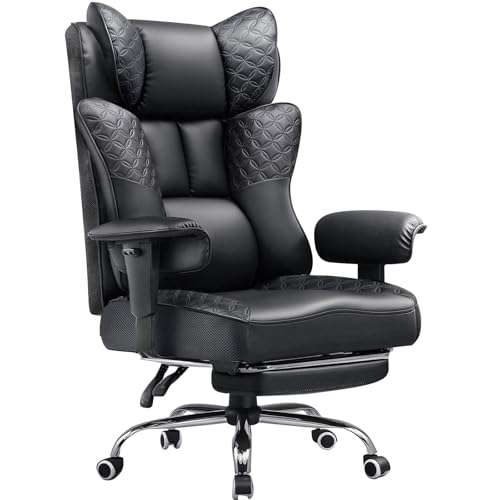
An upright angle between 90 and 105 degrees promotes focused alignment for keyboard and mouse tasks. Leaning back between 110 and 135 degrees transfers torso weight onto the backrest, easing pressure on the lower spine during controller sessions. Chairs like the Video Gaming Chair for Adults with Footrest offer reclining up to 150 degrees with retractable footrests for quick relaxation breaks.





Write Your Review
No reviews yet. Be the first to share your experience!