


Fixed backrests and flat cushions often force players into awkward seating angles during marathon PC sessions. Proper lower back alignment matters whether you are climbing ranked ladders or clocking hours at an office workstation. Dialing in the best gaming chair lumbar support comes down to matching your body size with either an integrated pocket-spring backrest or a dedicated contour pillow. Some setups benefit from full high-back designs with extendable footrests, while others simply need a targeted memory foam insert to bridge the gap between your lower back and an existing seat. Upgrading your comfort also pairs well with practical budget gaming desk upgrades that keep your peripherals within easy reach.
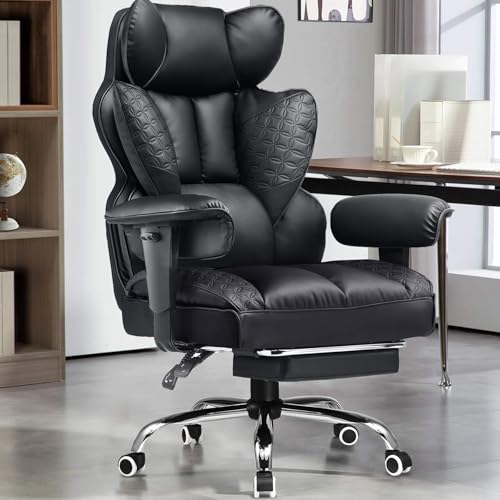
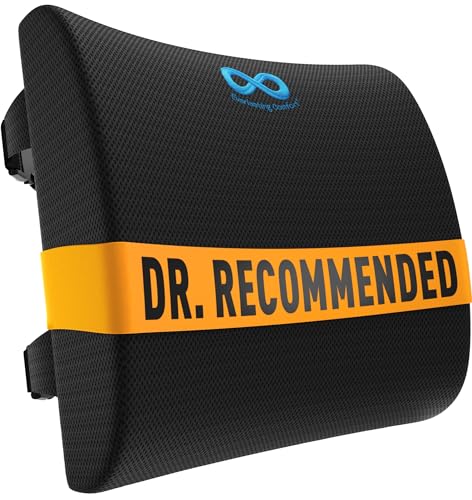
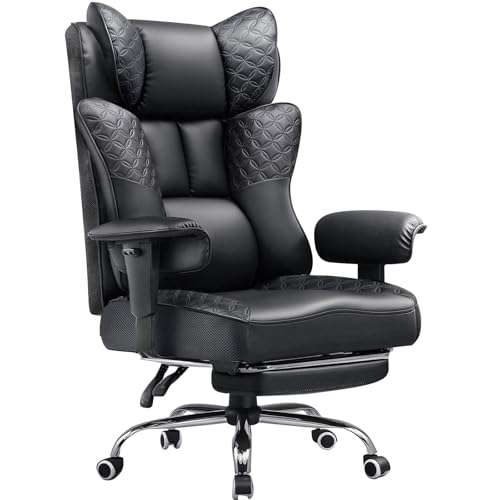
Seat height adjustability, armrest clearance, and recline angles also determine whether a chair integrates cleanly with your gaming desk. Heavy-duty models like GTPLAYER feature stated 400-pound capacities and multi-angle recline mechanisms, whereas compact models with flip-up armrests save precious floor space in tighter rooms. If your current seat lacks contouring, strap-secured memory foam cushions from brands like QUTOOL or Everlasting Comfort offer an adaptable alternative without replacing the entire frame. Checking dimensions and cushioning specs beforehand helps you secure solid spinal support for daily work and play.



Frequently Asked Questions
What is the difference between built-in lumbar support and an add-on pillow?
Built-in systems use internal pocket springs or contoured backrest framing, whereas add-on pillows rely on strap-secured memory foam. Chairs like the GTPLAYER Big and Tall models integrate pocket springs directly into the backrest cushion to maintain lower back contact across different recline angles. In contrast, separate cushions from QUTOOL or Everlasting Comfort attach via dual straps, allowing you to reposition the support point or transfer the pillow between different office and gaming chairs.
How do strap-on lumbar cushions stay secure on wide gaming chairs?
Dual adjustable straps and non-slip backings keep external cushions firmly positioned against the backrest. The Everlasting Comfort pillow includes extension straps designed to fit seat backs up to 32 inches wide, preventing unwanted sliding during intense gaming sessions. Similarly, models like the CloudBliss lumbar cushion incorporate anti-slip bottom textures so the cushion stays aligned with your lumbar spine as you adjust your posture.
What weight capacity should you look for in a heavy-duty gaming chair?
Check the stated weight capacity and gas lift rating provided by the manufacturer before purchasing. Models such as the GTPLAYER heavy-duty gaming chairs specify a 400-pound maximum capacity supported by level-3 gas cylinders and reinforced metal bases. These specifications ensure the seat base remains stable and avoids gradual sinking during extended daily use.
How do flip-up armrests help with gaming desk compatibility?
Flip-up armrests allow the chair to slide fully beneath your desk when not in use, freeing up valuable floor space. The GTPOFFICE executive chair features 90-degree folding armrests that provide padded elbow support while playing and tuck away flush against desk edges. This design works particularly well in compact rooms where you also arrange monitor light bars for desk setups to minimize desk clutter.
Can recline mechanisms affect lumbar support alignment?
Reclining shifts your center of gravity and changes how your lower back contacts the chair. Many full-size gaming chairs recline between 90 and 135 degrees, allowing users to switch between upright competitive play and relaxed media viewing. When leaning back, segmented cushions or adjustable memory foam pads help maintain contact along the lumbar curve, whereas flat backrests may leave an unsupported gap.





Write Your Review
No reviews yet. Be the first to share your experience!