


Matching your display panel to your graphics hardware is essential if you want to avoid visual stutter, screen tearing, and resolution bottlenecks during demanding gaming sessions. When you invest in modern hardware, picking the best gaming monitor for rtx 4070 ti super setups requires balancing high refresh rates, pixel density, and suitable connectivity ports. While a basic 1440p 60Hz gaming monitor can handle everyday workloads, fast-paced games benefit from broader bandwidth and smoother refresh cycles. We evaluate available hardware by examining manufacturer specifications, verified connector standards like DisplayPort 1.4a and HDMI 2.1a, and published component details without claiming hands-on laboratory measurements.
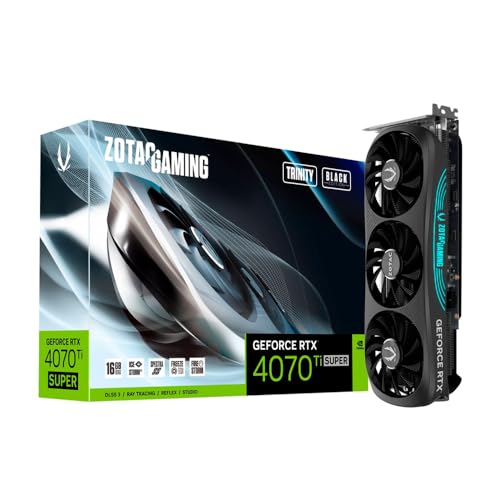
Different desktop setups create varying demands for desk space, cable routing, and refresh rates. If you’re building a multi-display workstation or a dedicated gaming corner, checking output port configurations is vital before making a purchase. Cards from brands like ASUS, GIGABYTE, ZOTAC and more provide distinct port arrays, ranging from triple DisplayPort designs to dual HDMI options. Looking closely at these verified specifications ensures you won’t face compatibility issues when setting up your panel for smooth gameplay.



Frequently Asked Questions
What display resolution pairs best with an RTX 4070 Ti Super?
A 1440p or 4K display is generally considered the optimal match for this tier of graphics processing. The card features 16GB of GDDR6X memory and high bandwidth, allowing it to sustain high frame rates at 2560×1440 and handle 4K gaming with DLSS support. Pairing it with a high-refresh display ensures you get crisp visual detail without bottlenecking the GPU.
Which video connection should you use for high-refresh gaming monitors?
DisplayPort 1.4a is typically recommended for PC monitors because it supports high refresh rates and variable refresh rate protocols. Most cards in this series feature multiple DisplayPort 1.4a outputs alongside an HDMI 2.1a port. If you connect to an HDMI 2.1 display, the HDMI port provides the necessary bandwidth for 4K high-refresh signals.
Is a 144Hz refresh rate sufficient for this graphics card?
Yes, a 144Hz panel delivers fluid motion and takes great advantage of this GPU tier in modern titles. Options like a 27-inch 144Hz monitor offer smooth responsiveness for competitive shooters and action games. Higher refresh rates like 240Hz are also viable if you play esports titles at 1440p or 1080p.
How many monitors can you connect to an RTX 4070 Ti Super?
Most partner designs, including models from ASUS and MSI, support up to four concurrent displays through their combined video outputs. The supplied specifications show configurations with either three DisplayPort 1.4a connectors and one HDMI 2.1a port, or dual DisplayPort and dual HDMI outputs. Always confirm the specific connector layout on your card before planning a multi-screen desk setup.
Does the card support variable refresh rate technologies like G-Sync?
Yes, GeForce RTX 40-series cards support variable refresh rate technology over both DisplayPort and compatible HDMI connections. Using an adaptive sync or G-Sync compatible gaming monitor helps eliminate screen tearing and frame pacing inconsistencies during gameplay. Check your monitor specifications to verify whether variable refresh rate functions across all input ports.




Write Your Review
No reviews yet. Be the first to share your experience!