

System lag, sluggish app boot times, and thermal throttling can derail a busy study session before it even gets off the ground. Getting through lecture streams, browser research with dozens of tabs, and casual gaming breaks demands responsive processing power and sufficient system memory. Picking the best lenovo laptop for students gives you a great mix of lightweight mobility, dependable battery output, and snappy solid-state drives. Models equipped with fast NVMe storage eliminate tedious file transfer delays while quiet internal fans maintain cool temperatures during marathon study sessions. If you also plan on playing casual games or need stronger rendering performance, checking out dedicated graphics laptop choices provides helpful context on thermal limits and GPU capabilities.
Hardware specifications like dual-channel RAM configurations and anti-glare 1080p displays protect against system stutter and visual fatigue throughout long library grinds. Modern integrated graphics engines like Intel UHD and AMD Radeon handle multimedia tasks with minimal power draw, keeping fan acoustics quiet in shared lecture halls. Many learners also check out vital gaming PC upgrades to coordinate desktop setups with external monitors or rapid docking hubs. Lenovo equips these budget-friendly machines with durable chassis construction, versatile USB-C ports, and hardware privacy shutters to safeguard daily academic work without unexpected hiccups.

Pros
- Excellent value for money at this price point
- Full HD display with anti-glare coating good for productivity and media consumption
- 12GB RAM and 256GB SSD provide adequate speed for everyday tasks and light gaming
- Includes Ethernet and HDMI ports for versatile connectivity
Cons
- Integrated Intel UHD Graphics cannot run modern demanding games at playable settings
- Battery life reported by some users as average, not lasting a full heavy workload day
- Non-backlit keyboard may be a drawback for low-light typing sessions
The Lenovo V15 (2026 model) is a traditional laptop designed primarily for students, business users, and anyone needing a reliable everyday machine. It features a 15.6-inch Full HD anti-glare display, a quad-core Intel Pentium Silver N6000 processor, 12GB of DDR4 RAM, and a 256GB PCIe SSD. Out of the box, it runs Windows 11 and includes access to Office 365 online, making it a practical choice for school assignments, office work, and media streaming.
For PC gamers, this isn't a gaming laptop in the traditional sense. The integrated Intel UHD Graphics can handle very lightweight or older titles such as Minecraft (low settings), League of Legends (low settings), or classic indie games, but modern AAA games will struggle or run unplayably. That said, casual gamers who primarily play browser games or low-demand Steam titles may find it sufficient for occasional entertainment. Streamers and content creators would need a dedicated graphics card for anything beyond basic video calls and document editing.
Performance-wise, the Pentium N6000 is a low-power chip that handles multitasking reasonably well for typical office tasks, web browsing, and video streaming. The 12GB RAM helps keep multiple tabs and apps open without major slowdown. The 256GB SSD ensures quick boot times and application loads, but the limited storage may require external drives for large game libraries. Ethernet connectivity via RJ-45 is a nice touch for stable wired networking during online classes or remote work.
Build quality is decent for the price. The black PC-ABS chassis feels sturdy enough for daily commuting, and at 3.75 pounds it won't weigh you down. The keyboard is a standard non-backlit full-size layout with a numeric keypad, which is fine for typing but not ideal for gaming in low light. The 720p webcam with privacy shutter offers basic video call quality, adequate for Zoom or Teams meetings.
Setup is straightforward: plug in, power on, and follow Windows 11 prompts. The Office 365 integration is convenient, though you may need to contact the seller to activate the code, as noted in some user reviews. Maintenance involves typical SSD management and occasional antivirus scans, but no special cleaning or cable management concerns with this traditional laptop form factor.
A realistic limitation is battery life. While the product claims up to 11.5 hours, some reviews report shorter endurance, especially under continuous use. Also, the lack of USB-C charging and a higher-resolution display may disappoint those used to modern ultrabooks. However, for its sub-$400 price point, the Lenovo V15 offers a solid balance of features for students, remote workers, and casual gamers who don't need high-end specs. If you're a PC gamer looking for a budget companion for light gaming and productivity, this laptop is worth considering.
Pros
- Generous 12GB RAM allows smooth multitasking even with many applications open
- Dual storage (SSD + eMMC) offers fast bootups and extra space for files without slowing down the system
- Lightweight and compact design at around 3.5 pounds makes it very portable
- Numeric keypad is a plus for anyone dealing with numbers or spreadsheets
Cons
- Integrated Intel UHD Graphics cannot handle modern AAA or graphically demanding games
- eMMC storage is slower than a full SSD; primary OS should be on the PCIe SSD for best performance
- Processor is entry-level, so heavy video editing or 3D rendering will be limited
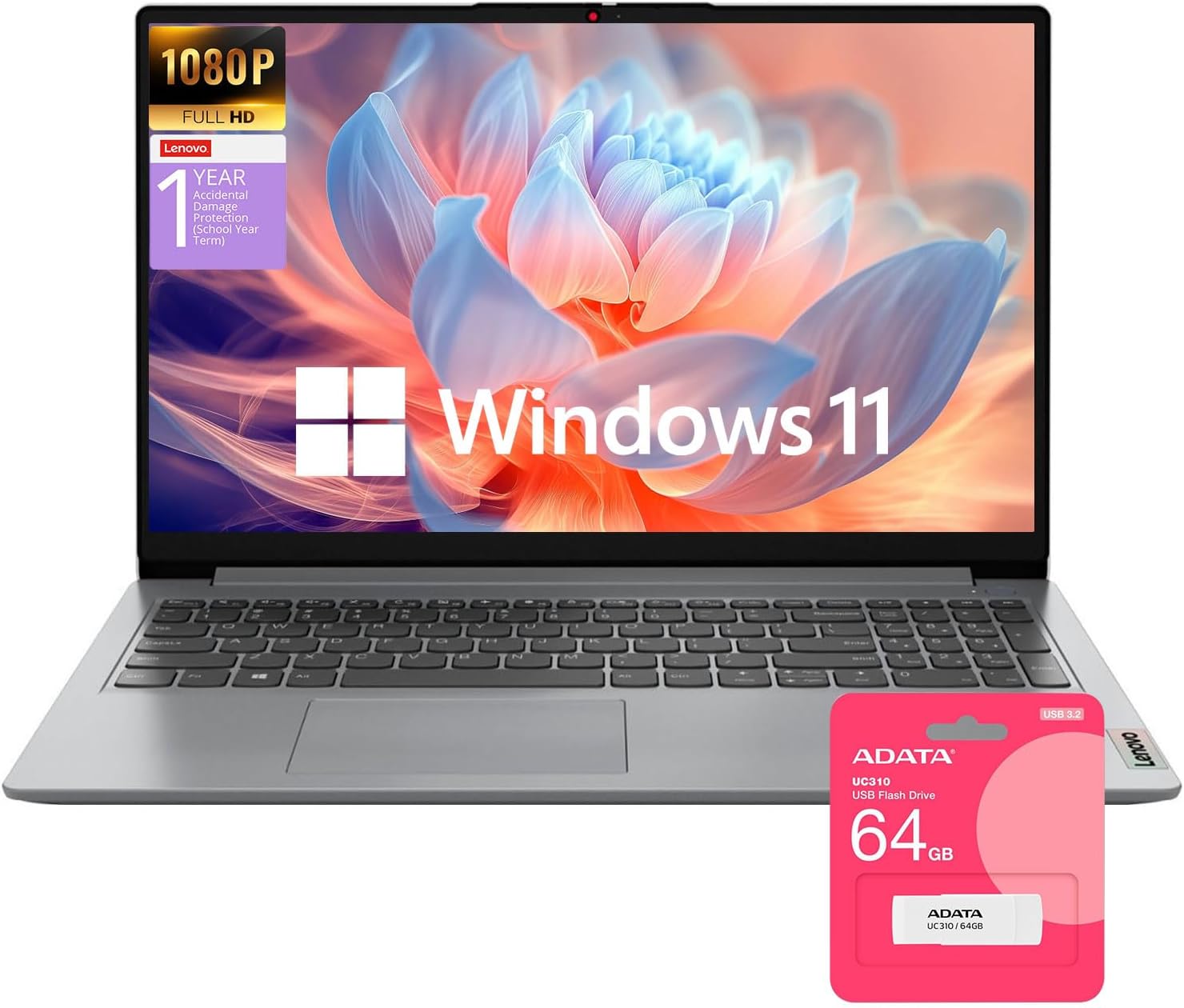
The Lenovo Ideapad 1 is a traditional laptop designed for everyday productivity, web browsing, streaming, and light tasks. It comes with a 15.6-inch Full HD anti-glare display, 12GB of RAM, and a combination of a 256GB PCIe SSD plus a 128GB eMMC drive for storage. Windows 11 Home is pre-installed, and the bundle includes Lifetime Office 365 for the Web and a 64GB USB flash drive.
This laptop is best suited for college gamers, work-from-home professionals, and casual users who want a reliable machine for school, office work, streaming, and very light gaming. If you are a PC gamer who mainly plays older titles or indie games (like Minecraft, Stardew Valley, or League of Legends at low settings), this machine can handle that, but it is not built for modern AAA games or competitive esports at high frame rates.
Real-world performance is snappy for typical daily use. The Intel Pentium Silver N6000 processor (4 cores, up to 3.3GHz) breezes through web browsing, video conferencing, document editing, and media playback. The 12GB of RAM keeps multiple browser tabs and applications running without hiccups. Boot times are fast thanks to the PCIe SSD, and the additional eMMC storage provides extra space for files. However, the eMMC drive is slower than an SSD, so storing large files there may lead to slower access speeds.
Build quality is decent for the price range. The chassis is plastic but feels solid enough for daily commuting. The keyboard includes a full numeric keypad, which is handy for data entry. Connectivity is adequate with USB 2.0, USB 3.2, USB-C (data only), HDMI 1.4b, a headphone jack, and an SD card reader. Wi-Fi 6 and Bluetooth keep wireless connections modern and fast. The 3.52-pound weight and 0.7-inch thickness make it easy to slip into a backpack.
Setting up the laptop is straightforward: Windows 11 Home guides you through initial configuration, and Office 365 for the Web is ready to log in. The included 64GB USB drive is a nice bonus for transferring files. One limitation is that the integrated Intel UHD Graphics cannot handle demanding games or GPU-accelerated tasks. Battery life is average for a laptop this size – enough for a full day of light use according to user feedback.
Overall, the Lenovo Ideapad 1 is a practical choice for anyone needing a budget-friendly laptop for school, work, and casual entertainment. For a gamer's main rig, it works as a secondary portable device or a machine for study sessions while keeping the desktop for heavy gaming. If you are a streamer or competitive gamer looking for a primary gaming laptop, look elsewhere – this is a productivity tool first.

Pros
- Generous 16GB RAM and fast SSD for smooth everyday performance and light gaming
- Touchscreen display adds convenience for note-taking and media control
- Includes useful accessories and lifetime Office license, saving you money
- Compact and lightweight design at 3.57 lbs, easy to carry to class or the office
Cons
- Integrated Intel Iris Xe graphics limit gaming to less demanding titles or low settings
- Battery life around 5-6 hours under load, not as long as advertised for heavy use
- Only one USB-C port and it supports data transfer only, no charging or video output
The Lenovo IdeaPad 1i is a 2025 budget laptop that blends school, work, and light gaming into one affordable package. While it isn't built for hardcore esports or AAA titles, it's a solid choice for casual gamers, college students, and work-from-home users who need a reliable machine for daily tasks and occasional fun.
Under the hood, the 10-core Intel Core i5-1334U with Iris Xe graphics offers enough power for web browsing, streaming, and applications like Zoom or Microsoft Office. Casual games like Fortnite or Valorant can run at lower settings, but don't expect high frame rates on demanding shooters. The 16GB of DDR4 RAM and 512GB NVMe SSD (plus a 500GB external drive) provide snappy multitasking and plenty of storage for your game library and files.
The 15.6-inch FHD touchscreen is a standout feature, offering crisp visuals and responsive touch input. The anti-glare coating and low blue light help reduce eye fatigue during long study sessions or late-night gaming. Dolby Audio speakers deliver clear sound, though a good pair of headphones will enhance the experience for competitive games.
Build quality is decent for the price point: the plastic chassis feels solid but lightweight at 3.57 pounds. The keyboard includes a numeric keypad, useful for data entry, and the webcam has a privacy shutter. Setup is straightforward with Windows 11 Pro preinstalled, and the included Lifetime Office 2024 is a nice bonus for students. The accessory bundle with wireless earbuds, mouse, and external drive adds extra value right out of the box.
Limitations include the integrated graphics, which won't handle recent AAA games or heavy creative workloads. Battery life is also average; expect around 5-6 hours of mixed use rather than the advertised 11 hours. The single USB-C port is data-only, so you'll need an adapter for charging or display output. Port selection is otherwise adequate with USB-A, HDMI, and a card reader.
Overall, the Lenovo IdeaPad 1i is a smart buy for budget-conscious users who want a versatile laptop for school, remote work, and light gaming. It's not a gaming powerhouse, but it delivers dependable everyday performance with helpful extras that make it a great value in its price range.
The IdeaPad 1i is not a gaming laptop, but its Intel Iris Xe graphics can handle less demanding titles. Games like Minecraft, League of Legends, or CS:GO run at playable frame rates on medium to low settings. For streamers or casual players, it's fine for light gaming between work or study sessions. Don't expect to run Cyberpunk 2077 or modern esports at high settings. The 16GB RAM helps with multitasking, but the integrated GPU is the bottleneck for heavy gaming. A dedicated gaming mouse from the accessory bundle can improve your input precision.
This laptop offers a modest set of ports: one USB 2.0, one USB-A 3.2 Gen 1, one USB-C 3.2 Gen 1 (data only), HDMI 1.4b, a headphone/mic combo jack, and a card reader. The USB-C limitation means you cannot charge the laptop or connect an external monitor via that port. You'll need an HDMI cable (included in the accessory bundle) for a second display. Wi-Fi 6 and Bluetooth 5.1 provide fast wireless connections for online gaming and peripherals. For a cleaner desk setup, a wireless mouse is included, but you may want to add a USB hub if you need more ports.
Pros
- Exceptional processing power with Intel Core Ultra 7 255H and 32GB DDR5 RAM for heavy multitasking.
- Massive 2TB PCIe SSD storage for large files and fast data access.
- Comprehensive security features including fingerprint reader and IR camera.
- High-quality 16-inch anti-glare display with accurate color reproduction.
- Excellent connectivity options with Wi-Fi 6E, Bluetooth 5.3, and multiple USB/HDMI ports.
Cons
- Integrated Intel Arc Graphics may not satisfy hardcore gamers or 3D rendering professionals.
- Non-touch display may be a limitation for users who prefer touchscreen interaction.
- Relatively heavy at 3.75 pounds compared to some ultraportable business laptops.
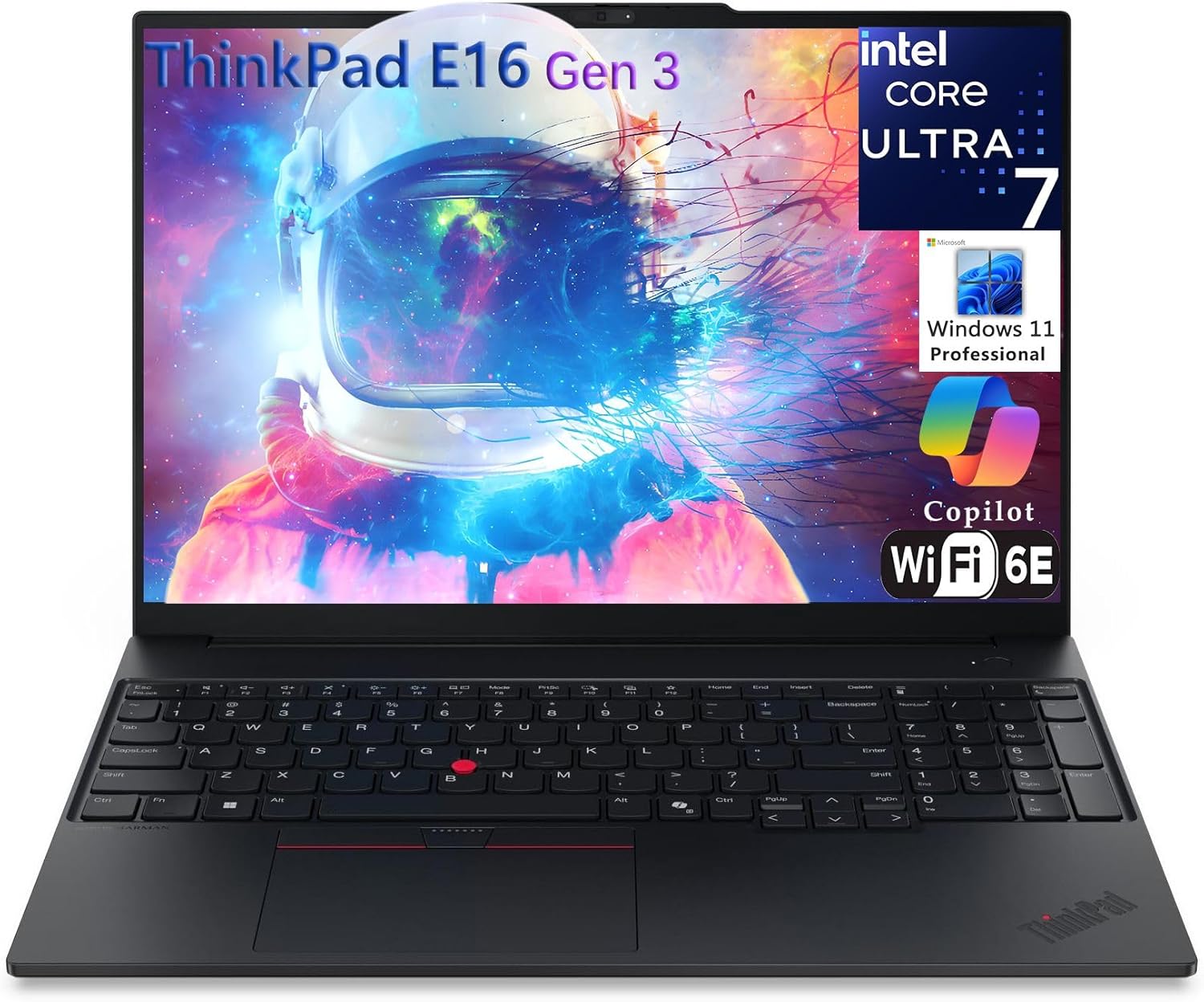
The Lenovo ThinkPad E16 Gen 3 is a powerful business laptop designed for professionals who demand top-tier performance and reliability. Powered by the latest Intel Core Ultra 7 255H processor, it delivers exceptional speed and efficiency for demanding tasks like data analysis, software development, and content creation. With 32GB of DDR5 RAM, multitasking is smooth and responsive, allowing you to run multiple applications simultaneously without lag.
This laptop is best suited for business users, remote workers, and power users who need a robust machine for intensive workloads. Its 16-inch WUXGA IPS display offers a crisp and clear viewing experience with anti-glare technology, reducing eye strain during long work sessions. While the integrated Intel Arc Graphics handle everyday visual tasks well, it's not designed for heavy gaming or professional 3D rendering.
Build quality is typical of the ThinkPad line: durable and reliable. The full-sized backlit keyboard with a numeric keypad provides comfortable typing, and the TrackPoint and large TrackPad offer precise navigation. The laptop includes a fingerprint reader and IR camera for secure login, along with ThinkShield security features to protect your data.
Connectivity is comprehensive with Thunderbolt 4, USB-C, HDMI 2.1, USB-A ports, and an Ethernet port accessible via the included Type-C RJ45 cable. Wi-Fi 6E and Bluetooth 5.3 ensure fast wireless connections. The 2TB PCIe SSD provides ample storage for large files and quick boot times.
Setup is straightforward with Windows 11 Pro pre-installed, and the laptop includes Lifetime Office 365, adding value for productivity. The device is relatively portable at 3.75 pounds, though it's not the lightest option available. One limitation is the non-touch display, which may disappoint users who prefer touch interaction.
Overall, the Lenovo ThinkPad E16 Gen 3 is a solid investment for professionals seeking a high-performance, secure, and reliable business laptop. Its powerful specs, excellent build quality, and comprehensive features make it ideal for demanding work environments. For gamers or creative professionals requiring dedicated graphics, a separate GPU-equipped laptop may be a better fit.

Pros
- Generous RAM and storage combination for the price point
- Decent battery life (up to 9 hours) for all-day school use
- Clean, sturdy build with a comfortable keyboard and numeric keypad
- Easy setup and preloaded Office 365 adds value
Cons
- Processor is underpowered for gaming or heavy multitasking; noticeable lag with multiple tabs open
- Screen brightness (250 nits) and color accuracy are below average; may not suit photo editing
- Build quality feels plasticky and some users report motherboard failures after warranty expires
The Lenovo IdeaPad 1 is a traditional laptop aimed at students and budget-minded users who need a reliable machine for schoolwork, web browsing, and light productivity. It's not designed for PC gaming, esports, or streaming — but it can handle very casual titles like Old School Runescape (with minor lag) according to user feedback. Streamers and competitive gamers should look elsewhere, as the Intel Celeron N4500 processor and integrated Intel UHD Graphics lack the power for modern games or encoding.
For its intended audience — college gamers, work-from-home users, and families — the IdeaPad 1 offers strong value. The 12GB of DDR4 RAM and 512GB PCIe NVMe SSD + 128GB eMMC provide snappy boot times and room for documents, media, and light applications. The 15.6-inch FHD IPS anti-glare display is adequate for spreadsheets, online classes, and video streaming, though the 250-nit brightness is mediocre in bright environments. The keyboard includes a numeric keypad, which is useful for data entry.
Performance is the biggest limitation. The Celeron N4500 is a dual-core, low-power chip that struggles with more than a few browser tabs or heavier software. User reviews mention 2-5 second load times for web pages and occasional crashes. It's fine for Microsoft Office, email, and YouTube, but not for multitasking or any gaming beyond very old or lightweight titles. The laptop also comes with a 1-year Office 365 subscription, which is a nice bonus.
Build quality is acceptable for the price: a plastic chassis that feels solid enough for daily carry, weighing 3.42 pounds. The webcam includes a privacy shutter, and the SD card reader is handy for transferring photos. However, some users report the screen causes eye strain and the motherboard can fail after the warranty expires. Battery life is rated at 9 hours, which holds up well for a school day.
Setup is straightforward with Windows 11 Home preinstalled. Parental controls are easy to configure, making it a good choice for younger students. Connectivity includes Wi-Fi 6, Bluetooth, one USB-C (data only), one USB 3.2, one USB 2.0, HDMI 1.4b, and a headphone jack — enough for basic peripherals but no Thunderbolt or high-speed ports.
Overall, the Lenovo IdeaPad 1 is a practical, budget-friendly laptop for students, remote workers, and families who don't need gaming or creative performance. It's a solid choice for a secondary device or for college gamers who mainly use a desktop for gaming and need a portable companion for coursework. If you require gaming capability, step up to a model with a dedicated GPU and a faster CPU.

Pros
- Generous 20GB RAM for smooth multitasking in everyday use
- Large 1TB SSD + 128GB eMMC storage combination provides ample space for files and apps
- Lightweight and portable design (3.42 lbs) for easy campus or home-to-office commuting
- Privacy shutter on webcam adds peace of mind for video calls
- Comes with Windows 11 Home and 1-year Office 365, reducing additional software costs
Cons
- Intel Celeron N4500 processor is underpowered for gaming, streaming, or heavy creative workloads
- Integrated Intel UHD Graphics cannot handle modern games or demanding video editing
- Keyboard lacks backlighting, which may be inconvenient in low-light environments
The Lenovo IdeaPad 1 is designed primarily for students, remote workers, and casual users who need a reliable machine for everyday tasks. It is not a gaming laptop or a streaming powerhouse, but it fills a specific niche for those who prioritize budget, portability, and solid multitasking capabilities over raw gaming performance. This model features an Intel Celeron N4500 dual-core processor, which is sufficient for web browsing, word processing, spreadsheets, video calls, and light media consumption.
Who is this laptop best suited for? It is an excellent choice for college gamers who need a secondary laptop for coursework, research, and note-taking. Work-from-home gamers who already have a dedicated gaming desktop will appreciate it for office tasks. Content creators who rely heavily on cloud-based tools may find it adequate for light editing, but it will struggle with rendering or complex creative software. Esports players and competitive gamers should avoid this for gaming, as the integrated Intel UHD Graphics and low-power CPU cannot deliver playable frame rates in most titles.
In real-world use, the 20GB of DDR4 RAM allows for smooth multitasking. You can have a dozen browser tabs open, run Microsoft Office, and keep Slack or Discord running without noticeable lag. The 1TB PCIe NVMe SSD provides fast boot times (under 10 seconds) and snappy app launches. The 128GB eMMC is best used for storing files or as a secondary drive. The 15.6-inch FHD IPS display is bright and anti-glare, suitable for long study or work sessions. Battery life is around 4-5 hours with moderate use, which is decent but not outstanding.
Build quality is solid for its price range - the chassis is mostly plastic but feels sturdy. The laptop weighs just 3.42 lbs, making it easy to carry in a backpack. Port selection includes one USB-C (data only), one USB 3.2, one USB 2.0, HDMI 1.4b, a headphone jack, and an SD card reader. There is no Ethernet port, so you rely on Wi-Fi 6 which works well. The webcam has a physical privacy shutter, a nice touch for security. The speakers are bottom-firing, so sound is muffled when on a desk; external speakers or headphones are recommended.
A few limitations to keep in mind: the keyboard is not backlit, and the layout has some quirks (function keys double as media keys, and there is no dedicated Home/End cluster - you have to use Fn+arrows). The laptop also tends to turn on when opening the lid, which some users find annoying. Additionally, the front surface shows fingerprints easily, so you may want to keep a microfiber cloth handy. The included Windows 11 Home comes with bloatware that you may want to uninstall.
Overall, the Lenovo IdeaPad 1 is a practical, affordable choice for non-gaming tasks. If you need a laptop for class, remote work, or everyday productivity, and you already have a separate gaming rig or console, this machine offers excellent value with its 20GB RAM and ample storage. However, if you plan to play any modern games, stream at high settings, or do heavy creative work, look elsewhere. This laptop is best bought as a secondary device or for users who understand its limitations.

Pros
- Smooth multitasking with 16GB RAM and fast SSD, ideal for students and professionals.
- Lightweight and portable, perfect for on-the-go use between campus or work.
- Includes Ethernet port and Wi-Fi 6 for reliable connectivity options.
- Anti-glare FHD display is easy on the eyes during long sessions.
- Windows 11 Pro offers enhanced security and productivity tools.
Cons
- Integrated Radeon graphics limit gaming to less demanding titles or low settings for modern games.
- TN panel display has limited viewing angles and color accuracy compared to IPS screens.
- 720p webcam is adequate but not ideal for high-quality streaming or video calls.
The Lenovo 2026 New V15 Laptop is designed primarily for students and business users, but it also holds appeal for casual gamers and those who need a reliable daily driver for work, school, and light entertainment. Powered by the AMD Ryzen 3 7320U processor, this laptop offers solid performance for everyday tasks like browsing, document editing, video conferencing, and even some light gaming. With 16GB of DDR4 RAM and a 512GB PCIe NVMe SSD, you get fast boot times and smooth multitasking, making it a practical choice for college gamers or work-from-home professionals who need to juggle multiple applications.
In terms of gaming capability, the integrated AMD Radeon graphics are best suited for less demanding titles such as indie games, older AAA games at low settings, or esports titles like League of Legends or CS:GO at lower resolutions. It won’t handle the latest graphically intensive games at high settings, but for casual gaming sessions or competitive play on lower settings, it can be sufficient. The 15.6-inch FHD anti-glare display provides clear visuals, though the TN panel means viewing angles and color accuracy are not as strong as IPS alternatives. Still, for productivity and media consumption, it gets the job done without excessive glare.
Build quality is typical for a budget-friendly Lenovo, with a sturdy plastic chassis that feels solid enough for daily commuting. At just 3.59 pounds and 0.78 inches thick, it’s easy to slip into a backpack. The keyboard includes a numeric keypad, which is handy for data entry, and the spill-resistant design adds a layer of durability for accidental spills. The 720p webcam includes a privacy shutter, a welcome feature for security-conscious users, though the camera quality is basic for streaming or video calls.
Connectivity is a strong point here. You get two USB 3.2 Gen 1 ports, one USB-C (with Power Delivery and DisplayPort support), HDMI 1.4b, a headphone/mic combo jack, and an Ethernet RJ-45 port. The Ethernet port is a standout for gamers who prefer a wired connection for lower latency and more stable online play. Wi-Fi 6 ensures fast wireless speeds when you’re away from a wired setup. Battery life is advertised as long, which should cover a full day of classes or work without needing a charge.
Setting up the laptop is straightforward, with Windows 11 Pro pre-installed. The AI-driven Windows Copilot feature can help with task management and personalized recommendations, though its usefulness varies by user. One realistic limitation is that the 512GB SSD may fill up quickly if you install several modern games, but you can upgrade the storage up to 2TB. The integrated graphics also mean you won’t be doing any heavy gaming or content creation like video editing or 3D rendering.
Overall, the Lenovo V15 is a practical, budget-friendly laptop for casual gamers, college students, and professionals who need a reliable machine for everyday tasks and light gaming. It’s not built for high-end gaming or streaming, but for its price, it offers a good balance of performance, portability, and connectivity. If you’re looking for a versatile laptop that can handle school, work, and some gaming on the side, this Lenovo is a solid choice.

Pros
- Generous 32GB RAM and 1TB SSD ensure snappy multitasking and ample storage for files and light games
- Ultra-portable and lightweight, easy to slip into a backpack for college or coffee shop gaming sessions
- Dolby Audio provides solid sound for casual gaming and media, with a privacy shutter for webcam security
- WiFi 6 and Bluetooth 5.2 keep you connected without lag during streaming or online work
Cons
- Intel Celeron N4500 processor and integrated UHD Graphics limit gaming to older or less demanding titles
- Non-backlit keyboard may be inconvenient for gaming in low-light dorm rooms or late-night sessions
- Lack of USB-C charging or Thunderbolt support reduces flexibility for modern peripherals
The Lenovo IdeaPad 1i is a traditional laptop aimed at students and professionals, but its specs also appeal to college gamers and work-from-home users who need a reliable machine for non-gaming tasks. With 32GB of DDR4 RAM and a 1TB PCIe SSD, this laptop handles multitasking like a champ - whether you are jumping between Zoom, Spotify, and a dozen browser tabs or streaming a light game on Twitch. The 15.6-inch FHD anti-glare display provides clear visuals for late-night study sessions or casual media consumption, though the entry-level Intel Celeron N4500 processor is not built for high-end gaming.
For gamers, this laptop best suits those who play older or less demanding titles (like indie games, 2D platformers, or classic strategy games) or use it as a secondary machine for schoolwork while their main gaming rig handles the heavy lifting. The lightweight 3.42-pound chassis makes it easy to carry between classes, coffee shops, or a home office desk. The included Dolby Audio speakers deliver decent sound for casual use, and the HD webcam with a privacy shutter is a nice touch for secure video calls or Discord chats.
Build quality is typical for a budget-friendly Lenovo IdeaPad: a plastic but sturdy construction with a Cloud Grey finish that resists fingerprints. The non-backlit keyboard may disappoint gamers who prefer illuminated keys, but the full-size layout with a number pad is practical for data entry. Port selection is basic - one USB 2.0, one USB 3.2 Gen 1, one USB-C (data only), HDMI 1.4b, and a headphone jack - enough for a mouse and external drive but not for high-speed peripherals. The integrated 42Wh battery offers all-day runtime for light use, though gaming will drain it faster.
Setup is straightforward: Windows 11 Home boots quickly thanks to the SSD, and Flip to Start lets you open the lid and get going instantly. The laptop runs cool and quiet during everyday tasks, but the passive cooling and integrated graphics mean it will struggle with any intensive gaming. For casual gamers, it can handle games like Minecraft on lower settings, but do not expect to play Fortnite or Call of Duty smoothly. Software-wise, the system is clean with minimal bloatware, and the firmware TPM 2.0 adds security for Windows 11 features.
Realistic limitations include the weak processor and integrated graphics, which restrict gaming to very light titles. The lack of a backlit keyboard and USB-C charging are downsides for gamers who work in dim environments or want modern convenience. Additionally, the 45W power adapter is not the most portable, and the 1.4b HDMI port caps external displays at 1080p 60Hz. However, for its price point, the 32GB RAM and 1TB SSD are rare finds in this segment, making it a value pick for multitasking-heavy users.
Overall, the Lenovo IdeaPad 1i is a practical purchase for college gamers who need a lightweight laptop for school and light entertainment, or for work-from-home gamers who want a secondary device for productivity tasks. It is not a gaming laptop, but it fills a niche: a reliable, high-RAM, high-storage machine that can handle casual gaming on the side. If you prioritize multitasking and portability over raw gaming power, this laptop is worth considering for your setup.
Frequently Asked Questions About Best Lenovo Laptop For Students
Can the Best Lenovo Laptop For Students handle light gaming?
Yes, models with multi-core processors and Intel UHD or AMD Radeon graphics can easily run casual esports titles and indie games at modest settings. Demanding AAA titles will require lower resolutions or cloud streaming platforms. Reviewing hardware specs such as evaluating whether an AMD Ryzen 7 7700 works for casual gaming illustrates the difference between mobile productivity silicon and dedicated desktop chips. Lenovo laptops in this class prioritize low heat output and quiet fans over peak framerates.
How much RAM is ideal in a student laptop for 2026?
A minimum of 12GB to 16GB of DDR4 or DDR5 RAM is recommended to prevent browser stutter and multitasking lag. Ample high-bandwidth memory allows students to keep numerous browser tabs, video lectures, and office applications running simultaneously without system lockups. Configurations with 20GB or 32GB provide extra headroom for light programming and photo editing.
Does an anti-glare display make a difference for campus study?
Yes, an anti-glare matte panel significantly cuts down reflections from harsh fluorescent library lights and bright outdoor sunlight. Lenovo builds most student models with 15.6-inch Full HD anti-glare screens reaching 220 to 250 nits of brightness. This surface coating reduces eye strain during late-night study sessions and improves overall text clarity.
Are these laptops easy to carry around campus all day?
Yes, lightweight chassis designs weighing under four pounds make daily commuting across campus comfortable. Slim profiles around 0.7 inches slip into standard backpacks without consuming excess space or adding shoulder strain. Durable PC-ABS exterior casings also withstand daily bumps between classrooms and study lounges.
What storage drive type provides the best boot performance for 2026?
PCIe NVMe M.2 SSD drives deliver the fastest boot times and instantaneous file transfers for academic software. Unlike older mechanical hard drives, NVMe SSDs load operating systems and large presentation decks in mere seconds. Many configurations combine an NVMe SSD with extra secondary storage to give students ample space for coursework.








Write Your Review
No reviews yet. Be the first to share your experience!