


Balancing Desk Work and PC Gaming Comfort
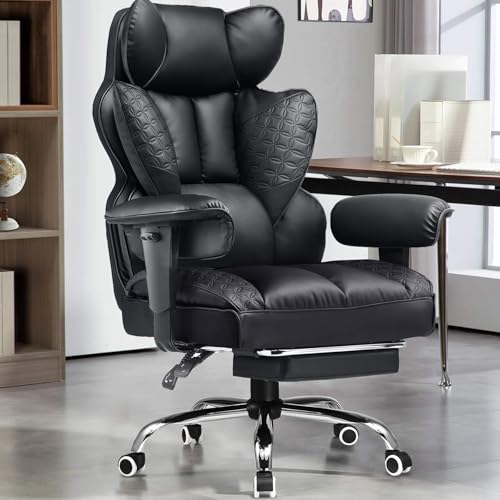
Desk dimensions and sitting habits often collide when setting up a room for daily work and evening play. Standard office seats might lack the high backrests or deep recline angles needed during long sessions, while bulky racing-style seats can crowd compact spaces. Checking verifiable seat widths, armrest adjustments, and base materials makes it easier to select the best office chair for pc gaming without guessing how the seat fits your space. Many users balance these demands by reviewing options like an office high-back gaming chair that supports multiple recline positions throughout the day.
Different body types also call for specific structural features, ranging from pocket-spring cushions to breathable mesh backrests and steel-reinforced bases. You might prioritize flip-up armrests to tuck your seat beneath a narrow keyboard tray, or you may prefer a wider cushion without bolsters for relaxed leg positioning. Comparing stated weight ratings and adjustability ranges helps you narrow down practical choices, including budget-friendly ergonomic gaming chairs designed for everyday computer use. Checking these listed dimensions beforehand ensures your setup stays functional for both office tasks and gaming.




Frequently Asked Questions
How do I know if an office gaming chair fits my desk height?
Compare the chair’s maximum armrest height with the clearance beneath your desk frame. Standard computer desks stand between 28 and 30 inches tall. Chairs with 3D or flip-up armrests let you slide the seat under the desk edge smoothly. Checking the lowest seat height also ensures your feet can rest flat on the floor.
What is the benefit of pocket-spring seat cushions?
Pocket-spring cushions combine individual coiled springs with foam to distribute body weight evenly. Unlike basic slab foam that compresses permanently over time, internal springs maintain resilient support. This sofa-style construction helps prevent the seat cushion from flattening out during long hours of daily use.
How should buyers evaluate stated chair weight capacities?
Check both the maximum weight rating and the base materials specified by the manufacturer. Heavy-duty models typically feature reinforced steel frames and metal bases rather than plastic legs. If you need higher load ratings, reviewing dedicated big and tall gaming chairs provides details on wider cushions and capacities up to 400 pounds.
What is the difference between linkage armrests and 3D armrests?
Linkage armrests recline backward alongside the backrest, keeping your elbows supported when relaxing with a controller. In contrast, 3D armrests adjust independently in height, depth, and angle. This adjustability allows closer positioning against a desk surface during mouse and keyboard play.
Can an external lumbar pillow help with desk comfort?
External lumbar pillows provide targeted lower-back padding that you can adjust or remove as needed. Some designs include USB vibration or straps to accommodate different torso heights. If a chair lacks contoured back support, pairing it with dedicated lumbar support pillows for gaming chairs fills the lumbar curve effectively.







Write Your Review
No reviews yet. Be the first to share your experience!