


Setting up a capable desktop gaming station often brings up immediate questions about financial expectations and component priorities. When gamers ask how much for a good gaming pc, the realistic answer hinges on the specific titles they want to play, their target screen resolution, and whether competitive frame rates or ultra visual settings matter most. A starter setup assembled strictly for lightweight esports titles requires a vastly different financial commitment than a machine built to render dense modern blockbusters at maximum graphical fidelity. Understanding how core components affect real-world gaming performance prevents buyers from overspending on unused features or underinvesting in critical hardware.
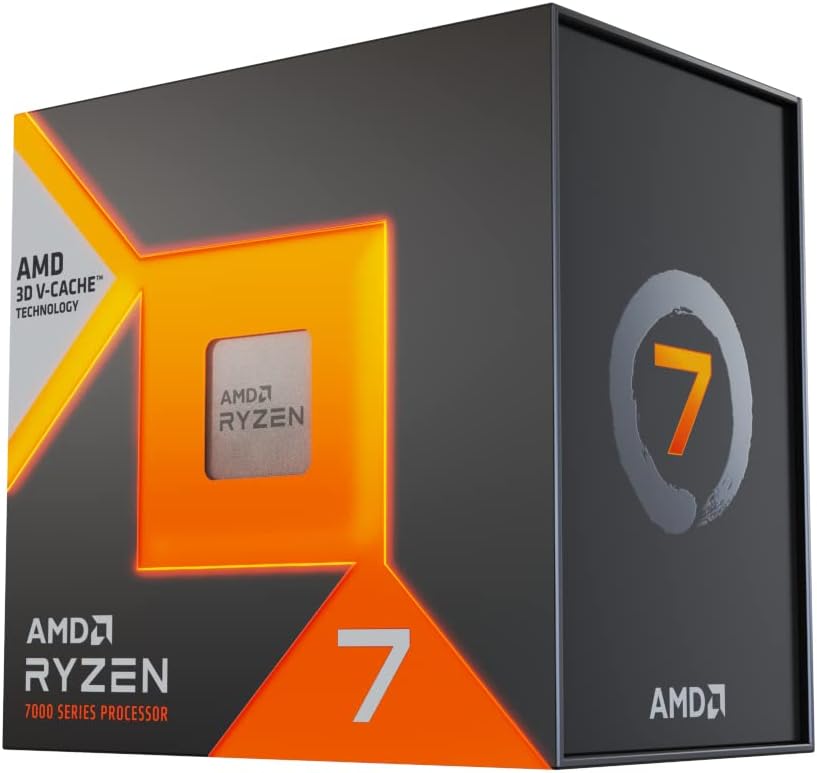
Every balanced desktop relies on harmony between the graphics card, system memory, and central processor to prevent frustrating performance bottlenecks. While evaluating various hardware configurations, choosing a balanced gaming processor ensures that your graphics card operates at its full potential without being held back during intense multiplayer action. Exploring component tiers and system trade-offs helps you identify the exact tier that satisfies your gaming ambitions while keeping overall ownership costs sensible.

Pros
- All-in-one bundle saves time and effort in building a complete gaming setup.
- Solid 1080p performance for esports and casual titles with the Ryzen 5 processor and Vega graphics.
- Ample storage and RAM for multitasking and storing games.
- RGB lighting adds visual appeal to any desk setup.
- Windows 11 pre-installed for modern compatibility.
Cons
- Integrated graphics may struggle with newer AAA titles at higher settings; dedicated GPU not included.
- Monitor and peripherals are likely entry-level; users wanting higher quality may need to upgrade.
- Limited upgrade path due to prebuilt nature; some components may be proprietary.
The Periphio Terra Gaming PC Bundle is exactly what it sounds like: an all-in-one battlestation designed for gamers who want a complete setup right out of the box. It pairs a compact gaming desktop with a 24-inch 1080p monitor, an RGB keyboard and mouse, an RGB gaming headset, stereo speakers, and even an XXL desk mat. For anyone from college gamers setting up a dorm room to streamers building their first dedicated gaming space, this bundle simplifies the entire process.
Under the hood, the PC runs on an AMD Ryzen 5 5600GT processor, which includes integrated Radeon Vega 7 graphics. That's a solid pairing for 1080p gaming in popular esports titles like Fortnite, Valorant, and League of Legends. With 16GB of DDR4 RAM and a 1TB NVMe SSD, the system handles multitasking with ease. You can have a game running, a Discord call in the background, and a browser with a few tabs open without noticeable slowdown. The NVMe storage means game load times are quick, and Windows 11 boots up in seconds.
The included peripherals cover the basics well. The RGB keyboard and mouse offer customizable lighting, and the gaming headset provides a built-in microphone for team communication. The stereo speakers add extra audio presence for casual listening, and the XXL desk mat protects your desk surface while giving your mouse plenty of room. The 24-inch monitor delivers 1080p resolution, which is the sweet spot for this system's graphics capability. While it's not a high-refresh-rate gaming monitor, it works fine for casual and competitive play at standard settings.
Build quality is what you'd expect from a prebuilt gaming PC bundle: the case is functional with tempered glass side panel and RGB fans, and the motherboard, power supply, and storage are reliable but not premium. The system comes with Wi-Fi connectivity, so you can place it anywhere in your home without worrying about Ethernet. Cable management inside the case is decent, though not as clean as a custom build. Setting up the entire bundle is straightforward: remove from packaging, connect the monitor and peripherals, plug in power, and you're ready to game.
A realistic limitation is the lack of a dedicated graphics card. The integrated Vega 7 graphics are capable, but they won't push high frame rates in demanding AAA titles like Cyberpunk 2077 or Red Dead Redemption 2 at high settings. If you're aiming for heavy PC gaming with ray tracing or 4K, this bundle isn't the right fit. Additionally, the included monitor and peripherals are entry-level; enthusiasts may eventually want to upgrade to a higher refresh rate display or mechanical keyboard with more features.
Overall, the Periphio Terra Gaming PC Bundle is a practical choice for gamers who want a turnkey 1080p gaming setup without the hassle of sourcing individual parts. It's particularly well-suited for casual gamers, esports fans, first-time PC buyers, and anyone building a gaming desk on a budget. The bundled accessories save money and time, and the RGB lighting gives the whole setup a cohesive, modern look. If you're okay with entry-level peripherals and integrated graphics, this bundle delivers exactly what it promises: a complete gaming battlestation that's ready to play.

Pros
- Strong gaming performance for the price with RTX 5060 and fast DDR5 memory
- Generous storage with 1TB PCIe 4.0 SSD for game library and media
- Easy setup out of the box with pre-installed Windows 11 and included keyboard/mouse
- Customizable RGB lighting adds visual flair to any gaming setup
- WiFi 6 and Bluetooth 5.3 support modern wireless standards for low-latency gaming
Cons
- Some users may prefer a higher-wattage power supply for future GPU upgrades (stock PSU could be limiting)
- Only 8GB VRAM on RTX 5060 may struggle with 4K gaming or heavy texture mods in demanding titles
- Stock CPU cooler might be adequate but aftermarket cooling could improve sustained performance and noise levels during long sessions
The CyberPowerPC Gamer Xtreme VR Gaming PC (model GXiVR8060A40) is a prebuilt tower designed for PC gamers who want solid out-of-the-box performance without the hassle of building their own system. Powered by an Intel Core i5-13400F processor and an NVIDIA GeForce RTX 5060 graphics card with 8GB of GDDR6 memory, this rig is built to handle competitive esports titles, popular battle royales, and even demanding single-player games at 1080p and 1440p resolutions with high settings. It also comes with 16GB of DDR5 RAM and a 1TB PCIe 4.0 NVMe SSD, ensuring fast load times and smooth multitasking for streaming, Discord calls, and content creation.
This gaming PC is best suited for competitive gamers, casual players, streamers, and gaming setup builders who value a reliable, ready-to-go system. The inclusion of WiFi 6 and Bluetooth 5.3 means you can connect wirelessly with minimal latency, which is great for online gaming and using wireless peripherals like gaming mice, headsets, or controllers. The custom RGB lighting inside the tempered glass side panel adds a vibrant touch that helps your setup stand out, making it appealing to RGB enthusiasts and those who want a cohesive desk aesthetic.
In real-world use, the CyberPowerPC Gamer Xtreme delivers responsive gameplay with low input lag, thanks to the combination of the fast 13th-gen i5, RTX 5060, and PCIe 4.0 storage. You can expect high frame rates in games like Fortnite, Valorant, Apex Legends, and Call of Duty Warzone, with plenty of headroom for streaming or recording gameplay using OBS or NVIDIA ShadowPlay. The 16GB of DDR5 RAM handles multitasking well, so you can have a browser, Discord, and Spotify open while gaming without noticeable slowdown. The included keyboard and mouse are functional for immediate setup, though most enthusiasts will likely upgrade to dedicated gaming peripherals for better ergonomics and performance.
Build quality is typical for a CyberPowerPC prebuilt: a cleanly assembled mid-tower case with a tempered glass side panel, painted metal interior, and decent cable management out of the box. The B760 motherboard offers good connectivity with one USB-C 3.2 port, two USB-A 3.2 ports, six USB-A 2.0 ports, and gigabit LAN. The stock cooling includes an air cooler for the CPU and case fans for airflow, which should handle the i5-13400F and RTX 5060 adequately for most users. However, under sustained heavy loads (e.g., extended rendering or marathon gaming sessions), you might notice the fans ramping up, and some users may prefer to swap the CPU cooler for a more efficient model or add extra intake fans for quieter operation. The case is compact but still offers room for basic future upgrades like adding more RAM or swapping the GPU.
Setting up the CyberPowerPC Gamer Xtreme is straightforward: connect power, monitor, keyboard, mouse, and internet, then boot into Windows 11 Home (already activated). The included keyboard and mouse are basic but allow immediate navigation. The system also supports RGB software (likely through the motherboard or a third-party utility) to customize lighting effects. Cable management is tidy, with the rear panel hiding most wiring, but the front I/O cables could be a bit tight if you decide to add internal expansion later. Cleaning the tempered glass panel requires a microfiber cloth to avoid smudges; the front mesh panel can be removed periodically to clean dust from the intake fans. Overall, maintenance is manageable.
One realistic limitation is the 8GB VRAM on the RTX 5060. While this is sufficient for 1080p and many 1440p titles, users aiming for 4K gaming or heavy texture packs in VRAM-intensive games may need to lower settings or consider a higher-tier GPU. Additionally, the power supply is likely a generic unit with enough wattage for current components but may not support a high-end upgrade like an RTX 5070 or higher without replacement. The lack of an optical drive is standard for modern prebuilts, and the system occupies a moderate desktop footprint. For college gamers or work-from-home gamers looking for a versatile PC that can also handle productivity tasks like video editing or streaming, this is a strong value. Based on the product specs and user feedback, this CyberPowerPC Gamer Xtreme is a practical, performance-focused choice for most PC gamers who want a reliable prebuilt with room to customize their RGB setup.
The Intel Core i5-13400F with 10 cores (6 performance + 4 efficiency) paired with the NVIDIA GeForce RTX 5060 8GB provides excellent 1080p and solid 1440p gaming performance. In competitive shooters like Valorant and Overwatch 2, you can expect well over 144 fps at high settings, making it a strong option for high-refresh-rate monitors. For AAA titles like Cyberpunk 2077 or Hogwarts Legacy, you can achieve 60+ fps at high settings with DLSS or FSR enabled. The 16GB of DDR5 RAM ensures smooth multitasking, and the NVMe SSD reduces load times dramatically.
The CyberPowerPC Gamer Xtreme features a steel chassis with a tempered glass side panel that showcases the internal RGB lighting. The motherboard is an Intel B760 chipset, and the overall build is clean with decent cable management inside. The case has a front mesh panel for airflow, and the included fans provide adequate cooling for the stock configuration. The power supply is a standard unit, and the case offers decent clearance for future upgrades like a larger GPU or aftermarket cooler. The overall build quality feels solid and reliable for a prebuilt at this price point.
Connectivity includes WiFi 6 and Bluetooth 5.3 for wireless peripherals and network access, plus a full suite of USB ports: one USB-C 3.2, two USB-A 3.2, six USB-A 2.0, and gigabit LAN. The rear I/O also offers 7.1 channel audio. The B760 motherboard has two M.2 slots (one occupied by the 1TB drive) and four SATA ports for additional storage. There are two DDR5 memory slots (one occupied by 16GB stick, leaving one free for expansion). The case supports standard ATX power supplies, most GPUs up to about 300mm length, and CPU coolers up to around 160mm height. This makes it reasonably upgradeable for future needs.


Pros
- Excellent value for budget-conscious streamers and gamers.
- Clear audio with effective noise cancellation for a quiet gaming environment.
- Easy plug-and-play setup with versatile platform compatibility.
- RGB lighting adds aesthetic appeal without being overly distracting.
- Real-time monitoring ensures you never miss a beat during live streams.
Cons
- Plastic construction may not feel as premium as metal alternatives.
- Unidirectional polar pattern requires careful positioning to avoid off-axis sound loss.
- No included pop filter or shock mount, so plosives may be an issue.
The MRSDY V5 is a compact USB condenser microphone designed for gamers, streamers, and content creators who need decent audio without a hefty price tag. With its dynamic RGB lighting, built-in noise cancellation, and real-time monitoring, this mic aims to deliver a complete audio solution for desktop setups.
Targeted at budget-conscious PC gamers, console streamers, and even work-from-home professionals, the V5 offers plug-and-play compatibility across Windows, Mac, PS4, and PS5. Setting it up takes seconds; just connect the included USB-A cable and you're ready to talk. The compact footprint (3.54-inch base) makes it easy to fit on cramped desks, and the adjustable stand provides decent flexibility for positioning.
In real-world use, the noise cancellation button does a respectable job reducing keyboard clatter and ambient room noise. The unidirectional polar pattern focuses on sound directly in front of the mic, which helps during intense gaming sessions or live streams. The zero-latency monitoring is a standout feature at this price point – you can hear yourself clearly through the headphone jack without any delay, which is crucial for maintaining natural conversation flow during streams or Discord calls.
Build quality is mixed: the base feels sturdy enough, but the plastic body and stand may not withstand heavy handling. The RGB lighting is customizable via a bottom switch (on/off), and the mute button (also at the bottom) is functional but requires a bit of a reach when the mic is in use. The gain and volume knobs are smooth and responsive, allowing quick adjustments without pop or distortion.
Limitations include the lack of a pop filter or shock mount included in the box – you'll want to add those if you're prone to plosive sounds or desk vibrations. Additionally, the plastic construction might not appeal to streamers seeking a more premium look. But for the price, the V5 delivers reliable audio performance that outshines built-in laptop mics and many budget headsets.
Overall, the MRSDY V5 is a great entry-level microphone for casual streamers, college gamers, and anyone wanting to improve their audio quality for online gaming or video calls. It won't replace a professional XLR setup, but for under $20, it's hard to beat the combo of RGB, real-time monitoring, and solid noise cancellation. If you're building a compact gaming setup on a tight budget, this mic deserves a spot on your desk.
The MRSDY V5 delivers clear, crisp audio with a frequency response of 20Hz-20kHz and a signal-to-noise ratio of 78 dB. The cardioid (unidirectional) pattern minimizes background noise, while the dedicated noise reduction button further cleans up the signal. The zero-latency monitoring via the 3.5mm headphone jack lets you hear your own voice in real time, a must for streamers who need to adjust their delivery on the fly. The gain and volume knobs are conveniently placed for quick adjustments during gaming or recording sessions. While the mic doesn't have advanced features like selectable polar patterns or high-resolution audio, it performs admirably within its price bracket.
Pros
- Affordable price point for a complete gaming PC with modern CPU and fast SSD.
- Upgradable platform with AMD AM4 socket and DDR4 memory for future improvements.
- Includes keyboard and mouse, plus lifetime tech support from CyberPowerPC.
- Compact tower design fits well on most desks without taking up too much space.
Cons
- Only 8GB of RAM may limit multitasking in demanding games and streaming scenarios.
- Radeon RX 6500 XT lacks hardware encoding, which can impact streaming quality.
- Limited to 4GB VRAM may struggle with newer AAA titles at higher settings.
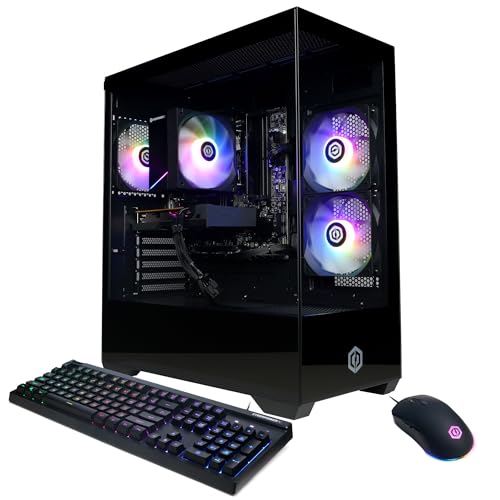
The CyberPowerPC Gamer Master GMA3100A3 is a pre-built gaming desktop aimed at gamers who want a ready-to-play system without the hassle of building their own. Powered by the AMD Ryzen 5 5500 processor and Radeon RX 6500 XT graphics, this rig is designed for smooth 1080p gaming in popular titles like Fortnite, Valorant, League of Legends, and CS2. It's a smart choice for casual gamers, college students dorm-room warriors, and anyone stepping into PC gaming for the first time.
In real-world use, the Ryzen 5 5500 handles everyday tasks and gaming with ease, offering responsive performance for both work and play. The 500GB PCIe 4.0 NVMe SSD ensures games and Windows load quickly, cutting down on waiting times. However, the 8GB of DDR4 RAM is a limiting factor — you may want to upgrade to 16GB soon if you plan to keep multiple browser tabs, Discord, and a game open at once. The RX 6500 XT is capable at 1080p medium settings in most esports titles, but its 4GB VRAM can be a bottleneck in newer AAA releases or when trying to push higher textures.
The system comes in a compact black tower with a tempered glass side panel and customizable RGB lighting. This makes it easy to show off your build, and the included keyboard and mouse help you get started right out of the box. Connectivity is solid with four USB-A 3.2 ports, four USB-A 2.0 ports, HDMI and DisplayPort outputs, WiFi 5, and Bluetooth 5.0. The lack of USB-C on the front panel is a minor inconvenience, but most peripherals will work fine with the available ports.
One realistic drawback is the RX 6500 XT's lack of hardware encoding, which means streaming via OBS or Discord may suffer in quality compared to Nvidia or higher-tier AMD cards. If streaming is a priority, you might want to consider a system with a better GPU. Also, the 8GB RAM is entry-level by today's standards — upgrading to 16GB is highly recommended for smoother multitasking and better performance in memory-intensive games.
Build quality is typical for a budget prebuilt: the case is sturdy enough, cable management is decent, and the cooling solution keeps temperatures in check during long gaming sessions. The 500W power supply is adequate for this configuration, but leaves limited headroom for major GPU upgrades later. If you're comfortable with basic upgrades, adding another 8GB stick of DDR4 is a simple and cost-effective improvement.
Overall, the CyberPowerPC Gamer Master GMA3100A3 is a solid entry-level gaming PC for those who want to jump into PC gaming without building from scratch. It's especially well-suited for esports players, casual gamers, and students on a budget. For more demanding AAA gaming or streaming, you may want to look at higher-tier configurations. But as a first gaming PC or a secondary system for a dorm room, it offers good value and room to grow.

Breaking Down Realistic Hardware Tiers and Gaming PC Costs
Determining an appropriate investment for a desktop platform begins with defining what performance level feels satisfying for your daily play style. A machine that handles esports titles smoothly might struggle when asked to render heavy geometric scenes in demanding modern adventures. Pinpointing your target resolution, visual presets, and desired frame rates establishes a practical baseline for your hardware search.
Defining What Good Means for Your Target Games and Resolution
The term “good” is subjective in personal computer gaming because player expectations vary dramatically across different genres. For casual enthusiasts who enjoy esports titles such as competitive shooters or battle royales, achieving fluid motion at standard 1080p resolution represents a fantastic experience. These titles typically prioritize high frame rates over dense visual textures, allowing relatively modest hardware to deliver responsive and enjoyable gameplay. If your gaming routine centers on titles like Counter-Strike, Valorant, or Rocket League, you do not need top-tier silicon to maintain a competitive edge. Clarifying your genre preferences early keeps you from paying for graphical horsepower you will never actually utilize.
Conversely, players who desire immersive single-player role-playing games or realistic simulations often demand higher graphical settings and advanced rendering techniques like real-time ray tracing. Demanding modern titles place heavy computational strain on both system memory and dedicated video memory, which quickly exposes the limits of entry-tier hardware. If your goal includes exploring sprawling open worlds at 1440p or 4K resolutions, the baseline for an acceptable system naturally shifts upward into more robust component classes. Attempting to run unoptimized modern releases on underpowered hardware leads to severe stuttering, low visual fidelity, and inconsistent frame times that detract from the experience.
Target refresh rates also dictate system requirements in a substantial way that many first-time buyers initially overlook. Driving a standard 60Hz monitor requires far less graphical horsepower than feeding a rapid 144Hz, 165Hz, or 240Hz competitive gaming display. High-refresh-rate monitors demand consistent throughput from both the central processor and the graphics subsystem to prevent tearing and latency spikes. Clarifying your performance targets early prevents the disappointment of purchasing a machine that falls short of your monitor’s capabilities.
Entry-Level Desktops and the Reality of Integrated Versus Dedicated Graphics
The lowest tier of desktop computing often relies on processors equipped with integrated graphics rather than discrete video cards. Systems powered by solutions like AMD Radeon Vega graphics or standard Intel UHD silicon share regular system memory for video processing, which significantly limits graphical throughput. While these configurations can run lighter competitive games, older classics, or casual titles, they lack the raw shader hardware and dedicated memory bandwidth required for demanding three-dimensional titles. Demanding modern engines quickly saturate shared system memory, resulting in severe frame drops and sluggish response times. Buyers seeking a long-term gaming solution should treat integrated graphics as a basic starter baseline rather than a platform for modern releases.
Stepping up to a basic dedicated graphics card represents the first monumental leap in genuine gaming capability for any desktop. Entry-level discrete cards, such as the AMD Radeon RX 6500 XT or NVIDIA GeForce RTX 3050 with dedicated video memory buffers, relieve system RAM from graphical duties. Systems featuring these dedicated cards provide vastly superior frame stability, broader driver support for modern game engines, and access to hardware-assisted rendering features. Having dedicated video memory allows the operating system and background applications to utilize system RAM without competing directly with active game rendering tasks.
When evaluating low-cost options, buyers should carefully distinguish between general office desktops and genuine gaming architectures. Many budget machines advertise high processor clock speeds but omit a dedicated graphics processor entirely, which leaves gaming performance severely constrained. Checking the detailed component list to confirm a discrete graphics card ensures you do not inadvertently purchase a workstation disguised in a decorative gaming case. Taking time to verify these technical details protects your gaming budget from disappointing hardware compromises.
The Mainstream Sweet Spot: Balancing Modern Processors and Graphics
The mainstream desktop tier represents the most popular category for dedicated gamers because it strikes an exceptional balance between expenditure and visual capability. Modern configurations combining multi-core processors like the Intel Core i5-13400F with current-generation discrete graphics like the NVIDIA GeForce RTX 5060 deliver exceptional 1080p and solid 1440p capability. Machines in this tier comfortably handle contemporary blockbusters with high graphical presets while maintaining smooth, stable frame outputs. They also provide the graphical horsepower needed for modern display technologies such as variable refresh rates and ultra-wide aspect ratios. This balance makes mainstream hardware the most sensible foundation for gamers seeking reliable performance across varied genres.
Mainstream rigs also benefit from contemporary memory standards, transitioning from older DDR4 configurations to modern DDR5 memory modules that offer higher bandwidth. When reviewing entry-level graphics configurations, examining how memory speed and capacity interact with modern processor architectures reveals noticeable improvements in game loading and system multitasking. A solid baseline of 16GB of dual-channel RAM ensures that background applications do not cause stuttering during demanding gaming sessions. This memory overhead is particularly valuable if you enjoy streaming your gameplay, chatting with friends on voice communication apps, or keeping web browsers open in the background.
Storage technology in this category has standardized around high-speed PCIe NVMe solid-state drives, typically offering 1TB or more of rapid storage. Modern game installations routinely demand dozens of gigabytes of disk space, making swift read and write speeds essential for minimizing level loading screens and preventing asset streaming hitches. PCIe solid-state storage allows games to stream high-resolution textures directly into video memory with minimal latency. This mainstream configuration delivers longevity and versatility, making it the most sensible benchmark for what constitutes a truly reliable gaming platform.
Core Component Allocation: Where Desktop Capital Goes
Understanding how funds are distributed across individual components helps buyers evaluate whether a prebuilt system or custom configuration offers sensible engineering. In any purpose-built gaming computer, the dedicated graphics card typically commands between forty and fifty percent of the total machine value. Because the graphics processor directly dictates texture resolution, visual fidelity, and shading complexity, underallocating funds toward the GPU often produces an underwhelming gaming experience. Prioritizing the graphics processor ensures that your machine can handle upcoming game engine updates without needing an immediate component replacement.
The central processing unit, motherboard, and system memory collectively represent the next major functional block. A capable multi-core CPU prevents graphical bottlenecks by rapidly calculating game logic, physics, artificial intelligence routines, and draw calls sent to the graphics card. Skimping excessively on processor speed or selecting single-channel memory can hobble a capable graphics card, resulting in erratic frame pacing even when average frame rates appear acceptable. Dual-channel memory configurations effectively double available memory bandwidth, smoothing out minimum frame rates during chaotic in-game firefights or dense city environments. Investing in a balanced motherboard chipset also ensures proper power delivery to the processor during extended gaming sessions.
Chassis construction, cooling fans, and the power supply unit round out the remaining hardware allocation. High-quality power supplies with adequate wattage and safety protections provide stable electrical current, ensuring clean power delivery under sustained computational loads. Adequate case airflow and thermal management keep sensitive silicon operating within safe temperature parameters, which maintains maximum boost clocks and prevents thermal throttling during prolonged gaming sessions. Overlooking cooling and power delivery can compromise system stability, leading to random crashes or premature component degradation.
Prebuilt Systems Versus Custom Builds: Weighing Assembly and Support
Deciding whether to assemble individual parts or purchase a fully assembled desktop is one of the most significant choices every buyer encounters. Prebuilt computers from established system integrators arrive ready to operate right out of the packaging, complete with operating system installation, cable management, and hardware warranty support. This convenience appeals strongly to newcomers who prefer avoiding the anxiety of component handling, thermal paste application, and manual firmware updates. Having a single point of customer contact for system troubleshooting provides substantial peace of mind when diagnosing unexpected hardware or software conflicts.
Custom assembling a desktop, on the other hand, allows complete control over every single brand, specification, and aesthetic detail within the case. Builders can select premium motherboards with robust power stages, quiet cooling solutions, and power supplies engineered with generous headroom for future component swaps. While custom building often yields slightly better component quality per expenditure level, it requires personal responsibility for troubleshooting, individual part warranties, and assembly labor. Builders must also invest time into researching part dimensions, socket revisions, and connector standards to avoid mechanical incompatibilities.
When comparing options, buyers should inspect whether prebuilt systems utilize standardized components or proprietary chassis and motherboard form factors. Systems constructed using industry-standard ATX or micro-ATX specifications allow seamless component upgrades down the road. In contrast, proprietary power connections or non-standard case layouts can severely restrict your ability to install larger graphics cards or aftermarket coolers later on. Standard components also make replacement straightforward if an individual part fails after the original warranty expires. Verifying that a prebuilt uses off-the-shelf component standards protects your investment against premature obsolescence.
The Hidden Investment: Displays, Peripherals, and Operating System Software
A common pitfall when planning a desktop budget is overlooking the essential gear required to actually interact with the machine. A powerful gaming computer is useless without a capable monitor that can display its graphical output with adequate clarity, color accuracy, and refresh rate. All-in-one gaming bundles occasionally include a basic monitor, keyboard, mouse, and headset in a single purchase, which simplifies setup for first-time owners who lack existing gear. These comprehensive packages allow buyers to get up and running immediately without spending weeks hunting down individual accessories.
For standalone tower purchases, allocating funds for quality peripherals remains necessary for an enjoyable overall experience. Investing in a responsive mechanical keyboard, an ergonomic gaming mouse with an accurate optical sensor, and a dedicated headset or standalone USB condenser microphone ensures clear team communication and comfortable control. Quality audio gear provides distinct spatial awareness in competitive tactical shooters, helping you identify opponent footsteps and environmental cues. Treating peripherals as an adjacent financial consideration prevents unexpected surprises after purchasing the central desktop unit.
Software licensing also warrants careful attention during the shopping process. Most commercial prebuilt desktops include a genuine Windows operating system pre-installed and activated on the primary storage drive. If you decide to construct a custom build, factor in the cost of an official operating system license so your rig receives regular security patches, direct platform support, and essential gaming feature updates. Ensuring that your operating system is fully supported and updated prevents compatibility headaches with anti-cheat software and graphics drivers.
Upgrade Paths and Long-Term Ownership Considerations
Planning for future component upgrades can extend the useful lifespan of your gaming desktop by several years without requiring a full system replacement. Motherboard socket platforms and memory architecture dictate how easily you can swap in a faster processor or expand system RAM as game requirements escalate. Choosing a modern platform with PCIe 4.0 or PCIe 5.0 lane support provides ample bandwidth for future high-speed drives and next-generation expansion cards. Systems built on mature platforms may offer lower initial acquisition costs, but newer sockets provide a clearer pathway for future processor drop-in upgrades. Balancing current platform value against future component compatibility helps ensure your desktop remains capable for multiple gaming generations.
Power supply capacity represents another critical factor that either enables or blocks future hardware upgrades. Midrange graphics cards generally operate comfortably on moderate wattage, but transitioning to higher-tier graphics hardware demands substantially more power overhead and dedicated auxiliary power connectors. Selecting a case with generous physical clearance for extended card lengths and a power supply with extra wattage headroom saves you from having to replace multiple core components when upgrading your GPU. Checking the physical dimensions of the chassis and fan mounting brackets ensures that future cooling radiators or triple-fan graphics cards will fit comfortably.
Regular maintenance routines also preserve hardware performance and prevent costly component failures over the life of your machine. Dust accumulation across intake filters, heatsink fins, and fan blades restricts airflow, which causes temperatures to rise and forces cooling fans to run at louder speeds. Inspecting fan filters periodically and verifying proper internal cable routing ensures optimal thermodynamic efficiency and keeps your system running quietly and reliably. Routine software hygiene, including keeping graphics drivers updated and removing unneeded startup programs, helps maintain swift boot times and responsive gaming performance.
A Practical Hardware Checklist Before Making Your Purchase
Before finalizing any system order, cross-reference the advertised specifications against the official system requirements of the primary games you intend to play. Verify that the desktop includes at least 16GB of dual-channel system memory, an NVMe solid-state boot drive, and a discrete graphics card possessing sufficient dedicated video RAM. Ensure the machine provides modern wireless connectivity like Wi-Fi 6 and adequate high-speed USB ports for all your planned gaming accessories. Verifying these connectivity options prevents the need for add-on expansion cards or external adapters later on.
Review the manufacturer warranty coverage, return policies, and included customer technical support options to safeguard your investment. A reliable warranty covering parts and labor provides vital peace of mind if a component malfunctions during early ownership. Aligning your hardware choices with your authentic performance requirements ensures you secure a truly capable gaming computer that delivers fantastic entertainment for years to come.






Write Your Review
No reviews yet. Be the first to share your experience!