


Establishing a viable commercial venture in the modern gaming sector demands both business clarity and dependable hardware infrastructure. Whether your business plan involves digital content creation, professional live broadcasting, game asset modeling, or operating a competitive venue, your computing hardware dictates your service quality. Understanding how to start a gaming business requires assessing how processor core counts, dedicated graphics rendering, and system stability influence everyday production tasks. If you are launching on a limited budget, reviewing budget gaming PC build options helps illustrate how affordable desktop configurations handle multi-application workloads without forcing unnecessary debt.
Many new business owners focus exclusively on brand identity and social reach while overlooking the physical workstation bottlenecks that disrupt client schedules. Dropping frames during a sponsored live stream or suffering system crashes during a video render harms professional credibility and delays revenue generation. Selecting components with adequate thermal management, reliable power delivery, and generous memory capacities ensures your desktop remains a steady asset rather than an operational liability. Planning your technical deployment around actual software requirements allows you to scale performance systematically as your business expands.


Hardware Foundations and Systems Planning for Your Gaming Business
Starting any gaming venture begins with establishing a hardware foundation capable of executing production tasks without unpredictable failure. A commercial workstation must handle sustained processing loads that far exceed the demands of casual entertainment. Evaluating your business model, expected software pipelines, and hardware upgrade paths ensures that your initial investment directly supports sustainable business operations.
Defining Operational Demands Across Common Gaming Business Paths
Commercial gaming ventures typically divide into distinct categories with unique technical demands. Live broadcasting and YouTube production require high concurrency, where a desktop simultaneously renders a title, runs capture software, and processes audio filters. Digital game artists and indie developers, on the other hand, prioritize 3D viewport rendering, large asset manipulation, and multi-threaded compilation speeds. Understanding your specific niche prevents spending capital on unnecessary components while neglecting the hardware that directly drives your income.
Broadcasters and online video producers depend on low system latency and consistent frame delivery under dual workloads. When capture software shares resources with a demanding game client, poorly balanced hardware introduces encoder overload, dropped frames, and stream stutter. Viewers often abandon streams that suffer technical disruptions, making hardware stability a core retention metric. Investing in balanced processing and graphics capabilities ensures that entertainment value remains uninterrupted during scheduled broadcasts.
Development studios and freelance digital artists encounter an entirely different set of operational bottlenecks. Asset creation software like Blender, Unreal Engine, or digital audio workstations consume massive amounts of system memory and storage bandwidth. A desktop designed for basic gaming often stalls when loading multi-gigabyte project directories or baking complex lighting maps. Matching your hardware configuration to your development toolchain reduces turnaround times and keeps client deadlines on schedule.
Esports lounges, gaming cafes, and tournament organizers face enterprise-scale challenges centered on fleet reliability and uniform maintenance. In these environments, desktops run continuously for ten to twelve hours a day under varying consumer treatment. Standardization of components simplifies technical support, driver deployment, and replacement part inventory across multiple gaming stations. Choosing durable chassis designs and robust cooling solutions minimizes out-of-service periods that directly reduce daily seat revenue.
Processor Selection and Multi-Threaded Workload Requirements
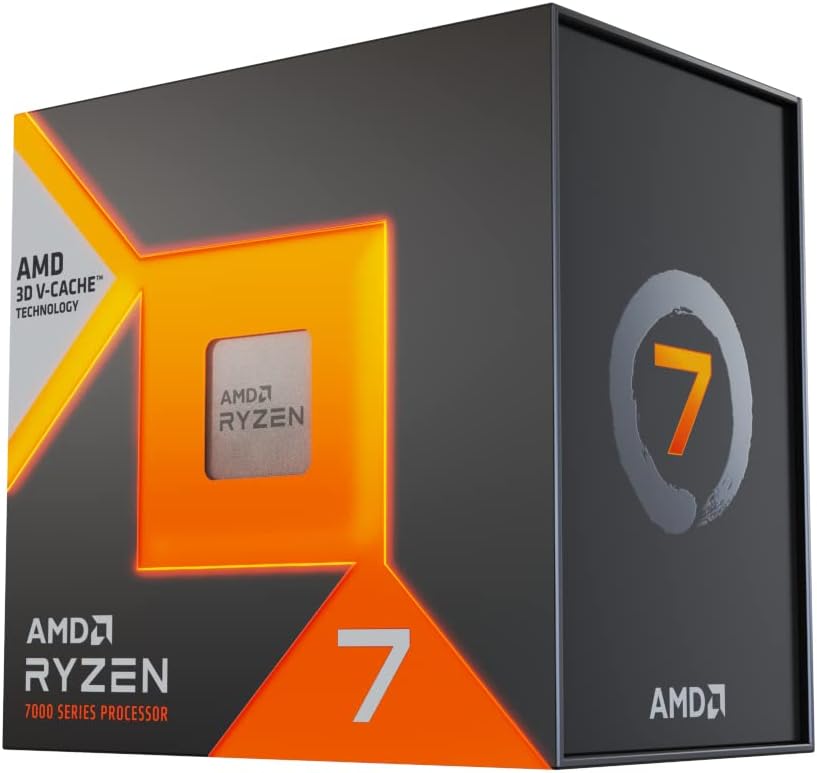
The central processor functions as the operational core of any commercial gaming workstation. While casual gaming often benefits primarily from high single-core clock frequencies, a business system demands substantial multi-threaded capacity to manage background utilities. Software encoding, real-time audio routing, video decoding, and chat moderation tools run simultaneously alongside the primary application. Modern multi-core processors ensure that these background services do not steal processing cycles needed to keep the primary task responsive.
Processor bottlenecks create noticeable inconsistencies in frame pacing and overall system responsiveness. When a CPU reaches peak utilization, the system delays rendering instructions to the graphics card, causing momentary micro-stutters and input lag. For a competitive player or live streamer, these hitches disrupt gameplay quality and broadcast fluidity. Allocating resources to a processor with a higher core count establishes the computational overhead necessary for professional multi-tasking.
Cooling considerations directly influence sustained processor performance in commercial environments. Modern CPUs automatically adjust their clock speeds based on thermal limits, meaning inadequate thermal dissipation reduces working frequencies under continuous load. A processor running a two-hour 4K export will thermal throttle if paired with an entry-level air cooler. Implementing high-efficiency heat sinks or liquid cooling loops protects hardware longevity and preserves peak operating frequencies during deadline crunches.
Dedicated Graphics Card Selection for Content and Production
A dedicated graphics card handles far more than standard 3D rendering when used in a commercial environment. Specialized hardware encoders built directly into modern GPUs process live video streams independently from primary graphics compute units. Choosing the right dedicated graphics card selection allows you to offload demanding broadcast encoding without degrading native in-game performance. This dedicated silicon prevents streaming software from consuming central processing resources that your games and background applications require.
Video memory capacity forms another critical threshold for business operations. Modern 3D asset creation and high-resolution video timelines quickly saturate modest video memory buffers. When a GPU exhausts its onboard memory, it offloads textures and scene data to system RAM, causing severe performance degradation. Professional creators working with multi-camera timelines or high-density mesh modeling should prioritize graphics cards with generous video memory pools to avoid unexpected application crashes.
Software driver stability represents a vital operational factor that differs between leisure use and business operations. Many hardware manufacturers offer both performance-focused gaming drivers and stability-tested enterprise or studio drivers. Studio drivers undergo extensive validation with commercial creative software suites to eliminate memory leaks and rendering artifacts. Selecting the appropriate driver branch provides the predictable software execution essential for daily client deliverables.
Memory Sizing and Fast Storage Configuration for Daily Workflows
System memory capacity determines your ability to manipulate complex project files and switch rapidly between resource-heavy applications. While entry-level configurations often provide sixteen gigabytes of memory, this capacity creates immediate limitations during commercial multi-tasking. Running a game alongside production software, browser monitoring tabs, and graphic design tools easily consumes available memory buffers. Upgrading to thirty-two or sixty-four gigabytes provides the headroom needed to prevent operating system paging and stuttering.
Memory speed and dual-channel configuration also influence overall workstation responsiveness. Installing matched memory kits across corresponding motherboard channels doubles the communication bandwidth between the memory controller and the CPU. High-bandwidth memory reduces latency during asset loading and improves minimum frame rates in complex simulation titles. Ensuring that memory operates at its rated profile within system firmware helps eliminate subtle operational bottlenecks.
Storage architecture in a commercial gaming setup requires a multi-tier drive strategy. Solid-state drives utilizing high-speed NVMe protocols provide the read and write throughput needed for instant operating system boots and swift project loading. Separating your primary operating system drive from your active project scratch disk prevents read-write contention during real-time asset rendering. Dedicating secondary high-capacity drives for cold storage and archived client files ensures that active workstations maintain sufficient free space for cache generation.
Data safety and automatic backup routines safeguard your business against catastrophic project loss. Solid-state media can experience unexpected controller failures without showing traditional warning signs. Implementing an automated backup protocol that copies active project folders to local network storage or remote cloud repositories prevents lost revenue. Maintaining redundant copies of critical client assets is a non-negotiable operational standard for any digital venture.
Power Delivery, Thermal Headroom, and System Continuity
The power supply unit serves as the electrical backbone of your entire hardware investment. High-performance gaming and workstation components generate significant transient power spikes that lower-grade units fail to handle cleanly. Selecting a power supply with an independent efficiency rating ensures steady voltage regulation and reduces unnecessary heat output inside the chassis. Clean electrical power prevents spontaneous system resets during demanding rendering sessions.
Chassis ventilation and dust filtration play major roles in maintaining hardware uptime over multi-year business cycles. Commercial workstations operate for extended hours, drawing large volumes of ambient air across sensitive heatsink fins and circuit boards. Positive air pressure setups, where intake airflow exceeds exhaust, prevent dust from entering through unsealed chassis gaps. Regular scheduled maintenance to clear intake filters ensures that components remain within safe thermal operating windows.
Power grid instability poses a constant risk to live broadcasting and unsaved digital production work. Integrating uninterruptible power supply options provides immediate battery fallback during momentary brownouts or total blackouts. This backup window grants you sufficient time to save open design files, close editing timelines safely, and conclude live streams gracefully. Beyond battery backup, a quality unit conditions utility power to shield sensitive silicon from damaging voltage spikes.
Comparing Prebuilt Workstations and Custom Hardware Builds
Deciding between prebuilt desktop systems and custom-assembled hardware represents a fundamental operational choice. Prebuilt workstations from established system integrators arrive ready to deploy and feature single-vendor warranty coverage. If a hardware component fails, the business interacts with one support channel rather than troubleshooting individual component warranties. This streamlined support structure saves valuable administrative time for teams without dedicated internal technical staff.
Custom hardware builds provide unmatched flexibility in component selection, cooling design, and future modular upgrades. Building your own systems allows you to allocate your budget directly toward priority components like high-speed storage or upgraded memory. Custom configurations also utilize standardized, non-proprietary motherboards and power supplies that simplify field repairs. When a component fails in a custom build, you can replace that individual part immediately without waiting for proprietary manufacturer replacements.
Downtime calculation should guide your hardware procurement strategy. Every hour a production workstation sits idle represents delayed deliverables and lost billing opportunities. Commercial operators should maintain a small inventory of essential spare parts, such as backup storage drives, spare power cables, and basic cooling fans. Planning for inevitable hardware wear ensures that your business resumes normal operations quickly when unexpected component failures occur.
Operating System Configuration and Production Environment Setup
A commercial workstation requires a clean, optimized operating system installation free of pre-installed consumer bloatware. Extraneous background applications consume processor threads, compete for memory bandwidth, and occasionally trigger unprompted pop-up notifications during live presentations. Configuring power management profiles to high performance prevents the system from downclocking essential components during short pauses in active workloads. Disabling non-essential startup tasks ensures faster boot times and stable system resource allocation.
Managing automatic operating system updates prevents catastrophic interruptions during critical client deadlines. Uncontrolled background update installations can trigger sudden restarts or introduce unverified driver incompatibilities right before a major project delivery. Setting active hours and configuring update deferrals gives you control over when software patches are applied to your production fleet. Testing updates on a secondary machine before deploying them across primary workstations minimizes operational risks.
Audio driver routing and peripheral bandwidth management require careful planning in broadcast and content environments. Running multiple USB capture cards, audio interfaces, and high-definition webcams can saturate a single motherboard USB controller. Distributing high-bandwidth devices across separate physical USB controllers eliminates audio crackling and video frame drops. Verifying audio sampling rates across all recording software eliminates subtle synchronization drift during long production sessions.
Long-Term Hardware Strategy and Phased Deployment
Scaling a gaming business successfully requires a disciplined reinvestment strategy rather than overspending upfront on luxury hardware. Many successful creators and indie studios begin with reliable mid-range systems and upgrade specific components as revenue validates their business model. Reinvesting profits into targeted bottlenecks, such as expanding storage capacity or doubling RAM, provides immediate workflow improvements. Aligning capital expenditures with measurable project milestones protects business cash flow during early operating phases.
Hardware reliability and thoughtful system planning ultimately determine your operational consistency in the gaming industry. Understanding how each component supports your specific workflow enables you to make informed purchasing choices that avoid costly downtime. Focusing on balanced system architecture, robust cooling, and disciplined data redundancy establishes a durable technical platform for your venture. A dependable workstation frees your focus from technical troubleshooting so you can concentrate fully on growing your commercial gaming presence.





Write Your Review
No reviews yet. Be the first to share your experience!