


Narrow seat cushions and rigid armrests often ruin an otherwise promising desk setup before your first day is even over. When you spend hours shifting between intense play and work tasks, you’ll want adaptable support that matches your physical frame and desk clearance. Evaluating the best pc chairs requires looking past flashy styling to examine functional details like seat width, adjustable lumbar support, and recline flexibility. If you want to keep costs in check without sacrificing basic ergonomics, comparing an affordable setup like a desk-friendly ergonomic chair helps clarify what adjustability fits your budget.
Seating materials also make a noticeable difference in daily comfort and cleaning routines. Breathable mesh prevents heat buildup during warm sessions, while high-density foam paired with synthetic leather creates plush cushioning that wipes clean easily. Stated weight ratings and base builds matter just as much, particularly for users seeking a solid heavy-duty gaming chair with a reinforced foundation. Checking these specifications beforehand ensures your seat won’t wobble or bump into desk edges.

Frequently Asked Questions
How do you know if the seat width of a PC chair will fit your sitting style?
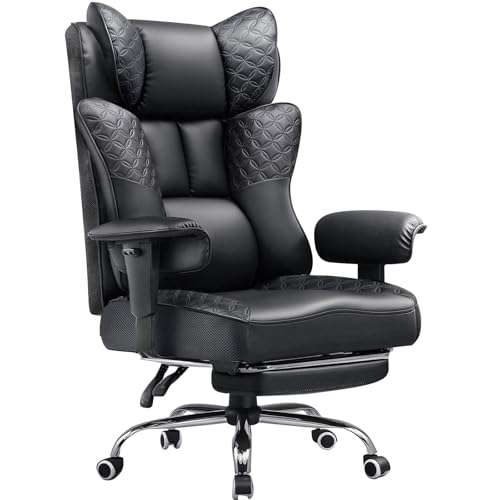
Measure your hip width while seated and compare it against the flat surface dimensions of the chair. Traditional bucket seats feature raised side bolsters that restrict leg movement, whereas wingless cushions, like the 51cm flat base on the Video Gaming Chair for Adults with Footrest, provide extra room for sitting cross-legged. Standard gaming seats often measure closer to 38cm in usable width, so checking dimensions prevents unwanted thigh pressure.
What is the practical advantage of 5D flip-up armrests compared to fixed armrests?
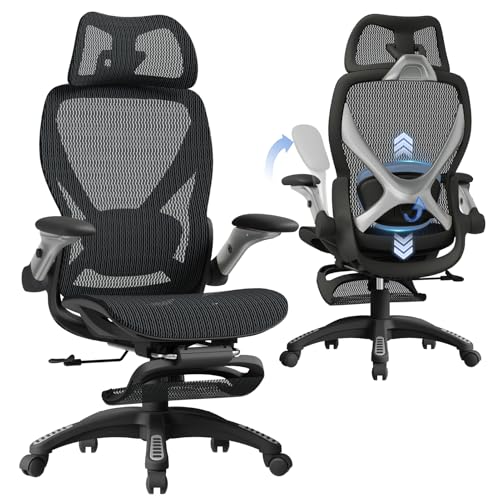
Multi-directional flip-up armrests allow you to adjust elbow height and tuck your chair beneath a desk when not in use. The ELABEST X100 Ergonomic Mesh Office Chair includes 5D armrests that adjust for height, width, depth, and angle, while also flipping upward. This flexibility prevents arm pads from bumping into desk edges during close keyboard work.
How does breathable mesh compare to PU leather cushioning for long desk sessions?
Mesh promotes continuous airflow to reduce heat buildup, while PU leather delivers plush cushioning that resists spills. The ELABEST X100 utilizes Dual-Stripe AirMesh along the backrest for ventilation in warmer rooms. In contrast, PU leather options paired with pocket springs offer dense cushioning, fitting buyers who prefer a classic high-back office gaming chair style.
What should you look for in stated weight capacity and gas lift ratings?
Select a chair with a manufacturer-tested capacity that exceeds your weight, supported by a certified gas cylinder. Chairs featuring a Grade-4 cylinder list weight limits around 300 lbs, as seen on the ELABEST X100, while reinforced steel frames can support up to 150kg (about 330 lbs). Verifying these ratings helps ensure the cylinder maintains height without sinking.
Can built-in lumbar support be adjusted, or do you need a separate cushion?
Built-in adjustability depends entirely on the specific chair design. Some models feature spring-loaded mechanisms that alter depth and height, while others provide external detachable cushions. If your chosen model lacks depth adjustments, adding a dedicated lumbar support pillow helps bridge the gap behind your lower back.




Write Your Review
No reviews yet. Be the first to share your experience!