


Choosing between a high refresh rate monitor and an OLED monitor depends on whether you prioritize extreme motion smoothness or superior image quality. For most US gamers, a high refresh rate IPS or VA panel offers the best balance of speed and price, while an OLED display delivers unmatched contrast and deep blacks.
The decision often comes down to your specific use case, such as competitive esports versus single-player cinematic experiences. You should also consider your graphics card’s capability to sustain the frame rates required by these displays. This guide breaks down the technical differences, compatibility checks, and practical benefits to help you make an informed decision.
Many buyers in the US market find that the distinction is not just about specs on a box, but how those specs affect daily gameplay. A high refresh rate monitor typically refers to displays with 144Hz, 165Hz, or higher, focusing on reducing motion blur. In contrast, an OLED monitor uses self-emitting pixels to achieve perfect black levels and infinite contrast ratios.
Understanding these core differences helps avoid paying for features you might not use. For instance, if you play fast-paced shooters, the frame rate is critical. If you value visual fidelity, the panel technology matters more. You can also explore our gaming monitor guide for broader context on display choices.


Pros
- Incredibly fast 240Hz refresh rate and 0.03ms response time for ultra-smooth motion.
- QD OLED panel provides vibrant colors and true blacks, surpassing many IPS and VA monitors.
- HDR400 True Black certification adds depth to HDR content, enhancing visual realism.
- Adaptive-Sync compatibility eliminates screen tearing without the need for expensive G-Sync modules.
Cons
- Only one HDMI 2.0 port and one DisplayPort may limit multi-device setups.
- No built-in speakers, so you'll need external audio solutions for full immersion.
- The glossy OLED panel may cause reflections in bright rooms, though it helps with contrast in controlled lighting.
The AOC Q27GAZD is a 27-inch QD OLED gaming monitor that combines a crisp QHD resolution with a blazing 240Hz refresh rate and 0.03ms response time. This display is designed for serious PC gamers, esports competitors, and streamers who demand both motion clarity and vibrant colors. Its QD OLED panel delivers exceptional color accuracy and deep blacks, making it a strong choice for anyone building a high-performance gaming setup.
When it comes to gaming performance, the 240Hz refresh rate and 0.03ms GtG response time ensure that fast-moving scenes stay incredibly smooth and blur-free. Whether you're playing competitive FPS titles like Valorant or fast-paced MOBAs, the monitor's rapid refresh keeps you in control. Adaptive-Sync compatibility further eliminates screen tearing and stuttering, providing a seamless experience with both G-Sync and FreeSync systems.
Visual quality is where the QD OLED panel truly shines. With 147.6% sRGB and 110.2% DCI-P3 color gamut coverage, colors appear rich and lifelike. HDR400 True Black certification enhances contrast, delivering deeper blacks and brighter highlights. This makes the monitor ideal not only for gaming but also for content creation tasks like video editing or photo work where accurate color reproduction matters.
On the build side, the monitor has a sleek black finish with a relatively compact 27-inch footprint that fits well on most desks. It weighs around 17.7 pounds, so it's stable but not too heavy. Connectivity includes one HDMI 2.0 port and one DisplayPort, which is adequate for a primary gaming setup but may limit multi-device configurations. There are no built-in speakers, so you'll want to use headphones or external speakers for audio.
Setting up the AOC Q27GAZD is straightforward - just connect via HDMI or DisplayPort, and most systems will recognize it immediately. It's compatible with both PC and consoles, making it a flexible option for gamers who switch between platforms. The OSD controls are intuitive, though the monitor lacks advanced ergonomic adjustments like height or swivel based on the available specs, so you may need to adjust your desk setup accordingly.
Realistically, the main drawbacks are the limited port selection and the lack of built-in audio. Also, the glossy OLED screen can produce reflections in bright rooms, so positioning it away from direct light helps. Despite these points, the AOC Q27GAZD offers tremendous value for its price - especially for competitive gamers who prioritize speed and color quality. If you're a PC gamer, esports player, or streamer looking for a high-refresh-rate OLED monitor without spending a fortune, this is a strong contender.
The AOC Q27GAZD uses Quantum Dot OLED technology to deliver stunningly accurate and vibrant colors. With 147.6% sRGB and 110.2% DCI-P3 coverage, it exceeds many standard gaming monitors, making it suitable for both gaming and creative work. The OLED panel provides true blacks with per-pixel dimming, resulting in an infinite contrast ratio that makes HDR content pop.
HDR400 True Black certification ensures deep shadow detail and bright highlights, enhancing the visual experience in games like Cyberpunk 2077 or Horizon Forbidden West. The QHD resolution (2560x1440) strikes a perfect balance between sharpness and performance, allowing high frame rates without overwhelming your GPU. The overall image quality is among the best you'll find in this price range, especially for an OLED panel.
The 240Hz refresh rate and 0.03ms response time are the standout features for competitive gaming. This combination ensures that every frame renders without visible motion blur or ghosting, giving you a clear view of fast-moving targets. In FPS games like Apex Legends or Overwatch, the smoothness gives you a tangible edge in reaction time.
Adaptive-Sync technology (G-Sync Compatible) works across a wide variable refresh rate range, keeping gameplay tear-free even when frame rates dip. The low input lag is critical for esports, where milliseconds matter. Whether you're playing on a high-end PC or a console via HDMI, the monitor delivers responsive, fluid motion that keeps you immersed and competitive.


Pros
- Exceptional response time and refresh rate for competitive gaming
- Stunning OLED picture quality with deep blacks and wide color gamut
- G-Sync compatibility ensures tear-free experience with NVIDIA GPUs
- Console-friendly performance with low latency and 120Hz support
- Versatile connectivity with dual HDMI and DisplayPort inputs
Cons
- HDMI 2.0 ports may not support full 4K/120Hz on next-gen consoles
- Built-in speakers are basic and best replaced by dedicated audio equipment
- Premium pricing compared to standard IPS gaming monitors
The AOC Agon PRO AG276QZD2 is a 27-inch QD-OLED gaming monitor designed for serious gamers who prioritize speed and visual fidelity. With a 2560x1440 resolution, 240Hz refresh rate, and an incredibly fast 0.03ms response time, this monitor is built to handle the most demanding competitive titles like Call of Duty, Valorant, and Apex Legends. It's also a strong choice for streamers and content creators who need accurate colors and smooth motion for their work.
Real-world performance is where this monitor shines. The OLED panel delivers perfect blacks and vibrant colors thanks to 101% DCI-P3 coverage, making games look more lifelike and immersive. HDR400 support adds extra contrast and detail, though it's not the highest HDR tier. The 240Hz refresh rate paired with G-Sync compatibility ensures stutter-free, tear-free gameplay, giving you a clear advantage in fast-paced firefights. Input lag is practically non-existent, so every mouse click and keyboard press translates instantly on screen.
Build quality is solid with a sturdy stand that offers height, tilt, and swivel adjustments. The monitor has a sleek black design with customizable RGB lighting on the rear, letting you personalize your gaming setup. Connectivity includes two HDMI 2.0 ports and two DisplayPort inputs, which is ample for PC and console connections. However, the HDMI 2.0 ports mean you won't get 4K/120Hz on newer consoles, but at QHD resolution, 120Hz is fully supported for smooth console gameplay.
Setting up the monitor is straightforward out of the box, and the OSD (on-screen display) is easy to navigate. AOC's software allows for further customization of game modes, shadow control, and RGB lighting. The built-in speakers are functional for casual use but lack depth and clarity, so most gamers will want to use a dedicated headset or external speakers. Cable management is decent thanks to the stand's cable routing clips.
A realistic limitation is that OLED panels can be susceptible to burn-in over long-term static use, though modern technologies mitigate this. Also, at 14.7 pounds, the monitor is relatively heavy, so make sure your desk can support it. The price point is higher than traditional IPS monitors, but the performance and image quality justify the investment for serious gamers.
Overall, the AOC Agon PRO AG276QZD2 is an excellent choice for competitive PC gamers, esports players, and anyone building a high-end gaming setup. It also suits college gamers and work-from-home users who want a versatile display for both gaming and productivity. If you value speed, color accuracy, and a smooth gaming experience, this monitor delivers on all fronts.
The 240Hz refresh rate and 0.03ms response time make this monitor exceptionally responsive for fast-paced games. G-Sync compatibility ensures smooth, tear-free gameplay with NVIDIA GPUs, while the OLED panel's instant pixel response eliminates ghosting. Console gamers will appreciate the low latency and support for up to 120Hz at QHD resolution. Whether you're playing competitive shooters, MOBAs, or open-world titles, the AG276QZD2 delivers fluid motion and crisp visuals.
The monitor features a sturdy stand with full ergonomic adjustments, including height, tilt, and swivel. The black matte finish minimizes reflections, and the rear RGB lighting adds customizable flair. Cable management is handled by clips on the stand. At 14.7 pounds, it's built solidly but requires a sturdy desk. The OSD joystick is intuitive, and AOC's software provides additional control over settings.
Input options include two HDMI 2.0 ports and two DisplayPort 1.4 connections. HDMI 2.0 supports up to 1440p/120Hz, while DisplayPort can handle full 240Hz at QHD. This setup works well for PC and console users, though HDMI 2.1 is missing for 4K/120Hz on modern consoles. A headphone jack is also available, but built-in speakers are basic.


Pros
- Exceptional motion clarity and responsiveness thanks to 240Hz and 0.03ms response time
- Stunning QD OLED panel with deep blacks, wide color gamut, and excellent HDR performance
- G-Sync compatible for smooth, tear-free gameplay on compatible NVIDIA GPUs
- Versatile connectivity with two HDMI 2.0 and two DisplayPort inputs
- Solid build quality and a reliable 3-year warranty against bright dots
Cons
- OLED panel may be susceptible to burn-in over extended use with static elements, requiring careful usage habits
- HDMI 2.0 ports limit bandwidth for higher refresh rates at 4K; ideal for QHD gaming
- Price point may be higher than comparable IPS or VA monitors, reflecting OLED technology cost
The AOC Q27G4ZD is a 27-inch QD OLED gaming monitor that brings together the best of OLED technology with a high refresh rate and resolution. It's designed for PC gamers, competitive esports players, streamers, and content creators who need both speed and visual fidelity. The QHD 2560x1440 resolution strikes a great balance between detail and performance, while the 240Hz refresh rate and 0.03ms response time ensure every frame is rendered with minimal blur and input lag.
For competitive gamers playing fast-paced FPS games like Valorant or Call of Duty, the combination of high refresh rate and near-instant response time provides a clear advantage. The OLED panel's self-luminous pixels deliver true blacks and infinite contrast, making dark scenes in horror games or open-world titles like Cyberpunk 2077 look incredibly lifelike. The wide color gamut, covering 110.2% DCI-P3 and 147.6% sRGB, ensures vibrant and accurate colors out of the box, which is also a boon for content creators working on video editing or graphic design.
Build quality is solid with a sturdy stand that offers tilt and height adjustment, though the monitor's weight of about 14.5 pounds means you'll want a stable desk. Connectivity includes two HDMI 2.0 ports and two DisplayPort inputs, giving you flexibility to hook up a gaming PC and a console simultaneously. The monitor is G-Sync compatible, which helps eliminate screen tearing when paired with a compatible NVIDIA GPU. For console gamers, the Q27G4ZD supports up to 120Hz on PS5 and Xbox Series X, providing a smooth experience on modern platforms.
Setup is straightforward: the monitor comes pre-calibrated with good color accuracy, and the on-screen display menu is easy to navigate. The 3-Year Zero-Bright-Dot warranty is a nice touch, covering any bright pixel defects that may appear. However, like all OLED panels, you'll want to take precautions against burn-in by using screen savers and varying content, especially if you use the monitor for productivity with static elements.
A realistic limitation is the HDMI 2.0 ports, which cap at 144Hz at QHD resolution; to get the full 240Hz, you'll need to use DisplayPort. Also, the price is higher than many IPS gaming monitors, but the OLED benefits in contrast and color may justify the cost for enthusiasts. The monitor's 27-inch size is ideal for most desks, and it fits well in multi-monitor setups for streaming or productivity.
Overall, the AOC Q27G4ZD is a fantastic choice for PC gamers who want top-tier motion clarity and picture quality. It's especially suited for competitive players who can leverage the 240Hz refresh rate, as well as streamers and content creators who value accurate colors. If you're building a high-end gaming setup and want an OLED experience without stepping up to 4K, this monitor delivers excellent value.
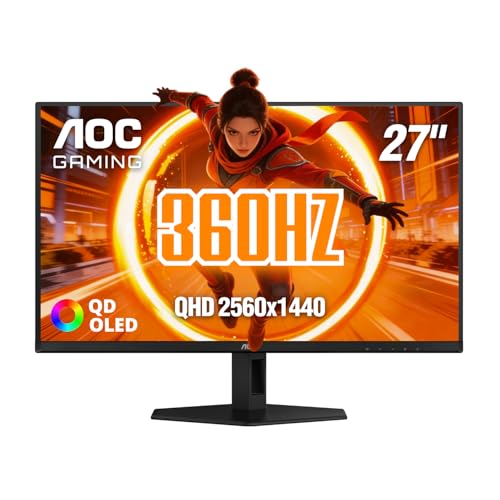
High Refresh Rate vs OLED: Technical Breakdown
The primary difference lies in how the display generates an image and how quickly it updates.
- High refresh rate monitors usually rely on IPS or VA panels with LED backlighting.
- These panels excel at consistent brightness and wide viewing angles but struggle with deep blacks due to light bleed.
- OLED monitors, however, use organic light-emitting diodes where each pixel emits its own light.
- This allows for true blacks because the pixel simply turns off, resulting in infinite contrast.
- The refresh rate, measured in Hertz (Hz), indicates how many times per second the screen updates.
- A 240Hz display updates 240 times per second, providing smoother motion than a 144Hz panel.
- Both technologies can support high refresh rates, but they achieve it differently.
- OLED panels naturally have faster response times, often in the sub-millisecond range, which reduces ghosting.
- IPS panels have improved significantly but still generally trail OLED in raw speed.
- Understanding these mechanics is key to matching the monitor to your gaming style.
| Feature | High Refresh Rate (IPS/VA) | OLED Monitor |
|---|---|---|
| Panel Type | LED Backlit LCD | Self-Emitting Organic |
| Contrast Ratio | 1000:1 to 3000:1 | Infinite (True Blacks) |
| Response Time | 1ms – 5ms (GtG) | 0.03ms – 0.1ms (GtG) |
| Burn-in Risk | None | Possible (Static Elements) |
| Brightness | Generally Higher | Variable (Lower Peak) |
| Cost | Lower to Mid-range | Mid-range to High |
Before selecting a display, verify that your hardware can actually drive the specified refresh rate. A 240Hz monitor is useless if your GPU only outputs 60 frames per second. Check your graphics card specifications to ensure it supports the desired resolution and frame rate. For example, running 2560×1440 at 240Hz requires a powerful GPU. Console gamers should also check HDMI 2.1 compatibility for 4K at 120Hz modes.
The connection standard matters just as much as the panel technology. DisplayPort 1.4 is standard for PC gaming, while HDMI 2.1 is crucial for PS5 and Xbox Series X compatibility. Mismatched cables or ports can limit performance regardless of the monitor’s capabilities. Always use certified cables to ensure stable high-bandwidth signals. This step prevents frustration and ensures you get the full benefit of your purchase.
- Check GPU frame rate capability at your target resolution
- Verify HDMI 2.1 support for console 4K 120Hz modes
- Ensure DisplayPort version matches monitor input requirements
- Use certified high-bandwidth cables for stable signal transmission
- Confirm variable refresh rate support (G-Sync or FreeSync)
Motion Clarity and Response Time
Motion clarity is determined by both refresh rate and response time. A higher refresh rate provides more frames per second, which makes movement look smoother. However, if the panel’s response time is slow, images can smear between frames. OLED panels have a natural advantage here because they switch states almost instantly. This results in minimal ghosting and smearing, even at high speeds. IPS panels have improved significantly, with many now offering 1ms response times.
But OLED still leads in this specific metric. For competitive shooters, this difference can be noticeable in fast turns or tracking. The combination of 240Hz and 0.03ms response time offers the best possible motion experience. If you play fast-paced games, prioritize this combination over static image quality. This setup helps you track enemies more accurately and react faster to sudden movements.
Image Quality and Color Accuracy
Image quality is where OLED displays shine. The ability to turn off individual pixels creates deep, inky blacks that LED-backlit monitors cannot match. This results in higher perceived contrast and richer colors. QD-OLED technology, found in many modern monitors, enhances this further with quantum dots. These dots improve color volume and brightness, making HDR content look more vivid. IPS panels offer wide viewing angles and consistent color across the screen.
They are often preferred for creative work and general use. VA panels offer higher contrast than IPS but can suffer from slower response times. If you play single-player games with rich visuals, an OLED monitor may provide a more immersive experience. The deep blacks make dark scenes more detailed and atmospheric. However, if you work in bright rooms, IPS panels may be less prone to burn-in issues. Consider your primary use case when weighing these factors.
Burn-in Risk and Longevity
One of the main concerns with OLED technology is burn-in. This occurs when static elements are displayed for long periods, leaving a permanent ghost image. Modern OLED monitors include mitigation features like pixel shifting and logo dimming. These features help reduce the risk, but they do not eliminate it entirely. For gamers, the risk is lower than for TV users who watch news channels. Game HUDs and menus are usually dynamic and change positions. However, if you use your monitor for office work with static window borders, the risk increases.
IPS and VA panels do not have this issue, making them more durable for mixed use. If you plan to use the monitor for both gaming and productivity, an LCD panel might be safer. The longevity of the panel is also a factor. OLED brightness degrades over time, though modern panels are designed to last many years. Most manufacturers offer warranties that cover major defects, but burn-in policies vary. Check the specific warranty terms before purchasing an OLED display.
Console Compatibility and Features
Console gamers need to ensure their monitor supports specific features. PS5 and Xbox Series X can output 4K at 120Hz, but only if the monitor has HDMI 2.1. Many high refresh rate monitors now include this port, but not all. Check the specifications to confirm HDMI 2.1 support. Variable Refresh Rate (VRR) is also important for smooth gameplay. NVIDIA G-SYNC and AMD FreeSync are the two main standards. Most modern monitors support at least one of these, ensuring tear-free gaming.
Console compatibility also involves input lag. Lower input lag means less delay between your controller input and the screen response. OLED monitors typically have very low input lag due to their fast response times. IPS panels have improved, but OLED still holds an edge. If you play on console, look for monitors that explicitly state console gaming readiness. This ensures the display is optimized for the specific frame rates and resolutions consoles output.
Value and Price Considerations
Price is a significant factor in this decision. High refresh rate IPS monitors are generally more affordable than OLED models. You can find 144Hz or 165Hz IPS panels at lower price points. OLED monitors, especially with QD technology, command a premium. However, the gap is narrowing as technology becomes more widespread. When evaluating value, consider what you will actually use. If you rarely play in dark rooms, the superior blacks of OLED may not justify the cost.
If you play competitive games, the faster response time of OLED may be worth the investment. Look for sales and bundles to get the best deal. Also consider the total cost of ownership. OLED panels may degrade over time, while IPS panels remain consistent. Factor in potential replacement costs when making your decision. A slightly more expensive IPS monitor that lasts longer might offer better long-term value than a cheaper OLED that burns in. Balance your budget with your usage habits to find the sweet spot.
To make your choice easier, consider your primary gaming genre and setup. If you play fast-paced competitive titles like FPS or MOBAs, prioritize high refresh rate and low response time. An OLED panel with 240Hz or higher is ideal for this. If you play single-player RPGs or cinematic experiences, image quality and color accuracy are more important. An OLED monitor will provide a more immersive visual experience. For mixed use with office work, an IPS panel may be a safer choice due to no burn-in risk. Always check the specific model’s specifications for ports, refresh rate, and panel type.
You can also refer to our office monitor guide if you need a display for productivity. Make sure the monitor fits your desk space and viewing distance. Larger screens are immersive but require more distance. Smaller screens are better for competitive gaming and limited space. By matching the display to your needs, you ensure a satisfying gaming and viewing experience. Take your time to compare models and read user reviews for real-world performance insights.




Write Your Review
No reviews yet. Be the first to share your experience!