


Most buyers find that the average cost of a monitor falls between a few hundred dollars for basic office displays and several hundred for high-performance gaming units. The specific price you pay depends heavily on the panel technology, screen size, and refresh rate you require for your daily tasks. Whether you are setting up a home office or building a competitive gaming rig, understanding these cost drivers helps avoid overspending on unused features. This guide breaks down the typical price ranges and the specifications that justify higher price points.
Price discrepancies often confuse first-time buyers who see similar screen sizes at vastly different price points. The difference usually lies in the internal components, such as the type of LCD panel, the presence of high dynamic range support, and the speed of the electronic components.
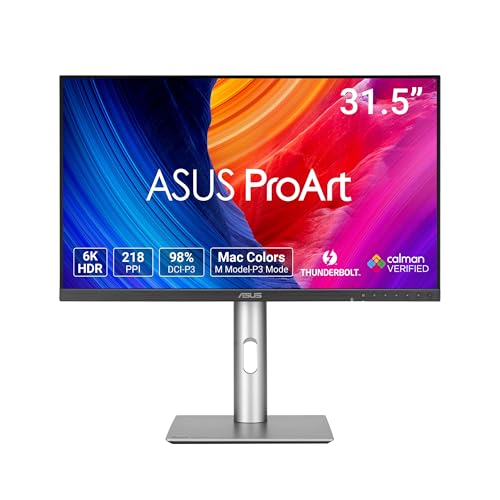
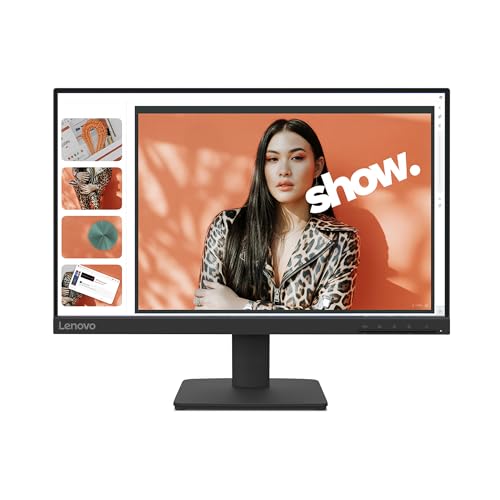
For example, a standard IPS panel for office work costs significantly less than a curved OLED panel designed for single-player gaming. By focusing on the specs that actually improve your specific use case, you can determine the right budget tier. The products listed below illustrate the variety of options available in the current market.




Understanding Monitor Pricing Factors
Monitor prices are not determined by screen size alone. While a larger display generally costs more, the technology inside the panel plays a massive role in the final retail price. A 27-inch basic display can be cheaper than a 24-inch high-refresh-rate gaming monitor because the latter requires faster electronics and a more responsive panel. Understanding these core components allows you to identify which features are essential for your needs and which are optional upgrades.
| Component | Impact on Price | Typical Range |
|---|---|---|
| Panel Type | High | TN is lowest, OLED is highest |
| Refresh Rate | Medium | 60Hz is standard, 144Hz+ adds cost |
| Resolution | Medium | 1080p is base, 4K adds premium |
| Screen Size | Medium | Larger sizes cost more per unit |
| HDR Support | Low to Medium | Basic HDR is cheap, True HDR is expensive |
The panel type is the single biggest factor in determining the base cost of a display. Each technology offers different trade-offs between color accuracy, contrast ratio, and response time. Buyers should match the panel type to their primary usage to ensure they are not paying for features they will never use. Here are the main panel technologies and their general price positioning:
- TN panels are the most affordable but offer the weakest viewing angles and color accuracy.
- IPS panels provide a good balance of color quality and speed at a mid-range price point.
- VA panels offer superior contrast ratios at a price similar to or slightly higher than IPS.
- OLED panels deliver the best image quality but command the highest premium in the market.
- QLED displays use quantum dots to enhance brightness and color at a premium price.
Refresh Rate and Resolution Costs
For gaming users, the refresh rate is often the primary driver of cost. A standard 60Hz display is the baseline, but competitive gamers often seek 144Hz or higher for smoother motion. Increasing the refresh rate requires faster electronics and a panel that can respond quickly, which increases the manufacturing cost. Resolution also plays a role, as 4K panels require more pixels and often come with higher brightness specs to maintain visibility.
Many buyers mistakenly assume that a higher resolution always means a better monitor for gaming. In reality, a high-resolution 60Hz monitor may be less useful for fast-paced games than a lower-resolution 144Hz model. The key is to balance the two based on your hardware capabilities and game preferences. If your graphics card cannot consistently push high frame rates, a high-refresh-rate monitor may not provide a noticeable benefit.
Panel Technology and Image Quality
Choosing the right panel type requires understanding what you value most in an image. IPS panels are the standard for most users because they offer good color accuracy and wide viewing angles. They are suitable for both office work and casual gaming. However, if you prioritize deep blacks and high contrast for dark scenes in games or movies, a VA panel might be a better choice despite potentially slower response times.
OLED technology represents the top tier of image quality. Each pixel emits its own light, resulting in perfect blacks and infinite contrast ratios. This makes OLED monitors ideal for single-player games and media consumption. However, they are significantly more expensive and may require specific precautions to prevent burn-in, which is a long-term durability consideration. For most users, an IPS or VA panel offers the best value for money.
Size, Ergonomics, and Connectivity
Screen size affects price, but it also impacts your desk space and viewing distance. A 24-inch monitor is the standard size for office work and fits comfortably on most desks. Larger 27-inch and 32-inch displays provide more screen real estate but may require a larger desk and a greater viewing distance to avoid eye strain. Ultrawide monitors offer an immersive experience but require specific software support to manage multiple windows effectively.
Connectivity options also influence the final price. Modern monitors typically include HDMI and DisplayPort inputs, which are standard. However, features like USB-C with power delivery, built-in speakers, and KVM switches add to the cost. If you need to connect a laptop directly to a monitor using a single cable, a USB-C port is a valuable feature that justifies a higher price point. Check the included cables and ports before purchasing to ensure compatibility with your devices.
Budget Tiers and Value Assessment
Monitors can be broadly categorized into three budget tiers: entry-level, mid-range, and high-end. Each tier serves a different type of user and offers a specific set of features. Understanding these tiers helps you set realistic expectations for the price you are paying. The entry-level tier is ideal for basic office tasks and light multimedia use.
The mid-range tier offers the best value for most users. It typically includes IPS panels, 1080p or 1440p resolutions, and 75Hz to 144Hz refresh rates. This range is suitable for general gaming, productivity, and creative work. The high-end tier includes 4K resolutions, OLED panels, and advanced HDR features. These monitors are designed for enthusiasts and professionals who demand the highest possible image quality and performance.
- Entry-level monitors are best for basic office work and budget-conscious buyers.
- Mid-range monitors offer the best balance of price and performance for most users.
- High-end monitors are for enthusiasts who need top-tier image quality and features.
- Specialized monitors, like ultrawides, command a premium for their unique form factor.
- Portable monitors are a niche category with specific pricing based on size and connectivity.
Common Misconceptions About Monitor Costs
Many buyers fall into the trap of thinking that the most expensive monitor is always the best choice. This is not true. A high-end monitor with features you do not use is a waste of money. For example, if you primarily use your computer for web browsing and document editing, a high-refresh-rate gaming monitor offers no tangible benefit. The best monitor is the one that meets your specific needs at the lowest possible price.
Another common misconception is that brand name always equals quality. While major brands often have better quality control and customer support, there are many lesser-known brands that offer excellent value. Always check the specifications and user reviews before making a purchase. The brand name should be one factor among many, not the sole determinant of your decision.
Ultimately, the average cost of a monitor is a moving target that depends on your specific requirements. By understanding the key factors that drive price, you can make an informed decision that fits your budget. Focus on the features that matter most to you and ignore the rest.
This approach ensures that you get the best value for your money and a monitor that you will be happy with for years to come. For more information on setting up your workspace, consider reading our guide on monitor selection for office work.
If you are considering a multi-display setup, the cost calculation changes significantly. Dual or triple monitor setups provide more screen real estate but require additional cables and potentially a more powerful graphics card. The total cost of a multi-monitor setup is the sum of the individual monitor prices plus the cost of any required adapters or hubs. Ensure that your graphics card has enough outputs to support the number of monitors you plan to use. This is a crucial compatibility check that should be done before purchasing any additional displays.
For gamers, the relationship between monitor cost and performance is complex. A more expensive monitor does not automatically make your games run faster. It only makes them look smoother and more detailed. The actual frame rate is determined by your graphics card and processor. If your hardware is limited, investing in a high-end monitor may not provide a noticeable improvement in gameplay. In this case, it might be better to save money on the monitor and invest in a graphics card upgrade instead.
Energy efficiency is another factor that can influence the long-term cost of a monitor. LED and OLED monitors are generally more energy-efficient than older CRT or CCFL displays. However, the difference in energy cost between a basic LED monitor and a high-end OLED monitor is usually negligible over the lifespan of the device.
The initial purchase price is a much larger factor in the total cost of ownership. Do not let energy efficiency be the primary driver of your decision unless you are using the monitor for many hours every day.
Warranty and customer support are also important considerations when evaluating the cost of a monitor. A slightly more expensive monitor with a better warranty and customer support service may be a better long-term investment than a cheaper model with limited support. Check the warranty terms carefully, including the duration of the warranty and what is covered. Some warranties cover dead pixels, while others do not. This can be a significant factor if you are using the monitor for professional work where image quality is critical.
Finally, consider the resale value of the monitor when you are ready to upgrade. High-end monitors from reputable brands tend to hold their value better than budget models. If you plan to upgrade your setup every few years, buying a higher-quality monitor may save you money in the long run when you sell it. However, this is a secondary consideration and should not be the primary reason for your purchase. The most important factor is still the value you get from the monitor during the time you own it.
In conclusion, the average cost of a monitor varies widely based on panel type, size, refresh rate, and other features. By understanding these factors, you can make an informed decision that fits your budget and needs. Focus on the features that matter most to you and avoid paying for unnecessary upgrades. This approach will help you find the best monitor for your specific use case at a price that you can afford. For more tips on optimizing your setup, check out our article on comparing large monitors to multiple displays.





Write Your Review
No reviews yet. Be the first to share your experience!