


Losing precious frames during intense teamfights hurts just as much as waiting through a sluggish build compile that stalls your developer workflow. Modern software stacks and AAA gaming engines demand relentless multithreaded processing, fast memory buses, and rapid disk throughput to prevent stuttering. Finding the Best Asus Laptop For Coding And Gaming means pairing high-clocked CPU cores with dedicated graphics silicon that will not throttle when the thermal load peaks. Enthusiasts moving past older budget gaming laptop options often struggle with cramped displays, noisy fans, and thermal bottlenecks that turn marathon sessions into pure frustration. High refresh rate screens with taller 16:10 aspect ratios deliver the vertical lines needed for debugging while keeping motion fluid in competitive shooters.
Careful analysis of chassis cooling, vapor chambers, and keyboard layouts reveals why specific portable rigs excel at both local development containers and high-FPS gaming. High-bandwidth DDR5 memory combined with PCIe Gen 4 storage speeds up container builds, IDE indexing, and game map loads without missing a beat. Planning for future workloads also mirrors smart desktop maintenance, where targeted key performance upgrades like expanding dual-channel RAM keep your machine snappy for years. Reliable liquid metal thermal compound and advanced fan profiles keep noise within tolerable levels during midnight coding sprints or ranked matches.

Pros
- Strong gaming performance for the price with Ryzen 7 and RTX 4050.
- Smooth 144Hz display enhances gameplay responsiveness.
- Durable build quality typical of TUF series.
- Good selection of ports including USB4 and HDMI 2.1.
- AI noise cancellation improves communication clarity.
Cons
- 512GB SSD may fill quickly for large game libraries; external storage recommended.
- Webcam quality is standard HD, not ideal for high-end streaming.
- Battery life may be modest under heavy gaming load (56Wh).
The ASUS TUF Gaming A16 is a budget-friendly gaming laptop designed for PC gamers, streamers, and students who want reliable performance without breaking the bank. It combines an AMD Ryzen 7 processor with an NVIDIA RTX 4050 graphics card, making it suitable for esports titles, AAA games at medium settings, and content creation tasks.
With the hexa-core Ryzen 7 7445HS and RTX 4050, this laptop handles games like Fortnite, Valorant, and Apex Legends well above 60 fps on high settings. The 144Hz WUXGA display ensures smooth motion and reduces screen tearing, which is a big plus for competitive gamers. The 16GB of DDR5 RAM keeps system responsiveness snappy, and the 512GB SSD provides fast boot and load times, though you may want to add external storage for larger libraries.
The laptop feels sturdy thanks to the TUF series' military-grade build certification, and the 1-zone RGB backlit keyboard adds a touch of gaming flair. Port selection is generous, including two USB-A, one USB-C with USB4, and HDMI 2.1 FRL, so connecting peripherals and external monitors is easy. The built-in AI noise cancellation works well for filtering background noise during Discord calls or streaming.
Setting up the laptop is straightforward: it comes with Windows 11 pre-installed, and all drivers are ready to go. The chassis has decent ventilation to keep thermals in check during long sessions, though you will likely want to use it on a hard surface for optimal airflow. Cleaning is simple, and the keyboard is spill-resistant for added peace of mind.
The main limitations are the storage capacity and webcam quality. 512GB fills up quickly with modern games, so plan to use an external SSD. The 720p webcam is adequate for casual video calls but not great for professional streaming. Battery life is average for a gaming laptop, around 5-6 hours of mixed use.
Overall, the ASUS TUF Gaming A16 offers excellent value for its price. It is a smart choice for college gamers, casual streamers, and anyone building a budget gaming setup. If you prioritize portability and performance without paying a premium, this laptop is worth considering.
The ASUS TUF Gaming A16 delivers a satisfying gaming experience for its class. The Ryzen 7 7445HS and RTX 4050 combo can run popular esports titles like CS2 and Valorant at over 120 fps on high settings. More demanding games like Cyberpunk 2077 or Starfield will need to dial settings to medium or use DLSS for playable frame rates.
The 144Hz display is a big advantage over standard 60Hz laptops, providing smoother gameplay and reduced eye strain. The RTX 4050 also supports NVIDIA Reflex for lower latency in competitive games. Thermal management is handled by dual fans and heat pipes; during extended sessions, the keyboard deck stays warm but not uncomfortable.
Overall, this laptop is capable of handling the vast majority of current games at 1080p with good settings. For those who want to stream or record, the dedicated GPU and CPU can handle encoding without sacrificing too much performance.
Pros
- Strong 1080p gaming performance with RTX 4050 and Ryzen 5 for the price.
- Military-grade build quality adds peace of mind for travel and daily use.
- 144Hz display with G-SYNC reduces screen tearing for competitive gaming.
- Effective cooling system keeps performance consistent during long sessions.
- 16GB DDR5 RAM and fast SSD provide snappy multitasking and quick game loads.
Cons
- 512GB SSD may fill up quickly with modern games; consider upgrading storage.
- HDMI port reliability has been questioned in some user reviews.
- At 8.58 pounds, it's heavier than some ultraportable gaming laptops.
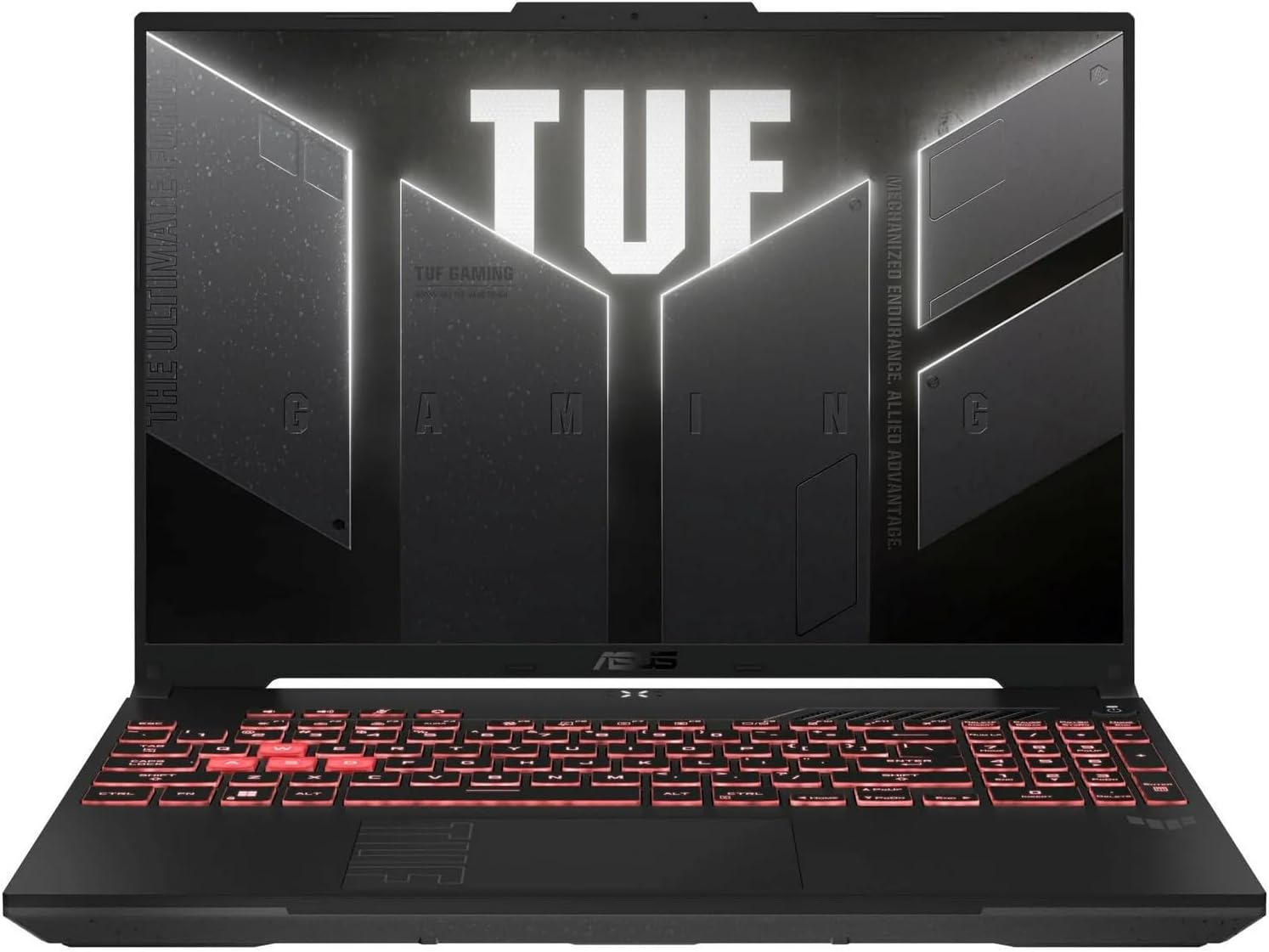
The ASUS TUF Gaming A16 is a 16-inch gaming laptop designed for PC gamers who need a durable machine that can handle both gaming and everyday tasks. It combines an AMD Ryzen 5 7535HS processor with an NVIDIA GeForce RTX 4050 GPU, 16GB of DDR5 RAM, and a 512GB PCIe SSD. This setup targets competitive gamers, casual players, esports enthusiasts, streamers, and college students who want a reliable laptop for gaming, content creation, and schoolwork without breaking the bank.
In terms of real-world gaming performance, the RTX 4050 and Ryzen 5 deliver smooth frame rates at 1080p in popular titles like Fortnite, Valorant, and Apex Legends. The 144Hz display with G-SYNC ensures fluid motion and minimal screen tearing, which is a big plus for competitive gaming. The 16:10 aspect ratio gives extra vertical space, making it easier to see more of the game world or productivity apps. User reviews highlight that the laptop runs games like a dream and offers great value for the price, with many praising the graphics quality during cut scenes and gameplay.
Build quality is a standout feature here. The TUF Gaming A16 meets MIL-STD-810H military-grade durability standards, meaning it can handle bumps, drops, and daily wear better than many other laptops in this price range. The chassis feels solid, and the backlit keyboard is comfortable for long typing sessions. The cooling system uses dual 84-blade Arc Flow Fans and heatpipes to keep temperatures under control, even during extended gaming marathons. This is important for gamers who play for hours without wanting thermal throttling to ruin the experience.
Setup and maintenance are straightforward. The laptop comes with Windows 11 Home pre-installed, so you can start gaming right out of the box. The 512GB SSD provides fast boot times, but if you install several modern AAA games, you may need to manage storage or upgrade later. The laptop includes three USB 3.0 ports, Wi-Fi 6 for low-latency online play, and NVIDIA Advanced Optimus for automatic graphics switching to save battery life. One realistic limitation noted in user feedback is a potential HDMI port issue, so it's wise to check that port early on. Also, at 8.58 pounds, it's not the lightest laptop for carrying around campus, but it's still portable enough for most users.
For streamers and content creators, the RTX 4050 supports NVIDIA Broadcast features for noise removal and background blur, which can improve stream quality. The 16GB of DDR5 RAM handles multitasking well, allowing you to run OBS, Discord, and a game simultaneously without major slowdowns. The display's 144Hz refresh rate also makes video editing feel smoother. However, the 512GB storage might be tight if you record lots of footage, so an external drive or cloud storage is recommended.
Overall, the ASUS TUF Gaming A16 is a practical choice for PC gamers who want a durable, performance-focused laptop for gaming, streaming, and everyday use. It's especially suited for competitive and casual gamers, college students, and anyone building a portable gaming setup. While it has minor drawbacks like storage capacity and weight, its strong gaming performance, military-grade build, and effective cooling make it a reliable investment for years of gaming enjoyment.

Pros
- Exceptional gaming performance from the Intel Core i7 and RTX 5060, handling modern titles at high settings.
- 165Hz display with fast response time provides buttery-smooth gameplay in fast-paced shooters.
- Robust cooling solution keeps temperatures manageable during long sessions or heavy workloads.
- Plenty of storage and memory for gaming and content creation, with easy upgrade options.
- Customizable RGB adds flair to any gaming setup, with a stealth mode for professional environments.
Cons
- Battery life is limited (around 2 hours) under heavy use, so you'll need to stay plugged in for gaming.
- At 5.83 pounds, it's heavier than some competitors, making it less portable for daily carry.
- FHD+ resolution may not satisfy users seeking higher pixel density for content creation or AAA titles.
The ASUS ROG Strix G16 (2025) is a new 16-inch gaming laptop that packs a serious punch for its size. Powered by an Intel Core i7-14650HX processor and an NVIDIA GeForce RTX 5060 laptop GPU (based on the Blackwell architecture with DLSS 4), this machine is built for gamers who want desktop-level performance in a more portable package. It also comes with 16GB of DDR5-5600MHz RAM and a 1TB PCIe Gen 4 SSD, ensuring fast load times and smooth multitasking for both gaming and productivity.
This laptop is best suited for competitive gamers, esports players, and streamers who need high frame rates and low latency. The 16-inch FHD+ display offers a 165Hz refresh rate with a 3ms response time, making it ideal for fast-paced games like Valorant, Overwatch 2, or Apex Legends. The ACR film helps reduce glare and enhances contrast, so you can see enemies clearly even in bright environments. For content creators, the 16:10 aspect ratio gives a bit more vertical space for editing timelines or browsing documents.
In terms of real-world performance, the RTX 5060 with DLSS 4 delivers noticeable improvements in visual clarity and frame rates without sacrificing responsiveness. The keyboard is esports-ready with good key travel and responsive actuation, making it comfortable for extended gaming sessions. The Dolby Atmos audio provides immersive sound, though the built-in speakers are decent for casual listening—you'll likely want a dedicated gaming headset for competitive play. The cooling system uses a vapor chamber, tri-fan technology, and liquid metal on the CPU, which keeps the laptop cool and quiet even under heavy load, reducing thermal throttling during long gaming marathons.
Build quality is solid, with a durable chassis in Eclipse Gray that feels premium. The full-surround RGB light bar and Aura Sync compatibility let you customize the lighting to match your gaming setup. Stealth Mode is a nice touch for when you need to work or study without distraction. The laptop also offers tool-free access to the RAM and SSD, making upgrades a breeze if you need more storage or memory down the line. Connectivity is great with Wi-Fi 7 for lag-free online gaming and three USB 3.0 ports for peripherals.
Setup is straightforward: it comes with Windows 11 Home pre-installed and a 3-month PC Game Pass, so you can dive right into your library. The software (Armoury Crate) gives you control over performance profiles, cooling, and RGB lighting, though it can feel a bit cluttered initially. One limitation is the battery life—under gaming use, you'll get only around 2 hours, so you'll need to stay plugged in for serious sessions. The laptop is also a bit heavy at 5.83 pounds, which might not be ideal if you frequently move between classes or co-working spaces.
Overall, the ASUS ROG Strix G16 (2025) is a compelling choice for U.S. PC gamers who want a balanced mix of raw performance, fast display, and customizable aesthetics. It works well for competitive gaming, streaming, and even light content creation, thanks to the RTX 5060's encoder. While it has some portability trade-offs, the performance and cooling make it a strong contender for your next gaming laptop. If you're a competitive gamer or streamer looking for a solid mid-range upgrade, this model is worth considering.
The ASUS ROG Strix G16 (2025) is built around the Intel Core i7-14650HX and NVIDIA RTX 5060, a combination that handles modern titles at high to ultra settings with ease. For competitive games like Fortnite and CS2, you can expect well over 100 FPS at the native FHD+ resolution, thanks to the 165Hz display's fast response. The DLSS 4 support further boosts frame rates and image quality in supported games, making it a strong choice for esports and AAA gaming alike.
The laptop's chassis is made from durable materials with a sleek Eclipse Gray finish that resists fingerprints. The hinge is sturdy, and the keyboard deck doesn't flex under pressure. The tool-free access for RAM and SSD is a welcome practical touch, allowing easy upgrades without voiding the warranty. Overall, the build feels premium and capable of surviving daily transport between home, work, or a LAN party.
ROG's Intelligent Cooling system features a vapor chamber covering the CPU and GPU, tri-fan technology, and liquid metal applied to the chipset. This setup keeps temperatures under control even during extended gaming sessions, with fans that are audible but not overly loud. The design pulls air from the bottom and vents out the rear and sides, so ensure you have a clean desk surface for optimal airflow.
The 16-inch FHD+ (1920x1200) IPS-level display offers a 165Hz refresh rate and a 3ms response time, providing smooth visuals with minimal blur. The ACR film improves contrast and reduces reflections, making it easier to see details in bright rooms. The 16:10 aspect ratio gives extra vertical space, which is nice for productivity tasks. However, the resolution is FHD, so if you need higher pixel density for photo editing or 4K content, this may not be the best fit.
The ROG Strix G16 comes with Wi-Fi 7 for fast, low-latency wireless connections, plus Bluetooth for peripherals. It has three USB 3.0 Type-A ports, one USB-C port (likely with DisplayPort support), an HDMI 2.1 output, a 3.5mm audio jack, and an Ethernet port. This should cover most gaming setups, though you may want a USB hub if you need more ports for streaming gear or external drives.

Pros
- Outstanding raw performance for AAA gaming, esports, and creative workloads.
- High-refresh-rate 2.5K display with excellent color and contrast for both gaming and content creation.
- Robust cooling system that keeps thermals in check during extended sessions.
- Plenty of RAM and fast SSD storage for seamless multitasking and quick load times.
- Immersive RGB lighting with useful Stealth Mode for professional environments.
Cons
- Premium price point may not suit budget-conscious gamers.
- At 6.02 pounds, it is heavier than some ultraportable gaming laptops.
- Battery life may be limited under heavy gaming loads, typical for high-performance gaming laptops.
The ASUS ROG Strix G16 (2025) is a high-performance gaming laptop designed for PC gamers who demand top-tier speed and visuals. It is powered by an Intel Core Ultra 9 275HX processor and an NVIDIA GeForce RTX 5070 Ti laptop GPU, built on the Blackwell architecture with DLSS 4 and Max-Q technologies. This combination makes it a strong choice for competitive esports players, streamers, and content creators who need reliable power for gaming, editing, and multitasking.
In real-world gaming, the ROG Strix G16 excels with its 16-inch ROG Nebula display, which offers a 2560x1600 resolution and a blazing 240Hz refresh rate with a 3ms response time. The screen uses an ACR film to enhance contrast and reduce glare, providing clear visuals even in bright rooms. Whether you are playing fast-paced FPS games, exploring open-world titles, or editing video, the display delivers smooth motion and vibrant colors. The 32GB of DDR5-5600MHz RAM and 1TB PCIe 4.0 SSD ensure quick load times and seamless multitasking, so you can switch between games, streaming software, and productivity apps without lag.
Build quality is solid, with a sleek black chassis that feels durable and premium. The keyboard is designed for esports, with responsive keys and per-key RGB lighting that syncs with the full-surround light bar. You can customize the lighting through ASUS software, and the Stealth Mode turns off all lights for a more professional look in meetings or classes. The laptop measures 13.94 x 10.55 x 0.9 inches and weighs 6.02 pounds, which is typical for a gaming laptop of this power. It may not be the most portable option, but it fits well on a desk or in a backpack for occasional travel.
Cooling is handled by ROG Intelligent Cooling, which includes an end-to-end vapor chamber, tri-fan technology, and Conductonaut extreme liquid metal on the CPU. This system keeps temperatures under control during long gaming sessions, maintaining performance without excessive fan noise. The laptop also features Wi-Fi 7 for fast, low-latency online gaming and streaming, along with three USB 3.0 ports and other connectivity options for peripherals and external monitors.
Setting up the ROG Strix G16 is straightforward: it runs Windows 11 Home out of the box, and you can easily upgrade the RAM and SSD if needed. The included 3-month PC Game Pass gives you access to a library of games to test its capabilities. One limitation to consider is the premium price, which reflects the high-end components. Additionally, battery life will be shorter during heavy gaming, so you will likely want to keep it plugged in for extended sessions. Overall, this laptop is an excellent investment for gamers and creators who want a powerful, well-built machine that can handle demanding tasks and deliver an immersive gaming experience.
The ASUS ROG Strix G16 (2025) is built for serious gaming performance. The Intel Core Ultra 9 275HX processor and NVIDIA RTX 5070 Ti GPU provide ample power for modern AAA titles at high settings, as well as competitive esports games at maximum frame rates. The 240Hz display ensures smooth, tear-free visuals, while DLSS 4 and Max-Q technologies optimize performance and efficiency. Whether you are playing demanding open-world games or fast-paced shooters, this laptop delivers responsive, immersive gameplay.
The ROG Strix G16 features a robust black chassis that feels sturdy and well-constructed. The keyboard is designed for esports, with responsive keys and per-key RGB lighting. The full-surround RGB light bar adds a customizable aesthetic, and the Stealth Mode allows you to disable lighting for a more professional appearance. The laptop weighs 6.02 pounds and measures 0.9 inches thin, making it a solid but portable desktop replacement.
ROG Intelligent Cooling keeps the Strix G16 running cool under pressure. The system uses a vapor chamber, tri-fan technology, and liquid metal on the CPU to efficiently dissipate heat. This allows the laptop to maintain high performance during long gaming sessions without excessive fan noise or thermal throttling. The cooling design is a key advantage for users who push their hardware to the limit.
The 16-inch ROG Nebula display is a standout feature, offering a 2560x1600 resolution, 240Hz refresh rate, and 3ms response time. The ACR film enhances contrast and reduces glare, making it suitable for brightly lit rooms. Colors are vibrant, and motion handling is excellent for gaming and content creation. This screen is ideal for both competitive play and creative work.
The ROG Strix G16 includes Wi-Fi 7 for ultra-fast wireless connectivity, along with three USB 3.0 ports and other standard connections. This allows you to easily connect gaming mice, keyboards, headsets, and external monitors. The laptop also supports Bluetooth for wireless peripherals. Overall, connectivity is robust and future-proof for online gaming and streaming.

Pros
- Excellent value with massive storage and memory at this price point.
- Pre-installed Lifetime Office 2024 saves money for students and professionals.
- Lightweight and portable with a thoughtful design like the lay-flat hinge.
- Bundled accessories add convenience right out of the box.
- Quiet and cool operation for light gaming and everyday tasks.
Cons
- Integrated Intel UHD Graphics limits modern gaming to low settings.
- 60Hz display and 250 nits brightness may not satisfy competitive gamers.
- External SSD performance is noticeably slower than the internal drive.
The ASUS Vivobook 14 (2025) is a versatile ultraportable laptop that blurs the line between work and play. Designed for students, professionals, and casual gamers, this machine packs a solid 13th Gen Intel i3 processor, 16GB of RAM, and a fast 512GB NVMe SSD into a lightweight 3.09-pound frame. While it is not a dedicated gaming laptop, its specs can handle light gaming sessions, streaming video content, and everyday productivity without breaking a sweat.
For gaming, the integrated Intel UHD Graphics is best suited for less demanding titles like Roblox, indie games, or older AAA games at low settings. User feedback suggests that games like Roblox run smoothly, but more demanding titles like Cyberpunk 2077 will struggle even at low settings. The external 500GB drive included in the bundle is convenient for extra storage, but some users reported slower transfer speeds compared to the internal SSD, so it is best used for files rather than game installations.
The 14-inch FHD display delivers clear visuals with an anti-glare coating, making it comfortable for long study or work sessions. The 60Hz refresh rate and 250 nits brightness are sufficient for indoor use but may appear dim in bright environments. Audio quality is adequate for video calls and casual media consumption, but external speakers or a headset are recommended for an immersive gaming or streaming experience.
Build quality is solid for its price range. The 180-degree lay-flat hinge allows easy sharing of the screen, and the physical webcam shield adds a layer of privacy. The keyboard offers 1.4mm key travel with a responsive feel, though it lacks backlighting. The included accessories - a wireless mouse, USB-C hub, HDMI cable, and mouse pad - add significant value, making this a true plug-and-play package for a home office or dorm room setup.
Realistically, this laptop is not meant for competitive esports or heavy content creation. Battery life is moderate, with around 4-5 hours under high performance and up to 9-10 hours with battery saver, which works well for classes or coffee shop work. The lack of a dedicated GPU and a 60Hz display are the biggest trade-offs for gamers. However, for college gamers who need a portable study machine that can also run casual games, or for work-from-home professionals who want a secondary device for light productivity and streaming, this is a compelling budget option.
Overall, the ASUS Vivobook 14 offers excellent value with its memory, storage, and software bundle. It is a practical choice for anyone seeking a reliable, lightweight laptop for everyday use with the bonus of light gaming capabilities. If you can live with the integrated graphics and external drive limitations, this setup may work well for your gaming and productivity needs.
Pros
- Large 18-inch display with smooth 144Hz refresh rate ideal for competitive gaming.
- Strong CPU and GPU combo delivers reliable performance for gaming and multitasking.
- Effective cooling system keeps the laptop stable and quiet under load.
- Customizable RGB lighting adds style without being distracting in professional settings.
- Plenty of storage and memory for modern game libraries and creative projects.
Cons
- At 6.61 pounds, it's heavier than some 16-inch alternatives, making it less portable.
- The FHD+ resolution may not satisfy users who prefer higher pixel density for productivity.
- Some users may find the fan noise audible during intense gaming sessions.
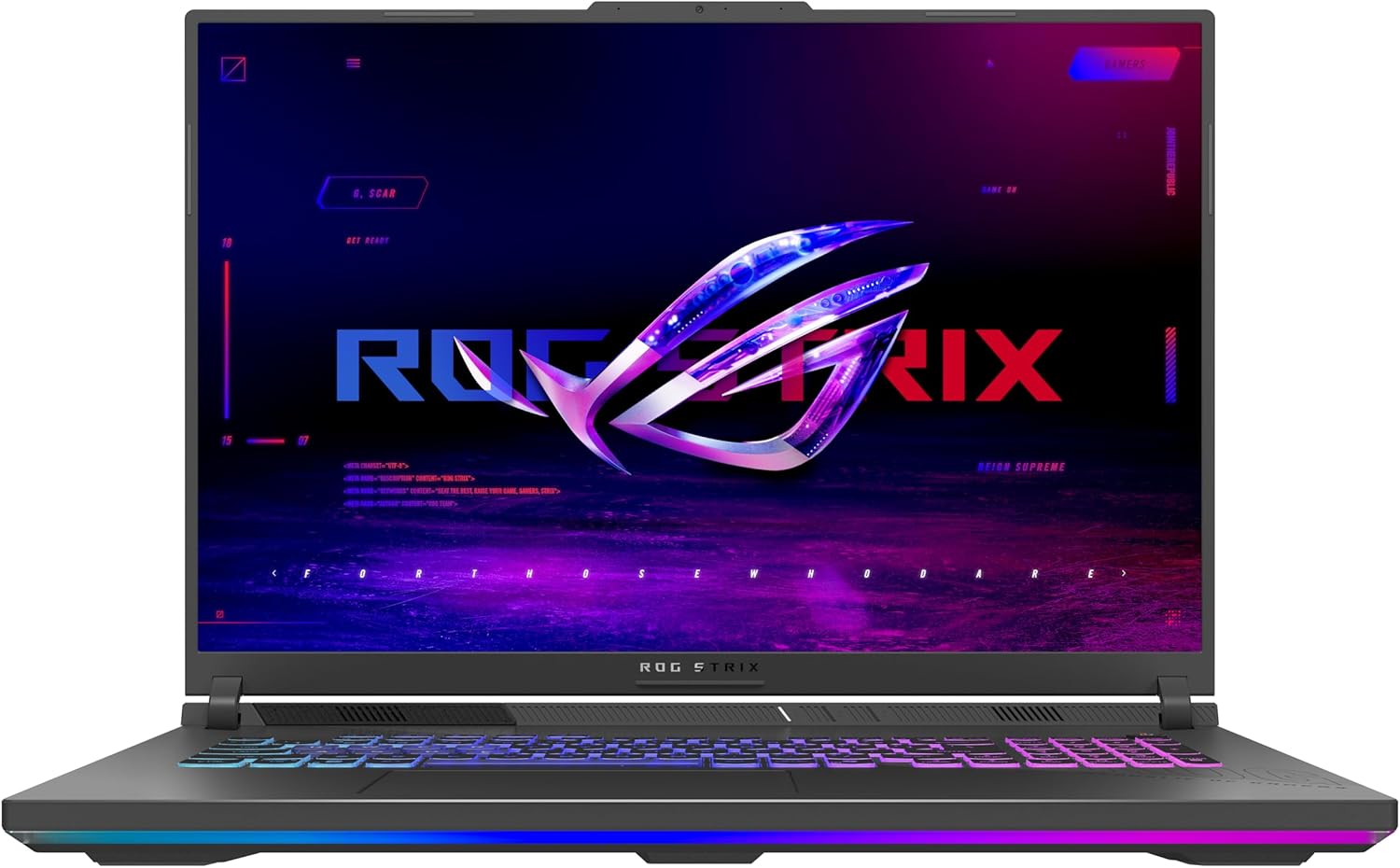
The ASUS ROG Strix G18 (2025) is a large-screen gaming laptop that aims to deliver a desktop-like experience for PC gamers, streamers, and content creators. It combines an 18-inch FHD+ 144Hz display with the latest AMD Ryzen 9 processor and NVIDIA RTX 5050 GPU, making it a strong contender for anyone who needs high performance in a portable form factor. Whether you are into competitive esports, casual open-world games, or creative work like video editing, this laptop is designed to handle it all.
Performance is the standout feature here. The Ryzen 9 8940HX mobile processor and RTX 5050 with Blackwell architecture and DLSS 4 work together to deliver smooth frame rates in most modern titles at high settings. The 144Hz display with a 3ms response time ensures that fast-paced action stays sharp and responsive, which is critical for FPS and MOBA players. The 16GB of DDR5-5200MHz RAM and 1TB PCIe Gen 4 SSD mean you can keep multiple applications open and load games quickly without hiccups.
Build quality is solid, with a black chassis that feels sturdy and premium. The keyboard is esports-ready with good key travel and responsive feedback, and the RGB light bar adds a customizable aesthetic that syncs with other ROG peripherals. For users who need a more professional look, the stealth mode turns off all lighting. The laptop also offers easy upgrade options for RAM and storage, which is a nice touch for those who want to future-proof their setup.
The ROG Intelligent Cooling system with tri-fan technology and a full-width heatsink does an excellent job of keeping temperatures in check during long gaming sessions. While the fans can get audible under heavy load, they keep the system from throttling, which is more important for sustained performance. The display also features an ACR film that improves contrast and reduces glare, making it easier to play in bright rooms.
Connectivity is well-covered with Wi-Fi 6E for low-latency online gaming and a good selection of ports, including two USB 3.0 ports. The Dolby Atmos audio provides immersive sound, though external speakers or a gaming headset will still enhance the experience. The laptop weighs 6.61 pounds, so it is not the most portable option, but it is manageable for moving between rooms or taking to a LAN party.
Overall, the ASUS ROG Strix G18 (2025) is a strong choice for PC gamers who prioritize a large, smooth display and reliable performance. It is particularly well-suited for competitive gamers who need high refresh rates, streamers who multitask between games and broadcasting, and content creators who work with demanding applications. While it is heavier than some competitors and the display resolution is not 4K, the combination of power, cooling, and build quality makes it a practical investment for a serious gaming setup.
The ASUS ROG Strix G18 (2025) is built for gaming, with an AMD Ryzen 9 8940HX processor and NVIDIA GeForce RTX 5050 GPU that handle modern titles at high settings. The 144Hz FHD+ display ensures smooth motion, and the 3ms response time reduces ghosting. DLSS 4 support boosts frame rates in supported games, making it a solid choice for competitive and casual gaming alike.
ROG Intelligent Cooling uses a tri-fan system, full-width heatsink, and full-surround vents to keep the laptop cool during intense sessions. The design prioritizes quiet operation while maintaining performance, though fans can become audible under heavy load. This setup helps prevent thermal throttling, ensuring consistent frame rates over time.
The 18-inch FHD+ display offers a 144Hz refresh rate and 3ms response time, ideal for fast-paced gaming. The ACR film enhances contrast and reduces glare, making it easier to see details in bright environments. While not 4K, the resolution balances performance and clarity well for gaming and everyday use.

Pros
- Large 18-inch 2.5K 240Hz display offers excellent visual clarity and smoothness for gaming and creative work
- Powerful Intel Core Ultra 9 and RTX 5070 handle modern games and multitasking with ease
- Generous 32GB DDR5 memory and 2TB SSD provide fast load times and plenty of storage
- Effective cooling system helps maintain performance during long gaming sessions
- Customizable RGB lighting adds personalization to any gaming setup
Cons
- At 12.57 pounds, this laptop is heavier than many 15- and 16-inch models, which may affect portability for college students or frequent travelers
- Premium price point may not fit all budgets, especially for casual gamers
- Some users might prefer a higher refresh rate for competitive esports titles
The ASUS ROG Strix G18 (2025) is a powerful gaming laptop designed for PC gamers, esports players, streamers, and content creators who need top-tier performance in a large-screen form factor. With its 18-inch ROG Nebula display featuring a 2.5K resolution and 240Hz refresh rate, this laptop delivers smooth visuals and vibrant colors that make fast-paced games like FPS and racing titles look stunning. The Intel Core Ultra 9 275HX processor and NVIDIA GeForce RTX 5070 GPU provide the horsepower needed for modern gaming, streaming, and creative tasks without lag or stutter.
Real-world performance is where the ROG Strix G18 shines. The high refresh rate and low response time (3ms) ensure that competitive gamers can track enemies accurately and react quickly. The 32GB of DDR5-5600MHz memory allows for seamless multitasking, whether you have multiple browser tabs open while streaming or you are editing videos for your channel. The 2TB PCIe Gen 4 SSD provides fast load times, so you can jump into your favorite games without waiting. For streamers, the RTX 5070 supports encoding and AI features that can enhance broadcast quality without sacrificing framerate.
Build quality is solid, with a durable chassis that feels premium. The keyboard is designed for esports, offering responsive keys with good travel for long gaming sessions. The full-surround RGB light bar and keyboard lighting can be customized to match your setup, or you can switch to Stealth Mode for a professional appearance in office or school environments. Dolby Atmos audio provides immersive sound for games and movies, though external speakers or a good gaming headset can further enhance the experience.
Cooling is a strong point thanks to ROG Intelligent Cooling, which includes a vapor chamber, sandwiched heatsink, and Tri-Fan technology. This system keeps temperatures in check even during extended gaming sessions, reducing throttling and maintaining performance. The laptop stays relatively quiet under load, which is a plus for streamers who need to keep background noise low.
Setup is straightforward: the laptop comes with Windows 11 Pro pre-installed, and you can easily update drivers through the ASUS software. The included 3-month PC Game Pass gives you access to a library of games to test the system right away. One limitation to consider is the weight: at 12.57 pounds, this 18-inch laptop is less portable than smaller models, so it may be better suited for a dedicated desk setup rather than daily commuting. The price is also high, reflecting the premium components and large display.
For PC gamers, streamers, and content creators who prioritize performance and a large screen, the ASUS ROG Strix G18 (2025) offers a compelling package. It works well for competitive gaming, creative projects, and streaming, though casual gamers or those on a tighter budget might find more value in smaller or more affordable options. Overall, this laptop is a solid choice for anyone building a high-end gaming setup or needing desktop-level power in a mobile form.
Frequently Asked Questions
How much RAM is ideal for running programming tools alongside modern PC games?
At least 16GB of high-speed DDR5 RAM is recommended, though 32GB provides the smoothest headroom for heavy multitasking. Running local Docker containers, virtual machines, and IDEs like Android Studio consumes substantial memory before you even launch an intensive game. Moving to 32GB prevents Windows from writing memory pages to the SSD swap file, ensuring low frame drops and immediate app switching.
Do 16:10 aspect ratio displays provide an advantage for programming and gaming?
Yes, a 16:10 display provides extra vertical screen real estate that significantly improves productivity without sacrificing gaming field of view. Programmers can view several extra lines of code without constant scrolling in their editor. In games, modern titles natively support 16:10 resolutions, offering expansive visuals and sharp motion clarity when paired with high refresh rates.
Can thin laptops maintain sustained CPU clocks during long compiling or gaming sessions?
Yes, models equipped with vapor chambers and liquid metal thermal compounds sustain stable clock speeds without aggressive thermal throttling. Asus ROG and TUF laptops utilize multi-fan cooling layouts with dedicated exhaust vents to expel heat quickly during high-wattage workloads. Setting aggressive fan curves in the management software also keeps surface temperatures comfortable for your palms during marathon coding sprints.
How do mobile RTX GPUs compare when handling machine learning tasks and gaming?
Dedicated mobile NVIDIA RTX GPUs excel at both CUDA-accelerated tasks and ray-traced gaming workloads thanks to dedicated Tensor and RT cores. Evaluating different mobile graphics card architectures shows that 6GB or 8GB of VRAM provides adequate room for local model testing and ultra-setting gameplay. Hardware-accelerated DLSS also boosts frame rates in demanding titles without overworking the GPU die.
Will single-zone RGB keyboards cause distractions in professional office environments?
No, because Asus laptops feature dedicated stealth lighting profiles and physical hotkeys to turn off all RGB illumination instantly. Disabling illumination transforms the machine into a sleek, understated laptop suitable for team meetings, client presentations, or university lectures. When evening gaming sessions start, you can re-enable backlighting for clear key visibility in dim lighting.
Is an integrated MUX switch necessary for competitive frame rates on a gaming laptop?
Yes, an integrated MUX switch or Advanced Optimus helps eliminate the latency penalty of routing discrete GPU frames through integrated processor graphics. Bypassing the integrated GPU delivers direct display output, maximizing frame rates in fast-paced esports titles. This hardware routing also frees up CPU resources, keeping system responsiveness crisp when compiling background processes.


Write Your Review
No reviews yet. Be the first to share your experience!