


Selecting a Reclining Setup for Daily Desk Play
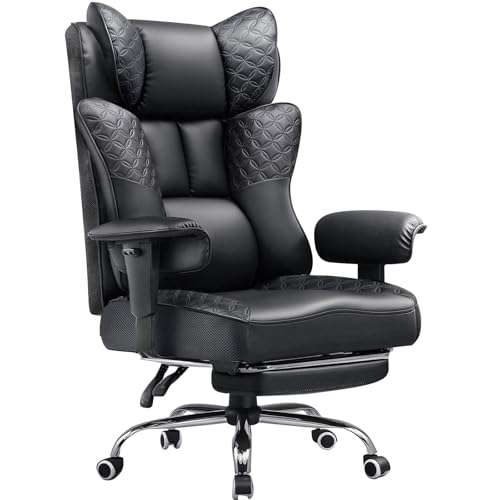
Desk clearance and usable seat depth often determine whether a reclining seat actually fits your workstation. Many computer setups feel cramped once an extended kickout pad unfolds, which makes measuring your available floor clearance essential before buying. Selecting the best ergonomic gaming chair with footrest comes down to balancing proper seat dimensions, stable backrest recline, and smooth mechanical hardware. If you already browse options for a gaming chair with recliner, matching your leg length to the seat pan prevents awkward knee pressure. Checking listed adjustments ensures the frame supports your posture during routine PC gaming or remote office shifts.
Stated weight capacities and frame materials also vary widely across standard and big-and-tall configurations. Models like the Respawn 110 Pro feature a 275-pound limit with dual-density foam, while heavy-duty alternatives from GTPLAYER and LEMBERI list 400-pound limits alongside steel reinforcement. Shoppers comparing budget-friendly gaming chairs under 200 often weigh linked armrests against multidirectional 3D pads for better desk clearance. Examining lumbar support pillows and retractable footrest brackets helps you secure a setup that matches your daily routine without unwanted wobbles.





Frequently Asked Questions
How does a retractable footrest impact desk clearance?
A built-in footrest requires extra clearance in front of your desk when fully extended. Most pull-out rails slide neatly beneath the seat pan during upright working hours so they stay out of the way. When kicked out for relaxing, you need roughly two feet of open floor space forward. Measuring your desk opening ensures the chair rolls in and out without catching.
What weight capacities are standard on these reclining chairs?
Standard models generally support between 275 and 300 pounds, whereas heavy-duty designs accommodate up to 400 pounds. For instance, the Respawn 110 Pro lists a 275-pound limit, while models from LEMBERI and GTPLAYER list 400-pound thresholds using reinforced bases. Always verify the manufacturer specifications for gas lift classes to match your build.
What is the difference between linked armrests and 3D armrests?
Linked armrests pivot back automatically as the backrest reclines to keep your forearms supported at resting angles. In contrast, 3D armrests adjust in height, angle, and depth independently of the chair tilt, making them more adaptable for precise keyboard positioning. If your setup needs targeted padding, pairing an adjustable model with supportive gaming chair cushions can customize your arm or seat alignment.
How do lumbar cushions and headrests attach?
Most models include external cushions secured with elastic straps that slide up or down along the backrest. Certain versions, such as the segedom chair, incorporate vibrating massage modules inside the lower pillow powered by USB. Other chairs feature fixed internal padding or pocket springs integrated directly into the backrest frame.
How do you care for PU and PVC leather upholstery?
Wiping the surface regularly with a damp microfiber cloth removes surface dust and body oils. Faux leather resists minor spills easily, but avoiding direct sunlight helps prevent premature cracking or peeling. If warmth is a concern during long sessions, reviewing a gaming chair for sweat management can help identify materials that balance durability and airflow.






Write Your Review
No reviews yet. Be the first to share your experience!