


Sudden frame drops during a clutch match can quickly sour an evening of competitive gaming. Nobody enjoys a sluggish system that stutters when Discord, web browsers, and game clients run at the same time. Looking for the best gaming laptop for teenager means balancing dedicated graphics performance with efficient thermals and solid durability. Modern gaming demands capable RTX graphics processing and fast memory to keep frame rates steady during chaotic firefights. Unlike older, underpowered machines or sluggish entry-level gaming laptops, today’s versatile systems deliver high refresh rates without breaking down during heavy multitasking.
Detailed evaluation of component specifications shows that modern dual-fan cooling systems and high-speed PCIe Gen 4 storage make a significant difference. Fast solid-state drives cut down loading screens drastically, getting players into matches in seconds. Durable chassis designs and responsive keyboards also withstand daily backpack travel between study sessions and home setups. Efficient thermal management keeps temperatures controlled, ensuring that processing power remains consistent during marathon sessions.

Pros
- Strong gaming performance for its price with i7 and RTX 4050
- 165Hz display with thin bezels provides immersive, fluid visuals
- Fast 1TB Gen 4 SSD and 16GB DDR5 RAM for quick boot and game loads
- Good connectivity including Thunderbolt 4, HDMI 2.1, and Wi-Fi 6
- Effective cooling system with customizable fan curves
Cons
- Battery life around 5 hours may require frequent charging during extended use
- Weighs 4.66 lbs, making it less portable than some ultrabooks
- Only 6GB VRAM on RTX 4050 may limit future AAA titles at high settings
The Acer Nitro V 15 (ANV15-52-76NK) is a dedicated gaming laptop that hits a sweet spot for PC gamers, competitive esports players, streamers, and content creators who need reliable performance without breaking the bank. Powered by an Intel Core i7-13620H processor and an NVIDIA GeForce RTX 4050 GPU, this machine is built to handle modern games, multitasking, and creative workloads like video editing or live streaming.
For gamers, the real highlight is the 15.6-inch Full HD IPS display with a 165Hz refresh rate. This means you get buttery-smooth motion in fast-paced shooters like Valorant or Call of Duty, with minimal ghosting and precise tracking. The 1920x1080 resolution keeps frame rates high, and the thin bezels offer an immersive 82.64% screen-to-body ratio. The RTX 4050 supports DLSS 3.5 and ray tracing, so even demanding titles like Cyberpunk 2077 can look stunning with AI-enhanced visuals.
Performance is backed by 16GB of DDR5 RAM (upgradeable to 32GB) and a 1TB PCIe Gen 4 SSD. Load times are snappy, and you can keep multiple apps open without lag. The laptop also includes Wi-Fi 6 and Killer Ethernet E2600 for low-latency online play, plus a Thunderbolt 4 port that supports fast charging, data transfer, and video output. The dual-fan cooling system with adjustable fan speeds helps keep the CPU and GPU cool during extended sessions, though the laptop does get warm under heavy load.
Build quality is solid with a black plastic chassis that feels durable, though it's not ultra-premium. The backlit keyboard includes a numeric keypad, making it practical for both gaming and productivity tasks. The 4.66-pound weight is manageable for moving between rooms but not ideal for daily commuting. The 5-hour battery life is typical for a gaming laptop, so expect to stay plugged in for gaming sessions.
Setting up the software is straightforward with Windows 11 pre-installed and Acer's NitroSense utility for monitoring performance and customizing fan curves. The AI-powered PurifiedView and PurifiedVoice features improve webcam and microphone quality for Discord calls or streaming, though the built-in webcam is only 720p. One limitation is the RTX 4050's 6GB VRAM, which may struggle with ultra textures in future AAA titles, but for 1080p gaming and most current releases, it's plenty capable.
Overall, the Acer Nitro V 15 is a practical recommendation for college gamers, work-from-home gamers, and anyone building a versatile setup that can handle both gaming and daily tasks. It offers strong value at its price point, and the 165Hz display combined with RTX 4050 makes it a reliable choice for competitive and casual gamers alike.
The combination of the Intel Core i7-13620H (10 cores, up to 4.9 GHz) and NVIDIA GeForce RTX 4050 (6GB GDDR6, 194 AI TOPS) delivers excellent 1080p gaming performance. In competitive titles like Fortnite and Apex Legends, you can expect well over 100 FPS at high settings, while more demanding games like Elden Ring or Assassin's Creed Mirage run smoothly with DLSS enabled. The 165Hz display ensures every frame looks fluid, giving you a clear edge in fast-paced shooters.
The 15.6-inch Full HD IPS panel offers vibrant colors and decent contrast with a 165Hz refresh rate. The 16:9 aspect ratio and thin bezels create an immersive gaming experience. Response times are good enough to minimize ghosting, and the 300-nit brightness works well indoors. For a gaming laptop at this price, the display is a strong selling point.
Port selection is generous: one Thunderbolt 4 (USB-C with 65W charging, DisplayPort), one USB 3.2 Gen 2 Type-C, two USB 3.2 Gen 1 Type-A, HDMI 2.1, Gigabit Ethernet, and a headphone jack. This setup supports dual external monitors, fast peripherals, and reliable wired networking. Wi-Fi 6 and Bluetooth 5.2 round out wireless connectivity.

Pros
- Strong price-to-performance ratio with RTX 4050 and 165Hz display
- AI-powered graphics and DLSS 3.5 support for modern games
- Easy RAM upgrade path to overcome the 8GB bottleneck
- Solid connectivity including Thunderbolt 4 and Wi-Fi 6
- Effective cooling system with customizable fan profiles
Cons
- 8GB RAM is insufficient for many modern AAA titles out of the box
- Some user reports of screen ghosting at high refresh rates
- Fan noise can be noticeable under heavy load in performance mode
The Acer Nitro V 15 (model ANV15-52-586Z) is a budget-friendly gaming laptop that aims to deliver solid performance without breaking the bank. It's powered by an Intel Core i5-13420H processor and an NVIDIA GeForce RTX 4050 laptop GPU, which together provide enough muscle for esports titles, popular battle royale games, and even some AAA experiences at medium settings. The 15.6-inch Full HD IPS display with a 165Hz refresh rate is a standout feature at this price point, offering smooth motion and decent color reproduction for both gaming and content consumption.
This laptop is best suited for PC gamers on a tight budget, college gamers looking for a portable rig, and casual gamers who want to play modern titles without spending a fortune. It also works well for light content creation or streaming, thanks to the RTX 4050's AI capabilities and DLSS 3.5 support. However, it's not a turn-key solution for demanding users right out of the box, as the 8GB of DDR5 RAM is a clear bottleneck. Many user reviews highlight that upgrading to 16GB or 32GB significantly improves performance and eliminates stuttering in games like Hogwarts Legacy.
In terms of real-world gaming performance, the RTX 4050 handles most games at 1080p with high settings, and the 165Hz screen makes fast-paced shooters feel responsive. The dual-fan cooling system does a good job keeping temperatures in check, though the fans get loud in performance mode. The keyboard is comfortable for gaming with a backlit layout and numeric keypad, but the spacebar lacks backlighting, which some users may find odd. Build quality is typical for this price range: mostly plastic with a sturdy feel, and the laptop weighs 4.66 pounds, making it portable enough for a backpack.
Connectivity is a strong point, with Thunderbolt 4, HDMI 2.1, three USB 3.2 Gen 1 ports, and Wi-Fi 6. This makes it easy to connect to external monitors, high-speed storage, or a gaming dock. The Acer PurifiedVoice noise reduction technology helps with in-game chat and Discord calls, though the built-in microphone is average. Setting up the laptop is straightforward, but you'll want to update drivers and consider a fresh Windows install if you encounter any pre-installed software issues, as some users reported.
The biggest limitation is the 8GB RAM, which causes stuttering and high memory usage even on the desktop. Upgrading the RAM is simple (two DDR5 slots), and many users recommend doing it right away. Another potential issue is screen ghosting at 165Hz, which may be noticeable in fast-paced games. Fan noise under load is also worth noting if you play in a quiet room. Despite these drawbacks, the Acer Nitro V 15 offers excellent value for its price, especially after a RAM upgrade.
If you're a budget-conscious gamer, a college student, or someone building their first gaming setup, this laptop is a practical choice. It's not perfect out of the box, but with a small investment in more RAM, it becomes a very capable machine for gaming, streaming, and everyday use. For esports players or those who prioritize competitive performance, the 165Hz display and RTX 4050 provide a smooth experience in games like Valorant, Fortnite, and Overwatch 2. Just be prepared to spend a little extra time and money to unlock its full potential.
The Acer Nitro V 15's RTX 4050 GPU and Intel i5 processor deliver solid 1080p gaming performance. In esports titles like CS:GO and Valorant, you can expect well over 100 FPS on high settings, taking full advantage of the 165Hz display. For more demanding games like Cyberpunk 2077, DLSS 3.5 and frame generation help maintain playable frame rates at medium settings. The 8GB RAM is a bottleneck here, causing occasional stutters in open-world games; upgrading to 16GB resolves this. The dual-fan cooling system keeps the CPU and GPU from throttling during long sessions, though the fans become audible in performance mode. Overall, this laptop offers great gaming value once you address the memory limitation.
The Acer Nitro V 15 features a dark, understated design with a glossy Acer logo on the lid and subtle gradient accents. The chassis is primarily plastic but feels sturdy enough for daily use. At 4.66 pounds and 0.93 inches thick, it's reasonably portable for a 15.6-inch gaming laptop. The keyboard includes a backlit layout with a numeric keypad, though the spacebar lacks illumination. The touchpad is responsive, but most gamers will use an external mouse. The display has thin bezels on the sides, giving an 82.64% screen-to-body ratio, and the hinge feels solid. Port placement is practical, with USB ports on both sides and the HDMI and Thunderbolt 4 on the rear. Overall, the build quality meets expectations for the price range, with no major creaking or flex during normal use.

Pros
- Exceptional gaming performance from the Intel Core i7 and RTX 5060, handling modern titles at high settings.
- 165Hz display with fast response time provides buttery-smooth gameplay in fast-paced shooters.
- Robust cooling solution keeps temperatures manageable during long sessions or heavy workloads.
- Plenty of storage and memory for gaming and content creation, with easy upgrade options.
- Customizable RGB adds flair to any gaming setup, with a stealth mode for professional environments.
Cons
- Battery life is limited (around 2 hours) under heavy use, so you'll need to stay plugged in for gaming.
- At 5.83 pounds, it's heavier than some competitors, making it less portable for daily carry.
- FHD+ resolution may not satisfy users seeking higher pixel density for content creation or AAA titles.
The ASUS ROG Strix G16 (2025) is a new 16-inch gaming laptop that packs a serious punch for its size. Powered by an Intel Core i7-14650HX processor and an NVIDIA GeForce RTX 5060 laptop GPU (based on the Blackwell architecture with DLSS 4), this machine is built for gamers who want desktop-level performance in a more portable package. It also comes with 16GB of DDR5-5600MHz RAM and a 1TB PCIe Gen 4 SSD, ensuring fast load times and smooth multitasking for both gaming and productivity.
This laptop is best suited for competitive gamers, esports players, and streamers who need high frame rates and low latency. The 16-inch FHD+ display offers a 165Hz refresh rate with a 3ms response time, making it ideal for fast-paced games like Valorant, Overwatch 2, or Apex Legends. The ACR film helps reduce glare and enhances contrast, so you can see enemies clearly even in bright environments. For content creators, the 16:10 aspect ratio gives a bit more vertical space for editing timelines or browsing documents.
In terms of real-world performance, the RTX 5060 with DLSS 4 delivers noticeable improvements in visual clarity and frame rates without sacrificing responsiveness. The keyboard is esports-ready with good key travel and responsive actuation, making it comfortable for extended gaming sessions. The Dolby Atmos audio provides immersive sound, though the built-in speakers are decent for casual listening—you'll likely want a dedicated gaming headset for competitive play. The cooling system uses a vapor chamber, tri-fan technology, and liquid metal on the CPU, which keeps the laptop cool and quiet even under heavy load, reducing thermal throttling during long gaming marathons.
Build quality is solid, with a durable chassis in Eclipse Gray that feels premium. The full-surround RGB light bar and Aura Sync compatibility let you customize the lighting to match your gaming setup. Stealth Mode is a nice touch for when you need to work or study without distraction. The laptop also offers tool-free access to the RAM and SSD, making upgrades a breeze if you need more storage or memory down the line. Connectivity is great with Wi-Fi 7 for lag-free online gaming and three USB 3.0 ports for peripherals.
Setup is straightforward: it comes with Windows 11 Home pre-installed and a 3-month PC Game Pass, so you can dive right into your library. The software (Armoury Crate) gives you control over performance profiles, cooling, and RGB lighting, though it can feel a bit cluttered initially. One limitation is the battery life—under gaming use, you'll get only around 2 hours, so you'll need to stay plugged in for serious sessions. The laptop is also a bit heavy at 5.83 pounds, which might not be ideal if you frequently move between classes or co-working spaces.
Overall, the ASUS ROG Strix G16 (2025) is a compelling choice for U.S. PC gamers who want a balanced mix of raw performance, fast display, and customizable aesthetics. It works well for competitive gaming, streaming, and even light content creation, thanks to the RTX 5060's encoder. While it has some portability trade-offs, the performance and cooling make it a strong contender for your next gaming laptop. If you're a competitive gamer or streamer looking for a solid mid-range upgrade, this model is worth considering.
The ASUS ROG Strix G16 (2025) is built around the Intel Core i7-14650HX and NVIDIA RTX 5060, a combination that handles modern titles at high to ultra settings with ease. For competitive games like Fortnite and CS2, you can expect well over 100 FPS at the native FHD+ resolution, thanks to the 165Hz display's fast response. The DLSS 4 support further boosts frame rates and image quality in supported games, making it a strong choice for esports and AAA gaming alike.
The laptop's chassis is made from durable materials with a sleek Eclipse Gray finish that resists fingerprints. The hinge is sturdy, and the keyboard deck doesn't flex under pressure. The tool-free access for RAM and SSD is a welcome practical touch, allowing easy upgrades without voiding the warranty. Overall, the build feels premium and capable of surviving daily transport between home, work, or a LAN party.
ROG's Intelligent Cooling system features a vapor chamber covering the CPU and GPU, tri-fan technology, and liquid metal applied to the chipset. This setup keeps temperatures under control even during extended gaming sessions, with fans that are audible but not overly loud. The design pulls air from the bottom and vents out the rear and sides, so ensure you have a clean desk surface for optimal airflow.
The 16-inch FHD+ (1920x1200) IPS-level display offers a 165Hz refresh rate and a 3ms response time, providing smooth visuals with minimal blur. The ACR film improves contrast and reduces reflections, making it easier to see details in bright rooms. The 16:10 aspect ratio gives extra vertical space, which is nice for productivity tasks. However, the resolution is FHD, so if you need higher pixel density for photo editing or 4K content, this may not be the best fit.
The ROG Strix G16 comes with Wi-Fi 7 for fast, low-latency wireless connections, plus Bluetooth for peripherals. It has three USB 3.0 Type-A ports, one USB-C port (likely with DisplayPort support), an HDMI 2.1 output, a 3.5mm audio jack, and an Ethernet port. This should cover most gaming setups, though you may want a USB hub if you need more ports for streaming gear or external drives.
Pros
- Powerful AI-optimized CPU and GPU combination for demanding games and creative apps
- Excellent 32GB DDR5 RAM and fast 1TB Gen 4 SSD out of the box reduce need for upgrades
- High 180Hz refresh rate with good color accuracy enhances visual clarity and responsiveness
- Compact and relatively lightweight chassis (4.63 lbs) makes it portable for gamers on the go
- Robust cooling solution with quad air intakes and dual fans keeps thermals under control during intense sessions
Cons
- Maximum RAM is 32GB with no expansion slots available after purchase, limiting future upgrade potential
- Battery life may be typical for a gaming laptop and could require frequent charging during extended unplugged use
- Integrated webcam quality not specified; users may want an external camera for streaming
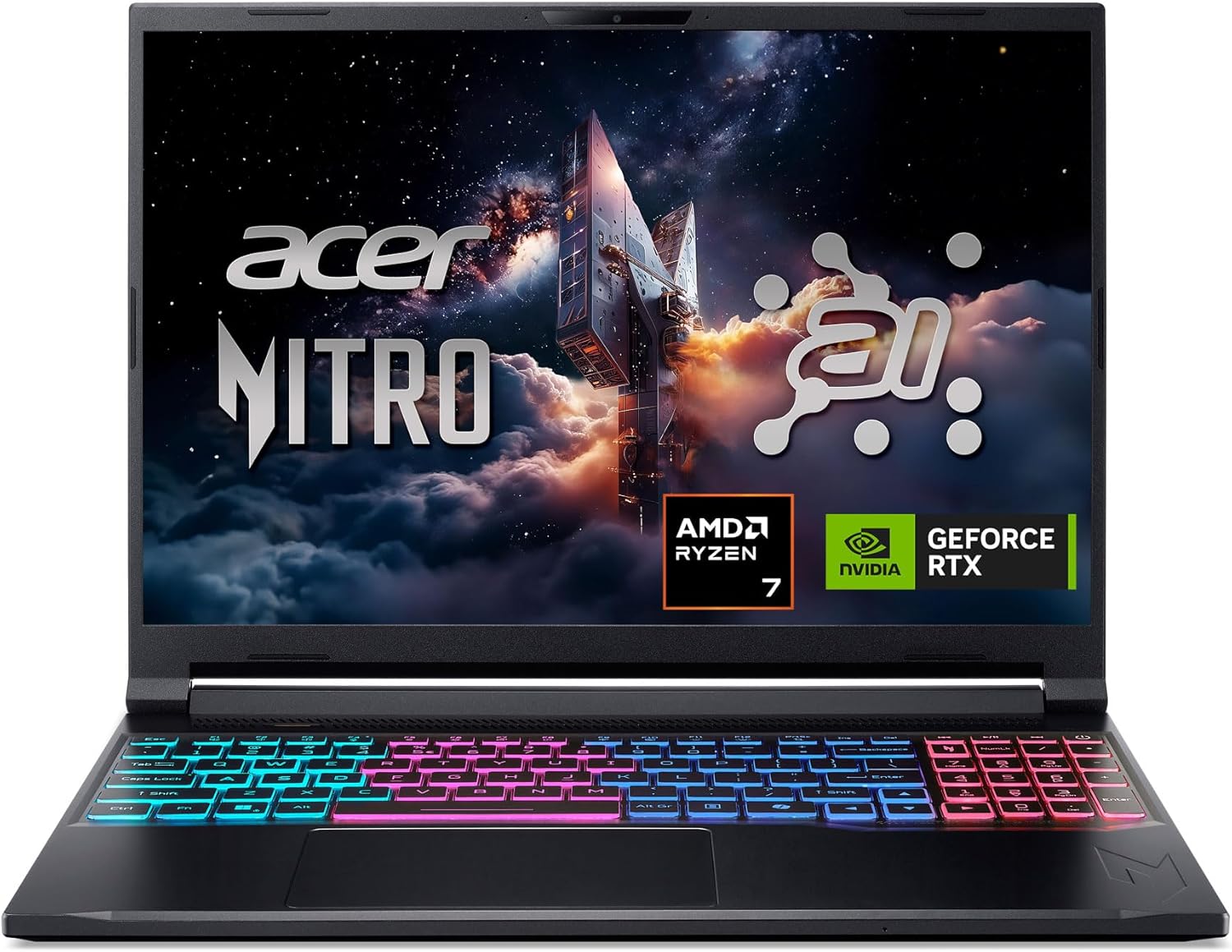
The Acer Nitro V 16S AI is a mid-range gaming laptop built around the latest AMD Ryzen 7 260 processor and NVIDIA GeForce RTX 5060 GPU. It's designed for PC gamers who want a balance of performance and portability, as well as content creators and streamers who can leverage the AI capabilities for tasks like upscaling, background effects, and faster encoding. With a 16-inch 180Hz display and 32GB of DDR5 RAM, this laptop aims to deliver smooth gameplay and efficient multitasking right out of the box.
When it comes to real-world gaming performance, the RTX 5060 with DLSS 4 and full ray tracing support gives you high frame rates in modern titles at 1080p or 1200p resolution. The 180Hz refresh rate makes fast action in FPS and racing games feel buttery smooth, while the 100% sRGB coverage ensures vibrant colors for open-world adventures. The AMD Ryzen 7 260's AI TOPS also help with background tasks, voice commands, and optimizing settings in supported software, giving an edge in competitive scenarios.
Build quality is typical for the Nitro line: a black plastic chassis with a clean, understated look. At 4.63 pounds, it's slim enough to slip into a backpack for college or LAN parties. The dual-fan quad-intake cooling keeps temperatures reasonable under load, though you'll still hear the fans ramp up during extended gaming sessions. The keyboard includes a backlit numeric keypad, and the touchpad is responsive for everyday use. Port selection is solid with USB4, two USB 3.2 Gen 2, HDMI 2.1, and Ethernet, making external monitor or dock setups easy.
Setting up the laptop is straightforward: it runs Windows 11 Home, and the pre-installed NitroSense software gives you control over fan speeds, power profiles, and system monitoring. The Acer PurifiedView and PurifiedVoice 2.0 features handle webcam background blur and noise reduction during Discord calls or streams. There are two M.2 SSD slots (one free) for storage expansion, but note that the RAM is soldered and maxes out at 32GB, so choose your capacity wisely at purchase.
One realistic limitation is that while the laptop includes a USB4 port, you'll need an external GPU dock if you ever want more graphics power - but for most users the RTX 5060 is plenty. Battery life is average for a gaming laptop; expect around four to five hours of light use. Also, the 1080p webcam isn't specified, but many laptops in this range offer only basic 720p or 1080p sensors, so external webcams are still recommended for professional streaming.
Overall, the Acer Nitro V 16S AI is a well-rounded portable gaming machine that hits a sweet spot for price-conscious PC gamers, esports players, and content creators. If you value high-refresh-rate gaming, AI-assisted performance, and decent portability without breaking the bank, this laptop is worth considering. It also comes with a three-month PC Game Pass trial to get you started with hundreds of games on day one.
The RTX 5060 laptop GPU with 572 AI TOPS and DLSS 4 Multi Frame Generation provides a significant boost in supported games. You can expect high settings at 1080p with smooth frame rates in titles like Call of Duty, Fortnite, and Cyberpunk 2077. The 180Hz display minimizes motion blur and screen tearing, while the AMD Ryzen 7 260 processor handles CPU-intensive simulations and background tasks without stutter. Gamers who play competitive esports titles will appreciate the low-latency response and Killer Ethernet for stable online play.
Despite being a slim 0.79-inch profile, the Nitro V 16S AI packs a dual-fan, quad-intake, quad-exhaust cooling system. This design pushes heat out efficiently, keeping the CPU and GPU within safe operating temperatures during long gaming sessions. The chassis is made of durable plastic with a matte finish that resists fingerprints. The hinge feels sturdy, and the weight of 4.63 pounds makes it manageable for daily carry. The backlit keyboard has a numeric keypad and decent key travel, suitable for both gaming and typing.

Pros
- Strong CPU and GPU combo for 1080p gaming and productivity tasks
- Ample 32GB RAM and 1TB SSD for fast load times and storage
- Long battery life with fast USB-C charging
- Backlit keyboard and fingerprint reader add usability and security
- Comprehensive port selection including USB4 and HDMI 2.1 for multi-monitor setups
Cons
- Integrated graphics may not satisfy hardcore gamers seeking max settings on AAA titles
- Some user reports of wireless connectivity issues that may require troubleshooting
- Slightly heavier and larger than some ultraportable laptops at 3.75 pounds
The NIMO 15.6-inch gaming laptop (model NIMO N158) is designed for PC gamers, content creators, and professionals who need a balance of power and portability. Powered by the AMD Ryzen 7 8745HS processor and Radeon 780M integrated graphics, it offers solid 1080p gaming performance for titles like Fortnite, Valorant, and Minecraft without needing a chunky gaming rig.
This laptop is best suited for casual gamers, competitive esports players, and streamers who value responsiveness and low latency. The 8-core CPU and 32GB of DDR5 RAM handle multitasking with ease, letting you run Discord, OBS, and your game simultaneously. The 1TB SSD ensures quick boot times and ample storage for your game library.
In terms of build quality, the NIMO laptop feels sturdy with a black chassis and a slim 0.71-inch profile. The backlit keyboard is comfortable for long gaming sessions, and the fingerprint sensor adds quick, secure login. The 15.6-inch FHD IPS display features anti-glare coating, reducing reflections during bright gaming sessions, and the slim bezels maximize screen real estate.
Connectivity is a strong point with USB4, HDMI 2.1, and a micro SD card reader, making it easy to connect dual monitors or peripherals. Wi-Fi 6E and Bluetooth 5.2 provide fast, stable connections for online play. The 75Wh battery offers up to 15.5 hours of active use, though heavy gaming will cut that significantly. The 100W USB-C charger recharges quickly.
One realistic limitation is the integrated graphics: while the Radeon 780M is impressive for an iGPU, it won't run demanding AAA games at ultra settings. Some users have reported wireless dropouts, which might require adjusting settings or using an Ethernet adapter. The laptop also lacks an optical drive and some users noted the touchpad can be slightly sensitive.
Overall, the NIMO N158 is a practical choice for gamers on a budget who need a versatile laptop for school, work, and play. It offers strong value with its generous RAM and storage, capable processor, and modern connectivity. If you're a college gamer or a work-from-home player looking for a jack-of-all-trades machine, this laptop deserves a look.

Pros
- Strong CPU performance for multitasking and productivity tasks.
- Expandable RAM and SSD slots allow future upgrades.
- Anti-glare display with high screen-to-body ratio for immersive viewing.
- Backlit keyboard with numeric keypad for convenience.
- Decent battery life for a full workday or study sessions.
Cons
- Integrated graphics limit performance in demanding AAA games.
- Only 512GB storage may fill quickly with large game libraries.
- Battery capacity is modest for extended gaming away from power.
The MALLRACE 16-inch gaming laptop is a versatile machine designed for users who need a balance of performance and portability. Powered by the AMD Ryzen 7 H255 processor with 8 cores and 16 threads, it offers snappy responsiveness for everyday tasks, light gaming, and productivity. This laptop is best suited for college gamers, work-from-home professionals, and casual gamers who want a reliable device for both work and play without breaking the bank.
In real-world use, the Ryzen 7 H255 handles multitasking with ease, whether you're juggling multiple browser tabs, streaming video, or running office applications. The Radeon 780M integrated graphics can handle esports titles like CS:GO and League of Legends at moderate settings, but don't expect to run the latest AAA games at high details. The 16-inch FHD anti-glare display (1920x1200) provides clear visuals and reduces eye strain, making it comfortable for long study or gaming sessions. The backlit keyboard is a nice touch for working in dim environments, and the numeric keypad adds convenience for data entry.
Build quality feels solid for its price point, with a lightweight chassis that weighs just 3.74 pounds. The laptop includes a good selection of ports, including USB 3.0, USB 2.0, HDMI, and Type-C, which covers most connectivity needs for peripherals and external displays. WiFi 6 ensures stable online gaming and fast downloads, while Bluetooth support makes pairing wireless accessories simple. The cooling system keeps the laptop quiet during light use, though it may ramp up under sustained gaming loads.
Setup is straightforward with Windows 11 Pro pre-installed, and the lack of bloatware is a plus. The RAM and SSD are upgradeable, giving you room to expand storage or memory down the line. Maintenance is minimal, though the battery is non-removable and offers around 8-9 hours of mixed use, which is decent but not exceptional for heavy gaming away from an outlet.
One realistic limitation is the integrated graphics, which means this laptop isn't built for hardcore gaming. The 512GB SSD may also fill up quickly if you install several modern games. Additionally, the 50.82Wh battery is modest, so you'll want to stay near a power source for extended gaming sessions.
Overall, the MALLRACE 16-inch laptop is a practical choice for college gamers, casual players, and professionals who need a capable daily driver. It offers strong CPU performance, a comfortable display, and upgrade potential at a competitive price. If you're looking for a budget-friendly laptop that can handle light gaming and productivity without fuss, this is worth considering.

Pros
- Powerful Ryzen 7 Pro processor with 8 cores and 16 threads.
- Generous 32GB LPDDR5 RAM for heavy multitasking and future-proofing.
- Fast 1TB PCIe 4.0 SSD ensures quick boot times and game loading.
- 100W USB-C fast charging with included charger for rapid power top-ups.
- Backlit keyboard and fingerprint sensor for easy use in low light and secure login.
Cons
- Integrated Radeon 680M graphics may struggle with AAA titles at high settings.
- Battery life under gaming load is moderate, typical for this class.
- No dedicated GPU limits high-end gaming performance compared to traditional gaming laptops.
The NIMO 15.6" FHD Light-Gaming-Laptop is a versatile machine that blends professional-grade processing power with enough graphical muscle for casual and esports gaming. Powered by an AMD Ryzen 7 Pro 6850U with 8 cores and 16 threads, it's built to handle everything from heavy multitasking to content creation without breaking a sweat. The 32GB of LPDDR5 RAM and 1TB PCIe 4.0 SSD further ensure that your games and applications load quickly and run smoothly.
This laptop is best suited for PC gamers who play less demanding titles like Valorant, League of Legends, or CS2, as well as streamers and content creators who need reliable performance for editing and broadcasting. College gamers and work-from-home users will appreciate the portable design, long battery life (up to 9 hours on light use), and the 100W USB-C fast charging that can give you up to 2 hours of use after just 15 minutes of charging.
In terms of real-world performance, the integrated Radeon 680M graphics can push 60+ fps in many esports titles at medium settings, making it a capable companion for competitive play. The 15.6" FHD IPS anti-glare display offers clear visuals and good color reproduction, which is great for both gaming and media consumption. The backlit keyboard and precision touchpad with fingerprint reader make late-night sessions comfortable and secure.
Build quality is solid with a durable metal chassis that feels premium and can withstand daily wear. The laptop is thin and light at 0.76 inches and 3.75 pounds, making it easy to slip into a backpack for dorm or office use. Connectivity includes multiple USB ports (one USB 2.0 and four USB 3.0), Wi-Fi, Bluetooth 5.2, and a 100W USB-C port for charging and data transfer. The setup is straightforward - it comes with Windows 11 pre-installed, so you can start gaming right out of the box.
One realistic limitation is the integrated graphics - while capable for light gaming, it won't run the latest AAA titles at high settings. Battery life during gaming is shorter, but that's typical for any gaming laptop. Also, the lack of a dedicated GPU means this isn't a replacement for a traditional gaming laptop with a discrete card. However, for its price point, the NIMO offers excellent value for those who prioritize CPU performance, RAM, and storage over raw gaming horsepower.
Overall, the NIMO laptop is a practical recommendation for PC gamers, streamers, and content creators who need a portable, powerful machine for both work and play. It's especially well-suited for college students, remote workers, and anyone building a versatile gaming setup that can handle light gaming and productivity tasks with ease. If you're looking for a budget-friendly option that doesn't skimp on RAM and storage, this is worth considering.
Frequently Asked Questions
Is 16GB of RAM necessary for a Best Gaming Laptop For Teenager in 2026?
Yes, 16GB of DDR5 RAM is the recommended baseline for smooth gaming and multitasking in 2026. It allows modern titles to run smoothly while keeping Discord and browser tabs open in the background. While 8GB handles basic casual play, 16GB prevents frustrating memory stutters during intense scenes. Dual-slot designs also provide a path for future expansion.
Do teenagers need a dedicated GPU for gaming?
Yes, dedicated graphics hardware is essential for enjoying modern games with stable performance and smooth frame rates. While integrated chips handle basic titles, options featuring dedicated graphics cards for gaming like an RTX 4050 or RTX 5060 support AI upscaling and DLSS. This extra graphical power keeps action fluid and prevents jarring slowdowns during fast-paced matches.
Why does screen refresh rate matter on a Best Gaming Laptop For Teenager?
A 165Hz or higher refresh rate provides superior motion clarity and lowers perceived input lag. High-refresh panels update images twice as fast as standard displays, eliminating motion blur during quick camera turns. This visual clarity makes tracking opponents in fast-paced competitive shooters much easier. The smoother motion also reduces eye fatigue during extended gaming sessions.
Can a Best Gaming Laptop For Teenager also handle homework and school projects?
Yes, multi-core Intel Core and AMD Ryzen processors handle productivity software and research tasks effortlessly. Modern processors divide heavy gaming tasks and everyday apps across dedicated performance and efficiency cores. This architecture lets students run office suites, web browsers, and light creative editing apps without system lag. Fast NVMe drives ensure applications open instantly.
Can these laptops be upgraded as gaming requirements increase?
Yes, many gaming laptops offer accessible slots for additional RAM and secondary PCIe SSD storage. Choosing a system with expandability makes future hardware upgrades for gaming rigs simple and cost-effective as game install sizes grow. Expanding memory and storage helps prolong the lifespan of the laptop for several years. Always consult manufacturer guidelines before opening the chassis.







Write Your Review
No reviews yet. Be the first to share your experience!