


Selecting Reliable Seating for PC Gaming Setups
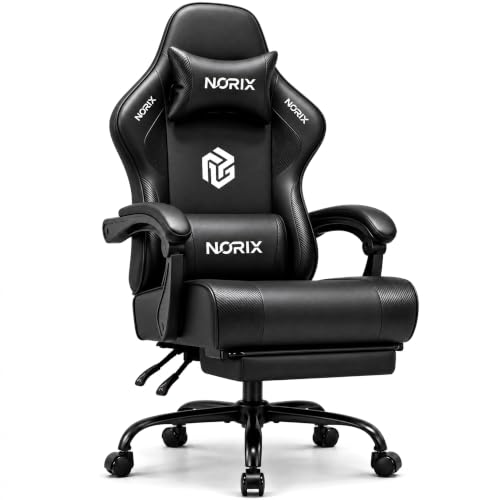
Standard desk setups often suffer when an uncomfortable chair forces you to shift constantly during long play sessions. Bulky racing side bolsters can restrict your legroom, while thin base foam tends to bottom out after just a few weeks of daily use. Looking for the best pc gaming chairs under $200 means paying close attention to seat cushion construction, especially whether a model incorporates independent pocket springs alongside high-density foam. Many value-focused designs now provide generous seat widths, such as 51cm flat surfaces or reinforced frames rated up to 400 pounds, making it easier to secure proper ergonomic back support without stretching your budget. You can also explore dedicated gaming chairs for back support to see how specific backrest contours match your posture needs.
Desk compatibility also plays a huge role in how well a new seat fits your workstation. Synchronized or interlocking armrests tilt back as you recline between 90 and 135 degrees, but you’ll want to check their height so the chair still rolls smoothly under your desk surface. Material selection is another key trade-off, where breathable quilted fabrics offer better airflow during warm days while smooth PU leather wipes clean in seconds. Paying attention to listed dimensions and rated weight capacities ensures your seat holds up to daily gaming and desk work alike.


Frequently Asked Questions
How do pocket springs compare to standard foam seats in sub-$200 gaming chairs?
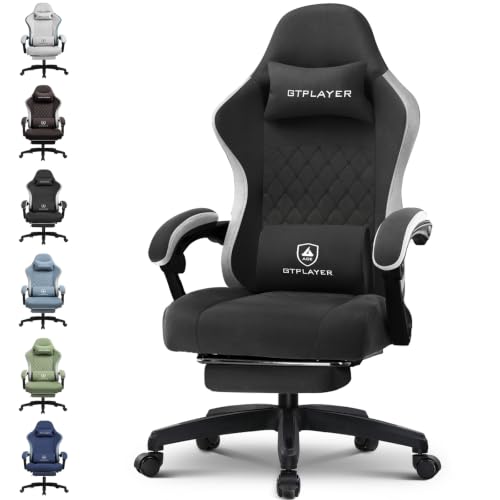
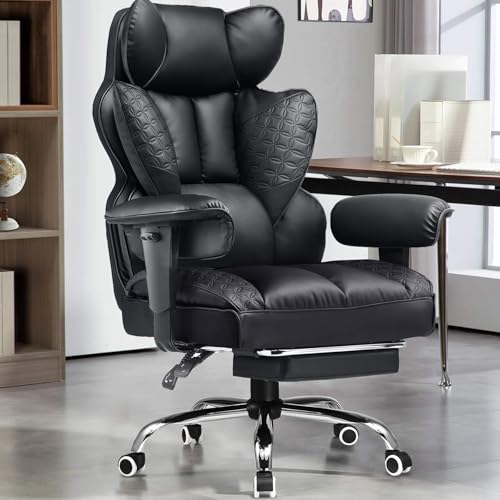
Pocket springs distribute your body weight more evenly than single-layer foam cushions. Many chairs in this price range, such as the Video Gaming Chair for Adults with Footrest or GTPLAYER models, combine dual-layer foam with independent coils. This prevents the seat from packing down quickly during everyday use. You can also evaluate extra supportive gaming chair cushions if you prefer additional padding on top.
What weight capacities should you expect from gaming chairs under $200?
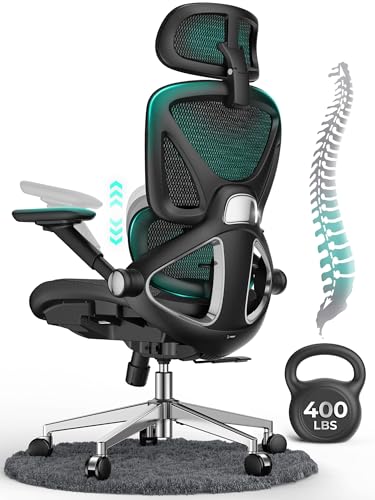
Stated weight capacities in this category generally range between 300 and 400 pounds. Heavy-duty options like the N-GEN GAMING Big and Tall Gaming Chair and GTPLAYER Big and Tall chair advertise steel frames and reinforced metal bases rated up to 400 pounds. Standard models often state capacities around 150 kilograms (approximately 330 pounds). Checking the gas lift rating and base construction helps confirm the chair matches your body type.
How do linkage armrests work on reclining gaming chairs?
Linkage or synchronized armrests pivot automatically as you adjust the backrest angle. When you recline between 90 degrees and 135 degrees, the armrests shift backwards to keep your elbows supported. Unlike 3D or 4D armrests, these linkage designs cannot adjust their height independently from the backrest. That means you should verify your desk height to make sure the chair tucks away cleanly when not in use.
Is breathable fabric or PU leather better for budget gaming setups?
Fabric offers superior airflow, while PU leather provides easier cleaning and maintenance. Models like the GTPLAYER fabric chair use quilted textiles that help disperse heat during longer summer sessions. In contrast, PU leather resists accidental spills and wipes down with a damp cloth, though it may feel warmer in unventilated rooms. Your local room climate and upkeep preferences should guide your pick.
Can you sit cross-legged in these gaming chairs?
Sitting cross-legged depends on whether the seat cushion features raised side wings. Designs with flat, wingless seats, like the JECQCUPG model measuring 51 centimeters across, give your legs ample space to spread out comfortably. Models with pronounced side bolsters push your thighs inward and make crossed-leg postures awkward. Checking the effective flat width of the seat before buying will prevent cramped seating. For broader buying considerations, review our guide on evaluating what makes the best gaming chairs.



Write Your Review
No reviews yet. Be the first to share your experience!