


Starting a content platform while trying to maintain smooth in-game performance presents a unique hardware challenge for creators. Capturing high-resolution gameplay at steady frame rates demands reliable processing power, sufficient system memory, and dedicated graphical encoding. Anyone researching how to make a gaming youtube channel must look closely at their desktop specifications before hitting record. Even an affordable gaming PC setup can handle recording when configured properly, but running intensive titles alongside capture software requires strategic hardware allocation. Understanding these basic technical demands helps prevent frustrating frame drops, corrupted recordings, and poor visual quality.
Beyond the internal components, launching a channel involves selecting the right recording tools, establishing consistent audio levels, and structuring an engaging video catalog. Balancing software encoders like OBS Studio with modern graphics cards ensures your PC stays responsive during intense matches. Creators can also turn to educational reference guides and instructional resources to understand audience retention, thumbnail presentation, and upload scheduling. Taking time to align your computer hardware with your content goals creates a solid foundation for long-term channel growth.


Step-by-Step Blueprint for Launching a Gaming YouTube Channel
Starting a successful video platform centered on video games requires both technical preparation and content planning. Creators must know how their desktop handles the dual burden of rendering 3D graphics while encoding video files in real time. Learning how to make a gaming youtube channel involves understanding hardware limits, setting up capture software properly, and establishing a sustainable workflow. By building a reliable system configuration and mastering basic video production steps, you can consistently publish high-quality gameplay videos.
Evaluating Desktop Hardware for Simultaneous Gaming and Recording
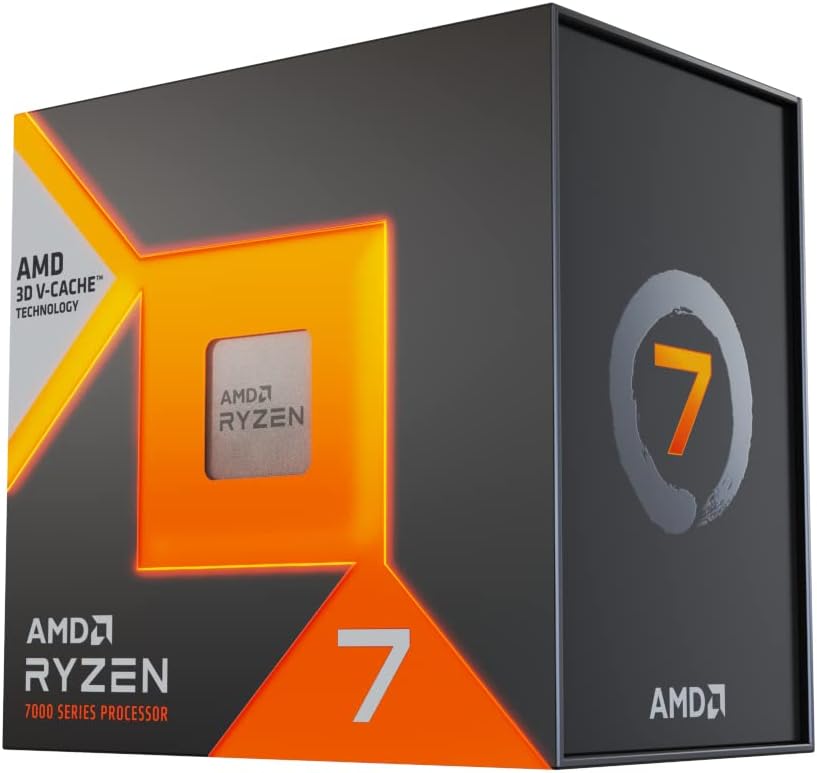
A gaming desktop must handle significant computational overhead when running games and background recording tools simultaneously. Modern games often consume several processing cores for game physics, AI routines, and graphical asset streaming. When local recording software operates alongside the title, insufficient processor headroom can lead to stuttering or dropped frames. Builders assembling a custom gaming PC build should prioritize processors with at least six to eight physical cores. This balance ensures background software processes do not rob active games of necessary execution threads.
Graphics card selection plays an equally vital role in video creation stability. A dedicated graphics processing unit renders visual scenes while managing hardware-based video encoders that relieve the main processor. If a graphics card runs at full capacity without reserve memory, video capture software may experience encoding lag. Ensuring that your graphics card has adequate dedicated video memory helps prevent resolution scaling issues during capture. Balancing the capabilities of your processor and graphics card provides a steady foundation for all subsequent recording tasks.
Understanding GPU Hardware Encoding Versus CPU Encoding
Video compression requires substantial mathematical processing, making encoder choice a critical decision for any gaming channel. Software-based x264 encoding relies heavily on the central processor, which can dramatically lower in-game frame rates during demanding gameplay sequences. Hardware encoders integrated into modern graphics cards handle video compression on separate silicon blocks, keeping primary rendering pipelines clear. NVIDIA NVENC, AMD AMF, and Intel QuickSync provide efficient compression that minimizes the performance impact on active games. Selecting a hardware encoder allows most mid-range systems to maintain smooth frame rates while recording crisp footage.
Quality differences between hardware and software encoding have narrowed significantly in recent years. Modern hardware encoders deliver exceptional visual clarity at manageable bitrates without taxing system stability. Utilizing hardware encoding also reduces overall system heat generation during long gameplay sessions, which prevents thermal throttling. Creators who record fast-paced action titles benefit especially from hardware encoders because rapid scene changes require consistent compression throughput. Configuring your recording software to use dedicated graphics encoding is therefore one of the most effective ways to ensure reliable video captures.
System Memory and Storage Bandwidth Requirements
System memory capacity directly impacts a creator’s ability to multitask smoothly between gaming, recording, and editing applications. While sixteen gigabytes of system memory remains sufficient for standard gaming, content creation often pushes memory consumption much higher. Running a modern game alongside recording utilities, browser research tabs, and audio processing software can quickly deplete available memory. Upgrading to thirty-two gigabytes of high-speed memory offers ample headroom to prevent paging file usage and memory-related game crashes. Having sufficient memory bandwidth also accelerates asset caching and scrubbing when you later import raw footage into video editing timelines.
Storage speed and capacity represent another practical bottleneck that new creators frequently underestimate. High-bitrate video recordings produce substantial file sizes, often generating dozens of gigabytes of data during a single recording session. Standard mechanical hard drives frequently struggle with sustained write speeds when recording high-resolution footage at sixty frames per second. Utilizing a fast solid-state drive, particularly an NVMe drive, ensures continuous data writes without buffering or frame drops. Maintaining a dedicated secondary drive for media scratch files keeps your primary operating system drive free from rapid clutter.
Configuring OBS Studio for High-Quality Gameplay Capture
Open Broadcaster Software Studio serves as the industry standard tool for capturing desktop gameplay and webcam feeds. When configuring software settings for local recordings, creators should select rate control methods tailored for storage rather than live streaming. Setting rate control to Constant Quantization Parameter or Constant Rate Factor produces superior visual fidelity by adjusting bitrate dynamically based on scene complexity. A target quantization value between eighteen and twenty-two delivers crisp details without causing unnecessary file bloat. Testing short gameplay segments before beginning a full playthrough helps verify that the recording settings remain stable.
Resolution scaling and framerate settings must match both your display output and your channel presentation goals. Setting your base canvas resolution to your native monitor resolution avoids visual distortion or unwanted letterboxing. Your output scaled resolution should generally match your intended export format, with sixty frames per second serving as the standard for modern gaming content. Choosing the correct color format and color space within advanced video settings also prevents visual banding and washed-out colors. Taking the time to configure these baseline parameters guarantees that your uploaded videos look identical to what you see on your monitor.
Setting Up Multi-Track Audio for Professional Commentary
Clear, balanced audio matters just as much as sharp visuals when building an engaged YouTube audience. Recording all audio into a single stereo track creates massive editing challenges if game sound accidentally drowns out vocal commentary. Advanced recording tools allow users to route microphone input, system audio, and Discord voice communications onto completely separate audio tracks. By recording multi-track audio, creators can independently adjust volume levels, apply noise reduction, and equalize voices during post-production. This separation ensures that an unexpectedly loud game explosion will never ruin an important commentary moment.
Proper microphone technique and basic software filtering further enhance spoken commentary quality. Placing a dynamic or condenser microphone within a few inches of your mouth reduces background room reflections and keyboard clicks. Adding software filters such as a noise suppression plugin, a mild compressor, and a gentle limiter prevents vocal clipping during excited reactions. Setting your baseline recording levels so your voice peaks between negative twelve and negative six decibels leaves adequate headroom for dynamic vocal range. Investing effort into clean microphone audio gives your channel an immediate competitive edge over unpolished uploads.
Capturing Gameplay Across Desktops, Consoles, and Mobile Devices
Content creators often wish to record titles across multiple gaming platforms in addition to desktop PC games. Desktop titles generally capture best using dedicated game capture hooks in OBS, which hook directly into the graphical application. This method offers better performance and security than capturing your entire desktop display, which might accidentally expose private notifications. For capturing external sources like home consoles or handheld gaming consoles, a dedicated capture card becomes necessary. Capture cards transfer the video signal via HDMI into your PC, where recording software processes it as a video feed.
When using an internal PCIe or external USB capture card, verifying passthrough latency and resolution capabilities is critical. Passthrough ports allow you to play your console games on a zero-latency monitor while the computer records the incoming feed. External capture devices require reliable USB bandwidth, making direct connections to high-speed rear motherboard ports preferable to unpowered front-panel hubs. Ensuring proper audio synchronization between the capture card video feed and your standalone microphone prevents awkward timing mismatches. Mastering capture across diverse systems expands the variety of gaming topics your channel can comfortably cover.
Defining Your Channel Niche and Content Angle
The gaming category on YouTube contains millions of active channels, making a clear niche essential for discoverability. Simply uploading unedited, long-form gameplay footage rarely attracts new viewers who are unfamiliar with your personality. Successful new creators often focus on specific content formats such as detailed walkthroughs, weapon guides, speedrun breakdowns, or game performance analyses. Choosing one or two specific gaming titles or genres allows the recommendation algorithm to understand who your ideal audience is. As your subscriber base stabilizes, you can gradually introduce adjacent games without confusing returning viewers.
Understanding your viewer’s motivation helps determine whether your content should emphasize entertainment, skill demonstration, or education. Entertaining channels rely heavily on engaging commentary, comedic timing, and creative video editing. Informative channels attract viewers searching for practical solutions, such as locating difficult collectibles or optimizing graphics settings for older hardware. Reviewing published resources such as instructional guides from independent gaming authors can help creators structure pacing, plan episodes, and identify underserved topics. Defining your core value proposition early saves months of unfocused uploading.
Editing Workflow and Video Export Settings
Transforming raw gameplay footage into engaging, dynamic videos requires a structured video editing workflow. Free and paid applications such as DaVinci Resolve, Adobe Premiere Pro, and CapCut offer robust multi-track editing environments. The first editing pass should eliminate dead air, repetitive traversal, and failed attempts that slow down video momentum. Adding tasteful sound effects, subtle background music, and zoom cuts helps maintain visual interest throughout extended segments. Organizing project bins, media folders, and audio tracks systematically keeps complex editing projects manageable as your video length grows.
Export settings directly influence how YouTube’s internal compression algorithms process your uploaded video files. Exporting videos at 1440p resolution, even when recorded natively at 1080p, prompts YouTube to allocate its superior VP09 or AV1 compression codec. This higher-tier codec preserves fine details, foliage textures, and rapid motion much better than the standard AVC1 codec assigned to baseline 1080p uploads. Utilizing an H.264 or HEVC export profile with a target bitrate of forty to sixty megabits per second ensures clean source files. Verifying that audio exports at three hundred twenty kilobits per second maintains the fidelity of your balanced vocal tracks.
Packaging Content: Thumbnails, Titles, and Search Visibility
A high-quality video will struggle to gain views if its external packaging fails to generate initial clicks. Thumbnails and titles function as a unified billboard designed to capture browsing attention within fractions of a second. Effective gaming thumbnails feature strong visual contrast, recognizable character elements, and bold, readable text that remains legible on mobile screens. Avoiding visual clutter allows the primary subject of the thumbnail to stand out against bright YouTube background themes. Pairing a curiosity-inducing visual with an honest, descriptive title creates strong initial click-through rates.
Search optimization provides steady long-term traffic while your channel establishes algorithmic momentum. Incorporating primary keywords naturally into your video title, description, and chapter markers helps YouTube index your content accurately. Detailed video descriptions that explain the video content and highlight timestamps improve viewer navigation and engagement metrics. Tracking your analytics in YouTube Studio reveals which search queries bring viewers to your videos, allowing you to refine future topics. Consistent packaging and keyword alignment turn one-time searchers into loyal channel subscribers.
Managing Consistency and Workflow to Avoid Burnout
Maintaining a regular upload schedule is one of the most challenging aspects of operating a digital content channel. Creators who attempt to record, edit, and publish complex videos daily often experience creative fatigue and mental burnout. Establishing a batch production schedule, where you record multiple episodes in one session and edit across subsequent days, streamlines your effort. Developing standardized project templates for your editing software, thumbnail designs, and description links saves valuable hours each week. Setting realistic production goals allows you to focus on quality rather than rushing unpolished projects to meet arbitrary deadlines.
Community engagement reinforces viewer loyalty and encourages repeat viewership across every new upload. Responding thoughtfully to comments during the first few hours after publishing signals to the algorithm that your content fosters active discussions. Creating community polls, sharing status updates, and asking viewers for feedback builds a collaborative atmosphere around your gaming journey. Consulting helpful instructional books, like independent guides on streaming strategy and platform growth, can offer fresh ideas when your creative inspiration feels depleted. Viewing your channel as a gradual skill-building project ensures steady personal satisfaction alongside channel metrics.
Building a thriving channel requires balancing reliable desktop computing hardware with disciplined creative habits. Ensuring that your computer possesses the processing cores, hardware encoding capability, and storage speed needed for simultaneous gameplay capture eliminates frustrating technical interruptions. As you refine your recording settings, audio balance, and packaging strategies, your production quality will naturally improve. Focus on delivering clear value to your viewers, monitor your channel analytics to adapt over time, and let your unique passion for gaming guide your content creation journey.





Write Your Review
No reviews yet. Be the first to share your experience!